
Turkey officially changes its name
By Tata
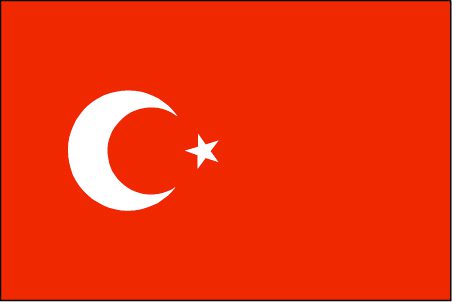
Soon, you will see a new name on the list of nations. It is “Türkiye.” Although it is a new name, it is not the name of a new country. It is the new name of Turkey.
The move to rebrand the name was started in December 2021 when President Tayyip Erdogan issued a statement that mandated citizens of Turkey to refer to the country as Türkiye even in other languages including English.
“Türkiye represents and expresses the culture, civilization, and values of the Turkish nation in the best way,” President Erdogan said in the statement which was released last year.
The United Nations have now accepted Turkey’s request to change its name.
“The process that we started under the leadership of our President Recep Tayyip Erdogan to increase the brand value of our country is coming to an end,” The minister of Foreign affairs, Mevlut Cavusoglu, said on Twitter.
He added that “With the letter I sent to the UN Secretary General today, we are registering our country’s name in foreign languages at the UN as “Türkiye.” The UN has said it has no objection to the change of name, as every country has the right to choose a name for itself.
Türkiye is not a name that is coming up for the first time. The country has been known as Türkiye Cumhuriyeti since 1923 when it was declared a republic. Turkey is the name of the country in English and a few other languages. In German, Turkey is called Türkei, and the French call it Turquie, just like Côte d’Ivoire is referred to as Ivory Coast by the French.
With the new development, Türkiye will be the new name of the country regardless of the language. In the statement released in December of last year, the president said, “Türkiye is the best representation and expression of the Turkish people’s culture, civilization, and values.”
The president has also mandated manufacturers and exporters to include “made in Türkiye” in their exported goods. This will help to sell the new name to the world.
The use of Türkiye has been accepted by most government officials. However, there are mixed reactions outside the government. Some believe that President Erdogan is only trying to divert people’s attention from the dwindling Turkish economy.
Turkey is not the only country to change its name in recent times. In 2020, Netherlands also stopped using Holland, while Macedonia rebranded its name to North Macedonia. In 2018, Swaziland also changed its name to Eswatini.
Türkiye has now asked the world not to call it Turkey. We now have to learn how to pronounce this new name and use it.
Read our editorial standards and corrections policy. Spotted an error? Contact the newsroom.
More from World
View section
Passengers Subdue Co-Pilot Accused of Trying to Crash Israel-Bound Flight
The flydubai aircraft plunged thousands of feet during a violent cockpit incident before making an emergency landing in Saudi Arabia.
By Cory Wayland
Antigua and Barbuda, Octopus Energy to Explore Cheaper, Cleaner Power
By Shermain Bique-Charles
Afreximbank issues a $29 million guarantee to scale EAC Customs Bond, easing movement of goods across East Africa
By Editorial Staff
Browne Pushes Small-State Priorities at UN General Assembly
By Shermain Bique-Charles
Comments
Be the first to comment.