
International Atomic Energy Agency reps head to Antigua

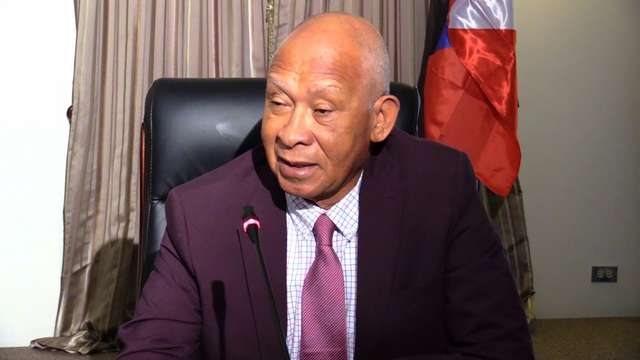
The government has met with the Director of Analytical Services to discuss the scope of work and staff complement that will be required of Antigua and Barbuda when officials from the International Atomic Energy Agency (IAEA) arrive here in less than two weeks.
Chief of Staff in the Office of the Prime Minister Lionel Max Hurst said on Thursday that the Agency will assist in establishing an Institute of Applied Sciences and Research; Laboratory Services; Research and Development Services.
The agency he said will also establish important functions that will be carried on at the places where the very expensive equipment, provided by the IAEA, is installed.
The Department has two sites; one at Point Wharf and the other at Dunbars; repair work at Dunbars will soon be undertaken and Point Wharf will become the Center of the Department’s activities, according to Hurst, who claimed that the Government will also enact legislation regarding the establishment of the new Institute and its operations, at the next sitting of Parliament.
“It is always better to have an expert than someone who might only occasionally be called. The whole idea is to ensure that small countries like ours that are unable to purchase some of the equipment necessary to do the investigations and to submit annual reports. The international agency will help us and they’ve done that. They’ve purchased some of the equipment which we now have, and training has also taken place”
“So, they will come to Antigua not only examining the equipment which they have donated but also to ensure that the staff that are responsible for ensuring that the equipment works, that they are in place. We have several functions and roles,” Hurst said
He also confirmed that the latest move is a result of the 2018 framework that Antigua and Barbuda signed.

This story was first published by Antigua News on : antigua.news/2023/04/27/international-atomic-energy-agency-reps-head-to-antigua. © 2023 Antigua News. Republication without permission is not allowed.

About the author
The Editorial Staff refers to all reporters employed by Antigua.news. When an article is not an original creation of Antigua.news—such as when it is based on a press release, other media articles, letters to the editor, or court decisions—one of our staff members is responsible for overseeing its publication.
Read our editorial standards and corrections policy. Spotted an error? Contact the newsroom.
More from Antigua and Barbuda
View section
US$600 Appeal Launched to Save Dog Injured in All Saints Police Shooting
Animal welfare supporters are seeking financial assistance for urgent veterinary treatment after Helen reportedly suffered a gunshot wound to her face during a police operation that left another dog dead.
By Cory Wayland

Taxi Association Removes 40 Bags of Waste During Ffryes Beach Clean-up
Members and volunteers tackle litter at Big and Little Ffryes beaches ahead of the 2026/2027 cruise season.
By Cory Wayland

Police Express Regret After Dog Fatally Shot During All Saints Search
Police say officers initially used less-lethal measures before one dog allegedly continued advancing aggressively during an early-morning operation.
By Cory Wayland

Police Seek Public Assistance in Locating Family of Child Found Alone on Belmont Main Road
Authorities are appealing to the public for urgent assistance in identifying the child and locating her parents or guardians.
By Cory Wayland
Comments
Be the first to comment.