
Antigua and Barbuda actively supports UN effort to end colonialism

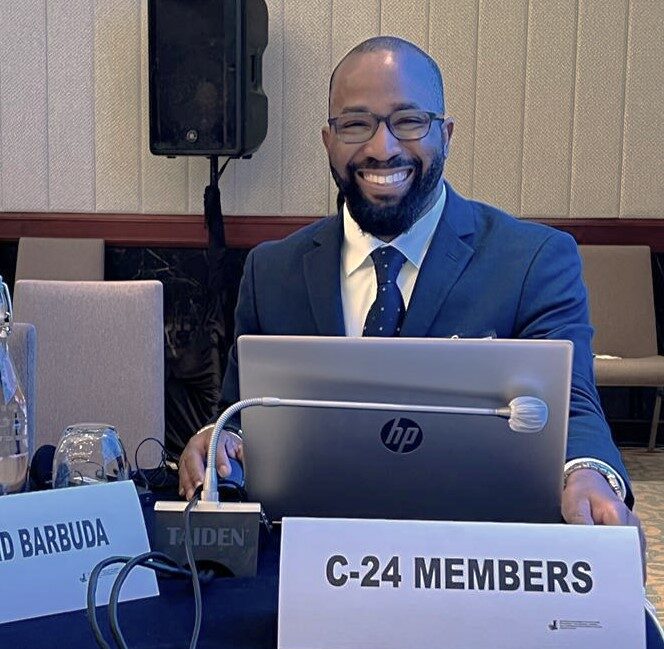
First Secretary at the Antigua and Barbuda Mission to the United Nations in New York, Mr. Claxton Duberry has added his voice to those supporting moves to end Colonialism across the world including the Caribbean
Duberry made his thoughts on the matter known at a meeting held in New York recently, held under the theme: “Implementation of the Fourth International Decade for the Eradication of Colonialism: Innovative Steps to Ensure the Attainment of the Sustainable Development Goals in the Non-Self-Governing Territories.”
Antigua and Barbuda serves on the Special Committee on the Situation regarding the Implementation of the Declaration on the Granting of Independence to Colonial Countries and Peoples.
The UN General Assembly Declaration states clearly “that all peoples have the right to self-determination, and that immediate steps should be taken to end colonialism unconditionally.”
“I take note that about fifty percent of the Non-Self-Governing Territories are within my region (the Caribbean). It is mind-boggling to say that this is my reality. This reality bears the fact that the process of decolonization is yet to be completed,” Duberry said.
He said the complete elimination of colonialism should remain top of the agenda of all nations
“As such, we must ensure as a body that the elimination of colonialism remains our priority. Greater attention is needed in my region. Madame Chairman I implore us to grab hold of the low-hanging fruits while at the same time embarking on a strong political will and shared compromise,” Mr. Duberry said
Mr. Duberry has been a long-standing member of the committee known as the Special Committee on Decolonization, or C-24 of the United Nations and as part of its work recently held its Regional Seminar in Bali, Indonesia from May 24-26.
This story was first published by Antigua News on : antigua.news/2023/06/03/antigua-and-barbuda-actively-supports-un-effort-to-end-colonialism. © 2023 Antigua News. Republication without permission is not allowed.

About the author
The Editorial Staff refers to all reporters employed by Antigua.news. When an article is not an original creation of Antigua.news—such as when it is based on a press release, other media articles, letters to the editor, or court decisions—one of our staff members is responsible for overseeing its publication.
Read our editorial standards and corrections policy. Spotted an error? Contact the newsroom.
More from Antigua and Barbuda
View section
Nicholas Leads APUA Delegation to Regional Water Conference
Discussions in Grenada focus on water security, climate resilience and sustainable utility services across the Caribbean.
By Shermain Bique-Charles

Antigua and Barbuda to Host Caribbean Tourism Conference in 2027
Regional tourism leaders will gather from October 4–8 as the destination prepares to host CTO’s flagship industry forum.
By Shermain Bique-Charles

National Health Insurance Could Become Reality by 2028 as Antigua and Barbuda Relaunches Universal Health Coverage Programme
Government advances plans for a National Health Insurance Programme aimed at making essential healthcare more accessible and affordable while reducing the financial burden on households.
By Cory Wayland

WATCH:Appeal for Information After Alleged Attempt to Snatch Necklace on All Saints Road
Circulating appeal says a man’s necklace broke and fell to the ground during the incident near the credit union.
By Shermain Bique-Charles
Comments
Be the first to comment.