
PM Browne holds discussions with UNESCO Director-General

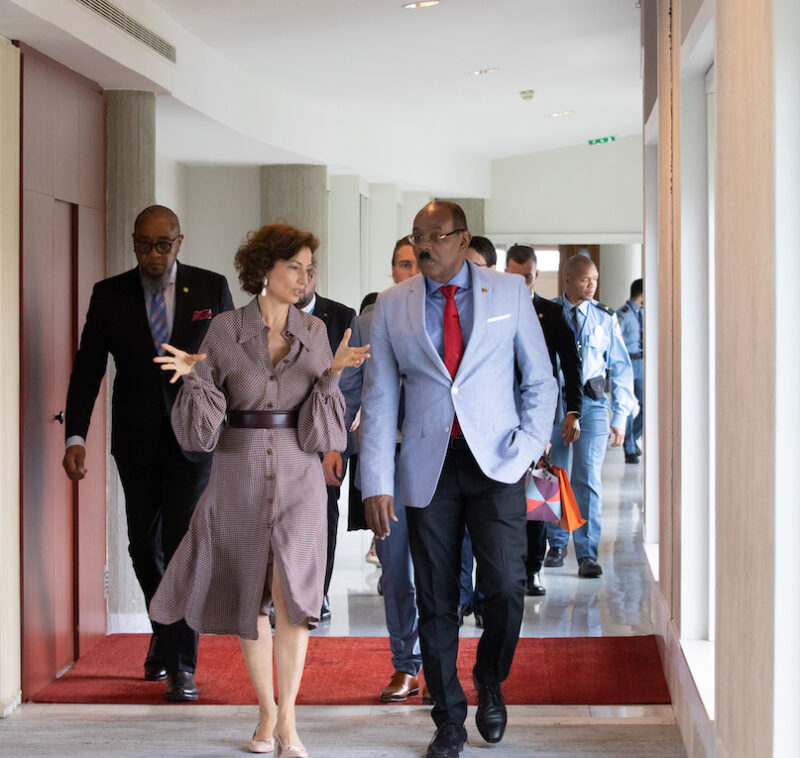
Prime Minister Gaston Browne held talks with the Director-General of UNESCO Audrey Azoulay during a meeting on Wednesday.
The discussions were held when Browne paid an official visit to UNESCO’s headquarters
According to a press statement, the dialogue was held on the protection of the oceans and the environment as a universal cultural asset of humanity and the promotion of exchanges and partnerships between countries for education, particularly international university students’ exchanges;
Discussions were also held on the improvement of access to information technologies an essential cultural and educational vector for developing States or with geographical particularities
Browne said during the meeting that he has full confidence in his new Ambassador “for this important representation of Antigua and Barbuda to UNESCO, which involves many issues of high importance for the country”
Browne and the Director-General also discussed establishing capacity building in Antigua and Barbuda to protect and track the country’s cultural assets, and to improve education infrastructure and human resources in relation to new technologies and artificial intelligence.
“It is very important for each country to be autonomous in matters of information technology, especially in relation to the development of artificial intelligence, and the institutions of multilateral diplomacy which have a crucial role to play in this area, in particular UNESCO,” Browne said
Ambassador of the Organization of Eastern Caribbean States to the World Trade Organization Colin Murdoch, and other international organizations in Geneva, as well as Timothée Bauer, Deputy Permanent Delegate for Antigua and Barbuda, were in attendance at the meeting.

This story was first published by Antigua News on : antigua.news/2023/07/19/pm-browne-holds-discussions-with-unesco-director-general. © 2023 Antigua News. Republication without permission is not allowed.

About the author
The Editorial Staff refers to all reporters employed by Antigua.news. When an article is not an original creation of Antigua.news—such as when it is based on a press release, other media articles, letters to the editor, or court decisions—one of our staff members is responsible for overseeing its publication.
Read our editorial standards and corrections policy. Spotted an error? Contact the newsroom.
More from Antigua and Barbuda
View section
King Charles Expresses Profound Sorrow Over Transatlantic Slavery
Commonwealth head calls for partnerships that address historic wrongs through education, jobs and resilience.
By Shermain Bique-Charles

Browne Announces More Than $1.5 Billion in Commonwealth Funding Commitments
Prime Minister says nature and health initiatives demonstrate CHOGM’s potential to deliver tangible benefits.
By Shermain Bique-Charles

Family Appeals for Public Help to Locate Missing 90-Year-Old Ackly Roberts
Roberts was last seen at his residence in Willikies on November 2, after a family member reportedly dropped off his breakfast at approximately 7:30 a.m.
By Cory Wayland

Minister Joseph Calls for Stronger Health Sector Response to Gender-Based Violence
Health Minister highlights police training, compassionate medical care and counselling as priorities for improving support for survivors.
By Shermain Bique-Charles
Comments (1)
Anonymous National July 19, 2023, 3:50 PM