
Dwayne George to make his first appearance in the Senate today

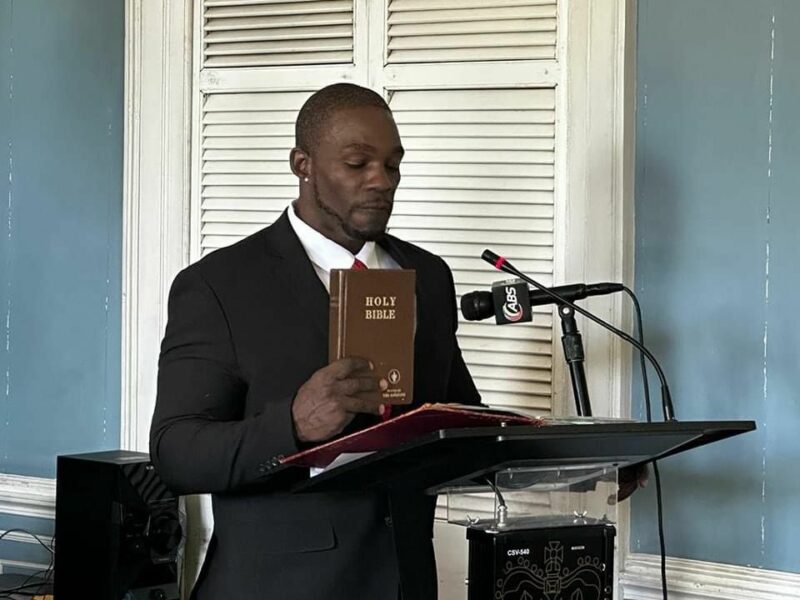
New Senator for Antigua and Barbuda, Dwayne George, is set to attend his first official meeting today at 9:30 am.
He was sworn in last week as the replacement for Caleb Gardiner, who had been appointed to serve as a diplomat in Washington, DC.
The ruling administration chose Senator George as the caretaker and anticipated nominee for the Antigua and Barbuda Labour Party in the St Mary’s South constituency by-election.
During today’s Upper House meeting, the Senate will debate and vote on amendments to the Registered Land Act, the Mount St John’s Medical Centre Act, and the Immigration and Passport Act.
They will also discuss the appointment of Ian Hughes as the new Supervisor of Elections.
If confirmed, his first task would be to manage the by-election between former MP Kelvin ‘Shugy’ Simon and Senator George.
The St Mary’s South constituency seat became vacant following Simon’s resignation from the role of constituency representative last month. This resignation was made in response to an election petition filed against him.
As per the Constitution, Senator George must resign from his post to contest the by-election. If he wins, another individual will be appointed to serve as a senator; if he loses, he will be reappointed to the Senate.
Prime Minister Gaston Browne has stated that the decision to replace former St Mary’s South caretaker Senator Samantha Marshall, and the process to find her replacement was made months ago.
He believes that Senator George, a former opposition United Progressive Party member, is the best candidate for the area.
However, members of the UPP have criticized his switch to the Labour Party, labeling it an act of betrayal.

This story was first published by Antigua News on : antigua.news/2023/08/09/dwayne-george-to-make-his-first-appearance-in-the-senate-today. © 2023 Antigua News. Republication without permission is not allowed.

About the author
The Editorial Staff refers to all reporters employed by Antigua.news. When an article is not an original creation of Antigua.news—such as when it is based on a press release, other media articles, letters to the editor, or court decisions—one of our staff members is responsible for overseeing its publication.
Read our editorial standards and corrections policy. Spotted an error? Contact the newsroom.
More from Antigua and Barbuda
View section
Antigua and Barbuda Earmarked to Host OECS Council of Ministers for Human and Social Development in 2027
Proposed hosting would bring regional ministers together to advance social protection and practical support for vulnerable groups.
By Shermain Bique-Charles

Antigua and Barbuda Takes the Crown as Caribbean’s Leading Wedding Destination 2026
World Travel Awards honour recognises the twin-island destination’s appeal for weddings and romantic celebrations.
By Shermain Bique-Charles

Renovated Autopsy Suite and Morgue Opens After Years of Concerns Over Conditions
Facility provides improved working spaces for staff and a designated waiting area for families viewing their loved ones.
By Shermain Bique-Charles

Antigua and Barbuda’s Minister Kiz Johnson Calls on OECS Ministers to Turn Social Policies into Action
Johnson urges regional ministers to make social services accessible, strengthen disability inclusion and protect funding for vulnerable people.
By Shermain Bique-Charles
Comments
Be the first to comment.