
MP Fernandez provides back-to-school support to over 700 children.

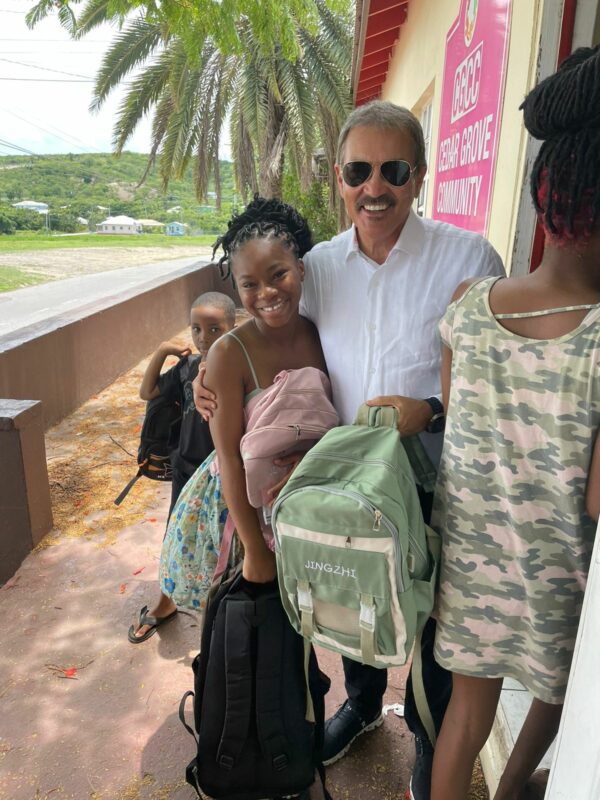
Charles ‘Max’ Fernandez, who serves as the Member of Parliament for St. John’s Rural North, has been leading a back-to-school donation initiative for nine consecutive years.
The aim of this initiative is to alleviate the financial burden on his constituents as they prepare for the school year.
Over the past weekend, MP Fernandez oversaw the distribution of around 700 school bags and essential supplies to grateful parents and children within his constituency.
Each family received school bags equipped with lunch kits, water bottles, activity or coloring books, writing materials, calculators, geometry sets, flash drives, rulers, and crayons.
A team working with the Constituency Representative emphasized the importance of this initiative, stating that “Our youth are the bedrock of our future”, saying that equipping students for success is a crucial investment in their education.
“We acknowledge that not every family has the means to provide their children with the necessary tools for a productive learning experience,” the team member added
MP Fernandez’s annual mission is to ensure that our young learners possess the fundamental resources to excel in their studies and the members of his team say providing essential school items not only relieves financial stress for families but also significantly impacts how well-prepared students are for their curriculum.
MP Fernandez sent a personalized message to every student, saying, “Dear Student, as you start a new school year, keep in mind that numerous opportunities are waiting for you. Have faith in your abilities, work hard, and strive for excellence. You are the future leaders of our country, and your potential is limitless.”
The team from St. John’s Rural North emphasized that studies consistently demonstrate that when students have their school supplies, it can improve their academic performance, creativity, learning attitudes, behavior, peer relationships, and self-esteem.
Education is the first step towards breaking the cycle of poverty. With just a collection of basic supplies like pencils and paper, students can pave the way for a promising and successful academic year.

This story was first published by Antigua News on : antigua.news/2023/08/28/mp-fernandez-provides-back-to-school-support-to-over-700-children. © 2023 Antigua News. Republication without permission is not allowed.

About the author
The Editorial Staff refers to all reporters employed by Antigua.news. When an article is not an original creation of Antigua.news—such as when it is based on a press release, other media articles, letters to the editor, or court decisions—one of our staff members is responsible for overseeing its publication.
Read our editorial standards and corrections policy. Spotted an error? Contact the newsroom.
More from Antigua and Barbuda
View section
Man Reportedly in Critical Condition Following Stabbing in Johnsons
Police and emergency medical personnel are on the scene as details continue to emerge.
By Shermain Bique-Charles

US$600 Appeal Launched to Save Dog Injured in All Saints Police Shooting
Animal welfare supporters are seeking financial assistance for urgent veterinary treatment after Helen reportedly suffered a gunshot wound to her face during a police operation that left another dog dead.
By Cory Wayland

Taxi Association Removes 40 Bags of Waste During Ffryes Beach Clean-up
Members and volunteers tackle litter at Big and Little Ffryes beaches ahead of the 2026/2027 cruise season.
By Cory Wayland

Police Express Regret After Dog Fatally Shot During All Saints Search
Police say officers initially used less-lethal measures before one dog allegedly continued advancing aggressively during an early-morning operation.
By Cory Wayland
Comments
Be the first to comment.