
A case on climate justice attracts highest number of countries to a sea tribunal in history.

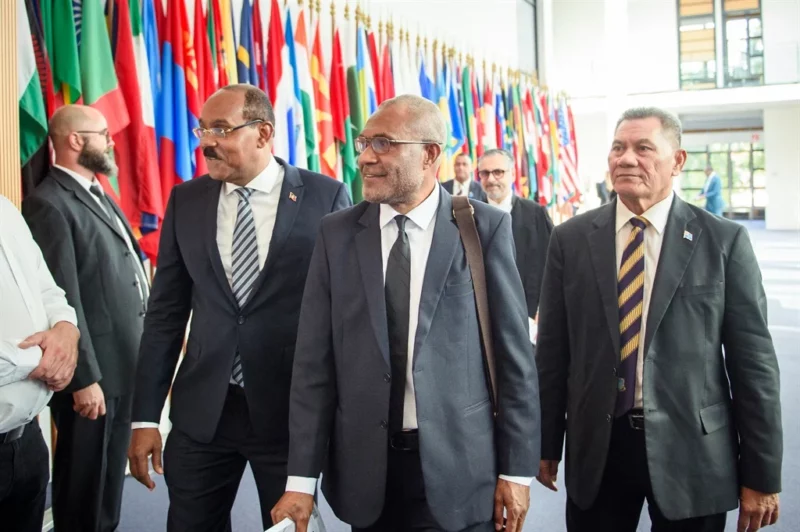
Antigua and Barbuda was among a wide-ranging group of countries that appeared before the International Tribunal for the Law of the Sea in Hamburg on Wednesday to participate in a climate justice case.
The Commission of Small Island States on Climate Change and International Law seeks an advisory opinion on countries’ legal obligations to reduce greenhouse gas emissions.
This request comes after the 2021 United Nations Climate Change Conference, where some countries were disappointed with the lack of action.
Forty countries worldwide are offering their opinions on how the court should rule.
The United States, the world’s largest oil producer, is not participating in the hearings as it has not signed the Law of the Sea Convention.
Countries will appear based on logistics and scheduling concerns, not their legal positions or geographic location.
On Wednesday, Germany, Australia, Saudi Arabia, Argentina, and Bangladesh spoke, with landlocked Bolivia unable to attend at the last minute.
In total, 31 countries have submitted written statements, and 33 will make oral statements. Some countries have opted for both.
Altogether, 40 different countries, ranging from China to France to Rwanda are participating.
The climate change request is only the third request for an advisory opinion in the tribunal’s 40-year history.
It is also the first request from a country, as intergovernmental organizations brought the two previous requests.
The court will also consider arguments from nine intergovernmental organizations, from the European Union to the United Nations.
Ten advocacy groups have also sent written arguments that are not part of the case file but can be considered by the judges.
The court will hear from the remaining countries over the next ten days. A ruling is expected sometime next year.

This story was first published by Antigua News on : antigua.news/2023/09/14/a-case-on-climate-justice-attracts-highest-number-of-countries-to-a-sea-tribunal-in-history. © 2023 Antigua News. Republication without permission is not allowed.

About the author
The Editorial Staff refers to all reporters employed by Antigua.news. When an article is not an original creation of Antigua.news—such as when it is based on a press release, other media articles, letters to the editor, or court decisions—one of our staff members is responsible for overseeing its publication.
Read our editorial standards and corrections policy. Spotted an error? Contact the newsroom.
More from Caribbean
View section
Dominica Says EU Sets June 2028 Deadline to End CBI Programmes or Risk Visa-Free Access
Government seeks transition support and alternative revenue options as regional talks continue over the future of citizenship by investment.
By Shermain Bique-Charles

VIDEO: Doctors at Dominica China Friendship Hospital Stage Protest Outside Medical Facility
Healthcare professionals at the Dominica China Friendship Hospital gather outside the medical facility in an apparent protest, raising concerns over issues yet to be officially confirmed.
By Cory Wayland

St. Kitts DPP Seeks Antigua’s Help in Outstanding Case Involving Former Resort Clerk
By Shermain Bique-Charles

Royal Caribbean in Talks to Buy Half of Sandals in Reported $3 Billion Deal
By Shermain Bique-Charles
Comments
Be the first to comment.