
Minister of Foreign Affairs addresses Global Development Initiative meeting at UNGA

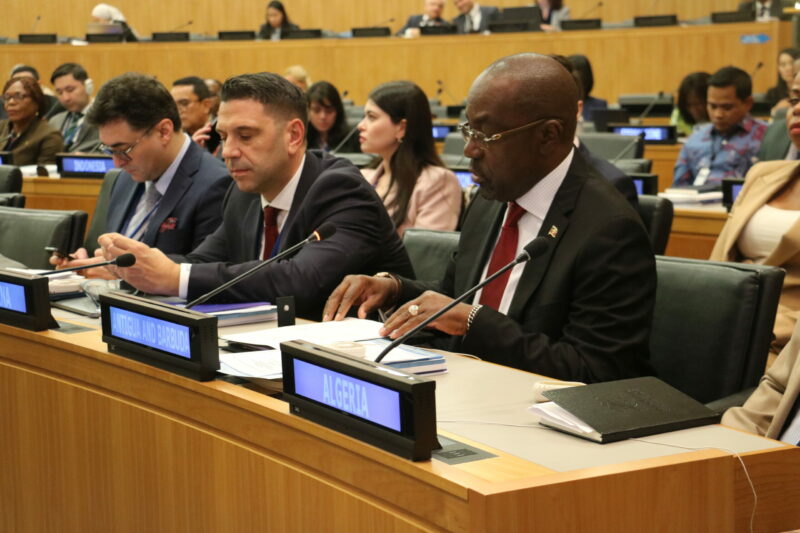
Antigua and Barbuda’s Minister of Foreign Affairs, Chet Greene, is attending the 78th United Nations General Assembly in New York. He has a busy schedule of engagements and bilateral meetings with development partners.
On Tuesday, he spoke at a Global Development Initiative Ministerial Meeting, an initiative by the People’s Republic of China to support small states like Antigua and Barbuda in food security, debt recovery, renewable energy, and digital economy.
Minister Greene highlighted the 40 years of diplomatic relations between his country and China and emphasized the mutual interest in pursuing equitable development that positively impacts the people of their countries.
He supported the call made by China’s Foreign Minister, Wang Yi, for the global community to prioritize development for international cooperation and alliance building.
The Minister also emphasized the need for deeper engagement to ensure equity in the global development architecture, particularly for island nations.

He noted that climate change was an urgent and pressing priority and that operationalizing the Loss and Damage Fund and adopting a Multi-Dimensional Vulnerability Index (MVI) were essential tools in ensuring the survival and prosperity of island nations.
Minister Greene urged the reform of the international financial system and international financial institutions to benefit developing countries.
He highlighted how the GDI supports social and economic opportunities in developing countries and contributes to fulfilling the UN 2030 agenda for Sustainable Development.
The Minister also informed the meeting about the upcoming SIDS4 Conference, which will be held in Antigua from May 27 – 30 next year. At the event, a Centre of Excellence will be launched, coinciding with the major gathering of island nations from across the globe.
This story was first published by Antigua News on : antigua.news/2023/09/21/minister-of-foreign-affairs-addresses-global-development-initiative-meeting-at-unga. © 2023 Antigua News. Republication without permission is not allowed.

About the author
The Editorial Staff refers to all reporters employed by Antigua.news. When an article is not an original creation of Antigua.news—such as when it is based on a press release, other media articles, letters to the editor, or court decisions—one of our staff members is responsible for overseeing its publication.
Read our editorial standards and corrections policy. Spotted an error? Contact the newsroom.
More from Antigua and Barbuda
View section
King Charles III arrives in Antigua and Barbuda for historic Royal Visit
The Monarch’s arrival marks his first visit to Antigua and Barbuda as King, with the country preparing to welcome Commonwealth leaders for CHOGM.
By Cory Wayland

Nuri Katz Backs Browne’s CIP Exit Proposal, Urges Caribbean Leaders to Follow Suit
The Apex Capital Partners CIP expert supports negotiating a phase-out tied to EU assistance as Antigua and Barbuda seeks a transition until 2030.
By Shermain Bique-Charles

PM Browne Offers to End CIP, Seeks EU Support and Transition Until 2030
Prime Minister proposes a managed closure to preserve Schengen visa-free travel, warning that an abrupt end could threaten public finances, development projects and banks.
By Shermain Bique-Charles

CHOGM Organisers Scrap Park-and-Ride System for November 1 and 2 Events
Patrons can now park near Sir Vivian Richards Stadium as organisers introduce revised parking arrangements, eliminating the need to use previously designated shuttle locations.
By Cory Wayland
Comments
Be the first to comment.