
Peetron Applauds Government for the $10 Barrel Opportunity

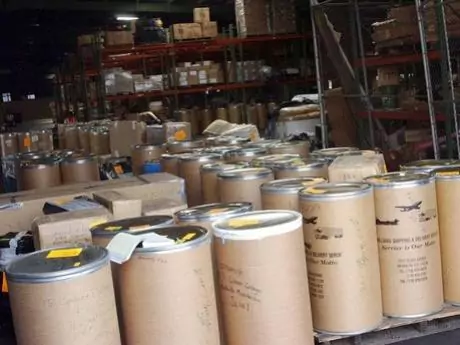
Peetron Thomas, an advocate and supporter of the $10 Barrel initiative, has expressed his gratitude to the Antigua & Barbuda government for their dedication and vision in relaunching the program.
Thomas encourages the public to take advantage of the opportunity provided by the initiative, which is designed to improve homes across the nation.
The potential of the $10 Barrel initiative to enhance the lives of the citizens of Antigua and Barbuda has garnered widespread attention and received an endorsement from Thomas.
The government’s commitment to its people is demonstrated by the initiative and is significant.
Thomas also recognizes the efforts of the Antigua & Barbuda Labour Party in ensuring that the citizens of the nation are not forgotten.
As the year draws to a close, he calls on all citizens to celebrate the bonds that unite them.
With Christmas approaching, Thomas sees an ideal opportunity to engage with the $10 Barrel initiative and encourages everyone to participate in the transformative process, creating a brighter future for all.
The value of good governance and the significance of the $10 Barrel initiative are acknowledged by Thomas in expressing his gratitude for the government’s approval of the opportunity.
Thomas issues a heartfelt call to action to all citizens of Antigua and Barbuda, regardless of age or family status, urging them not to miss the chance to participate in the initiative, available from December 1st to December 31st, 2023.
Thomas’s statement of support demonstrates the potential for positive change through unity and collective effort, making the $10 Barrel initiative a beacon of hope for the nation’s future.
This story was first published by Antigua News on November 10, 2023: antigua.news/2023/11/10/peetron-applauds-government-for-the-10-barrel-opportunity. © 2023 Antigua News. Republication without permission is not allowed.

About the author
The Editorial Staff refers to all reporters employed by Antigua.news. When an article is not an original creation of Antigua.news—such as when it is based on a press release, other media articles, letters to the editor, or court decisions—one of our staff members is responsible for overseeing its publication.
Read our editorial standards and corrections policy. Spotted an error? Contact the newsroom.
More from Antigua and Barbuda
View section
‘They Can’t Dictate That’: Freeland Rejects Player Pressure Over National Coach
Freeland defends the coaching staff and says players should demonstrate their value through training and performance.
By Shermain Bique-Charles

Search Ends as All Four Juveniles Who Escaped Bolans Police Station Return to Police Custody
Police apprehended three of the juveniles during a search operation in Liberta on Thursday morning, less than a day after the fourth surrendered to authorities.
By Cory Wayland

Farmers Given 90 Days to Plant as Government Launches 102-Acre Land-Clearing Programme
Antigua launches a 102-acre agricultural land-clearing programme requiring beneficiaries to establish viable crops within 90 days of land preparation.
By Cory Wayland

Freeland Blames Poor Player Commitment for Antigua and Barbuda’s Basketball Withdrawal
Basketball president acknowledges unpaid stipends but says repeated low practice attendance drove the decision to withdraw.
By Shermain Bique-Charles
Comments
Be the first to comment.