
Intense Vocational Skills Training Launched at ABICE

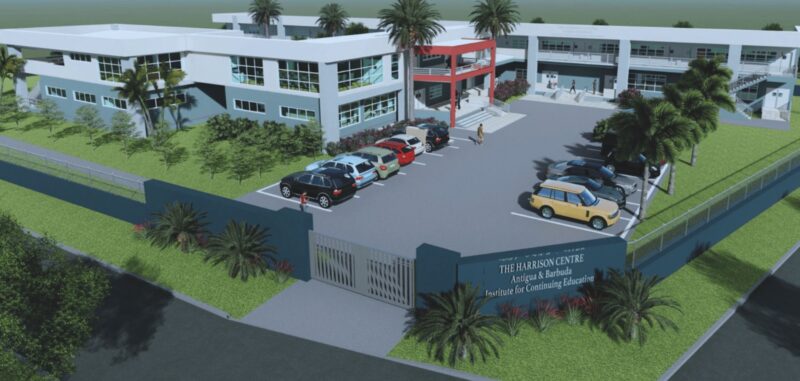
The Antigua and Barbuda Institute for Continuing Education (ABICE) is launching a special skills training program at the Harrison Centre to address the shortage of skilled labor in the country.
The Cabinet has given the green light for this program, which aims to equip young people with skills such as carpentry and masonry, among others.
The program is expected to last for an estimated 16 weeks, during which trainees will receive a small stipend and be required to pay a nominal fee of $20.00 for the training.
According to several senior government sources, the shortage of skilled labor is a real issue that the government has to contend with.
The skills shortage is so severe that if the government does not act immediately to upskill its people, this could harm planned developments in the New Year.
Several hotel projects are on the drawing books to start, as well as the expansion of the University of the West Indies Five Islands Campus. However, the shortage of skilled labor in areas such as carpentry, masonry, electrical and plumbing could pose a significant challenge to these projects.
The government is prepared to pay the stipend to train young people to meet the country’s needs.
Prime Minister Gaston Browne stated that the decision is to train as many people as possible, as soon as possible, to help meet the skilled labor requirements.
The shortage of skilled labor is so severe that it could hinder the development of several luxury properties planned for the country, including a luxury property to be announced soon for Barbuda and a group out of the United Arab Emirates to develop the former Half Moon Bay property.
In light of this, some two hundred young people are being invited to apply for the training program at ABICE, which is expected to help address the shortage of skilled labor in the country.

This story was first published by Antigua News on November 13, 2023: antigua.news/2023/11/13/intense-vocational-skills-training-launched-at-abice. © 2023 Antigua News. Republication without permission is not allowed.

About the author
The Editorial Staff refers to all reporters employed by Antigua.news. When an article is not an original creation of Antigua.news—such as when it is based on a press release, other media articles, letters to the editor, or court decisions—one of our staff members is responsible for overseeing its publication.
Read our editorial standards and corrections policy. Spotted an error? Contact the newsroom.
More from Antigua and Barbuda
View section
Antigua and Barbuda Ranked Seventh in Condé Nast Traveler’s Regional Island Awards
Readers place the twin-island destination among their favourites in the Caribbean and Atlantic in the 2026 Readers’ Choice Awards.
By Shermain Bique-Charles

Electric Vehicle Fleet En Route to Antigua for CHOGM Under Octopus Energy Partnership
Vehicles will transport Commonwealth leaders and delegates, marking the first practical delivery under the country’s clean-energy agreement.
By Shermain Bique-Charles

BREAKING:Fernandez Elected CTO Chairman as Antigua and Barbuda Returns to Regional Tourism Leadership
Antigua and Barbuda takes the chairmanship for the first time in more than 15 years, with connectivity, climate resilience and leadership opportunities among Fernandez’s priorities
By Shermain Bique-Charles

Hundreds Join CIBC Walk for the Cure as Participation Hits Record High
The 15th annual event brought together cancer survivors, families and supporters to raise awareness and funds for cancer care.
By Shermain Bique-Charles
Comments
Be the first to comment.