
Artificial Intelligence company makes smart move and brings back former CEO Sam Altman

by Mick the Ram
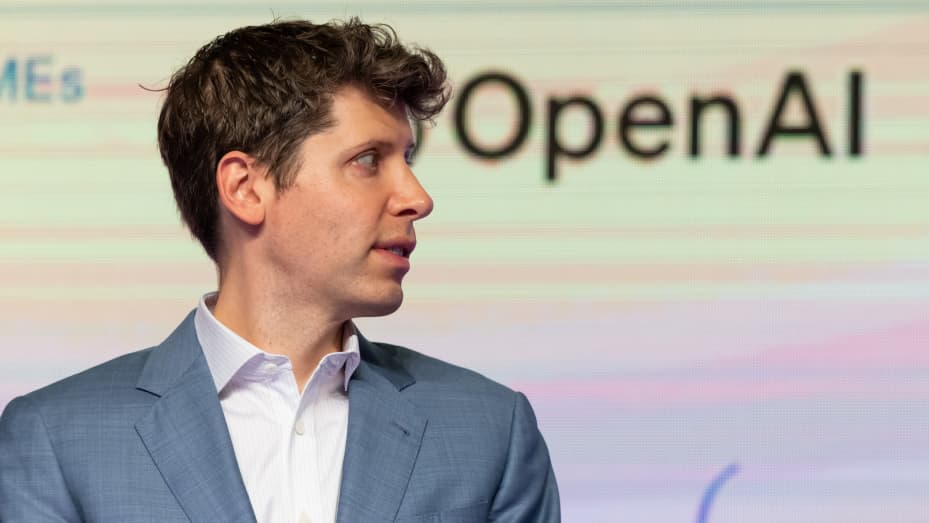
In an incredible about-turn, OpenAI co-founder Sam Altman – who was sacked by the Artificial Intelligence company on 17 November with his fellow board members declaring a “loss of confidence” in his performance – has been reinstated to his position as CEO, after just five days in “unemployment”.
He dismissal from the San Francisco-based AI giant, astonished industry watchers, aware of his outstanding contribution to the growth of the pioneering firm.
Upon hearing of the initial news, Microsoft, who are the biggest investor in OpenAI, had offered Mr Altman a job leading “a new advanced AI research team”, which he was believed to have accepted.
What followed was OpenAI being threatened with mass resignations unless the decision to oust Mr Altman was overturned and he was restored to his role.
The new turn of events has also seen a new board of directors formed, containing only one of its previous incumbents.
Previous board
The decision to remove Mr Altman from his post was taken by the existing board at that time, who accused Mr Altman of “not being consistently candid in his communications”. It consisted of three non-employee members: Adam D’Angelo, Tasha McCauley and Helen Toner, together with a third co-founder (the other being Greg Brockman who had quit in support) Ilya Sutskever, who is the Chief Scientist at OpenAI.
Change of heart
It would appear that Mr Sutskever had a change of heart over the weekend, after he apologised on X, saying how he “deeply regretted his participation in the board’s actions. He went on to say: “I never intended to harm OpenAI. I love everything we’ve built together and I will do everything I can to reunite the company.”
That was probably prompted by a letter from OpenAI staff – that he eventually put his signature to – which threatened a mass leaving without the immediate resignations of those on the board, and reinstatement of both Mr Altman and Mr Brockman.

Staff force the issue
In a strongly worded communication there was a request for specific facts to be made available to support allegations made in the board’s dismissal statement. It went on to say that “the actions taken by the board has jeopardized all of our work and undermined our mission and company.”
Continuing, the open letter, the board received a damning verdict from the company’s employees, stating: “Your conduct has made it clear you do not have the competence to oversee OpenAI.”
Jobs for all
They also pointed out that Microsoft had assured them that there were jobs for all OpenAI staff. With confirmation from the multinational technology corporation that anybody making the sideways move would have their present salaries matched, the board were left in no doubt as to the feelings amongst staff.
By shortly after 5pm on Monday 20 November, 738 out of 770 employees had put their names to the letter – including Mr Sutskever.
Retaining self-respect
Sam Altman, who has remained dignified throughout all the chaos, posted on X that he was looking forward to returning to OpenAI and building a strong partnership with Microsoft. Their chief Satya Nadella had announced on 19 November that the company had hired both Altman and Brockman to lead a new AI research team, which would be “setting a new pace for innovation”.
New-look board
Only Mr D’Angelo has retained a place on the new look board at OpenAI, which now comprises of Bret Taylor (Chair), who is the former Salesforce co-CEO; and Larry Summers, former Secretary of the Treasury and president of Harvard University.
Presumably places will also be found for the returning Mr Altman, along with Greg Brockman, who has confirmed he will also be welcomed back to the company.
This story was first published by Antigua News on : antigua.news/2023/11/22/artificial-intelligence-company-makes-smart-move-and-brings-back-former-ceo-sam-altman. © 2023 Antigua News. Republication without permission is not allowed.

About the author
The Editorial Staff refers to all reporters employed by Antigua.news. When an article is not an original creation of Antigua.news—such as when it is based on a press release, other media articles, letters to the editor, or court decisions—one of our staff members is responsible for overseeing its publication.
Read our editorial standards and corrections policy. Spotted an error? Contact the newsroom.
More from Caribbean
View section
VIDEO: Doctors at Dominica China Friendship Hospital Stage Protest Outside Medical Facility
Healthcare professionals at the Dominica China Friendship Hospital gather outside the medical facility in an apparent protest, raising concerns over issues yet to be officially confirmed.
By Cory Wayland

St. Kitts DPP Seeks Antigua’s Help in Outstanding Case Involving Former Resort Clerk
By Shermain Bique-Charles

Royal Caribbean in Talks to Buy Half of Sandals in Reported $3 Billion Deal
By Shermain Bique-Charles

Four Killed in Latest US Military Strike on Suspected Drug Vessel in Caribbean
By Shermain Bique-Charles
Comments
Be the first to comment.