
COP28 adopts historic loss and damage fund – close to 300 million USD pledged for operationalization of the Fund

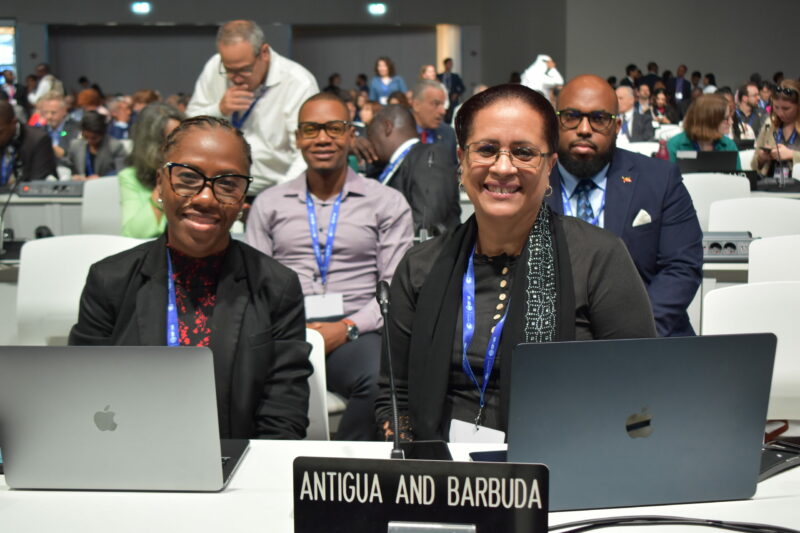
The 28th Conference of the Parties (COP28) has begun in Dubai with a historic start as the recommendations put forth at the 5th meeting of the Transitional Committee (TC5) were adopted.
The urgency of global climate action was acknowledged by COP28 and the comprehensive set of recommendations proposed by the Transitional Committee were endorsed without delay.
The recommendations, which were crafted with the help of extensive research and collaboration among experts, focus on key aspects that are critical to mitigating climate change and fostering sustainability worldwide.
From renewable energy initiatives to biodiversity conservation strategies, the recommendations align with the urgent need to accelerate efforts in achieving the goals set forth in previous COP meetings. With the swift adoption of TC5’s recommendations on the first day of COP28, a precedent for robust and decisive action in combating climate change has been set.

The commitment displayed underscores the determination of nations to address the pressing challenges posed by climate change collectively.
Furthermore, several nations have pledged close to 300 million USD for the operationalization of the fund.
The presence of Director of the Department of Environment, Ambassador Diann Black-Layne, for the adoption of the decision was also a significant moment.
She expressed her gratitude towards the entire team at the Department of Environment for their support, the Prime Minister, Gaston Browne and the Environment Minister, Sir Molwyn Joseph, as well as the office in NY that played a pivotal role in the chairmanship of the Alliance of Small Island Developing States.
In the coming days, COP28 aims to build upon this momentum, fostering dialogue and collaboration among nations, policymakers, and stakeholders. Together, they will forge a path toward a sustainable future, one that safeguards our planet for generations to come.
This story was first published by Antigua News on : antigua.news/2023/11/30/cop28-adopts-historic-loss-and-damage-fund-close-to-300-million-usd-pledged-for-operationalization-of-the-fund. © 2023 Antigua News. Republication without permission is not allowed.

About the author
The Editorial Staff refers to all reporters employed by Antigua.news. When an article is not an original creation of Antigua.news—such as when it is based on a press release, other media articles, letters to the editor, or court decisions—one of our staff members is responsible for overseeing its publication.
Read our editorial standards and corrections policy. Spotted an error? Contact the newsroom.
More from Antigua and Barbuda
View section
Browne Places Youth and Women’s Opportunities at Centre of Commonwealth Agenda
Scholarships, research partnerships and digital access feature in the Prime Minister’s call for inclusive growth.
By Shermain Bique-Charles

Greenaway to Represent Antigua and Barbuda on UN Governance Panel in Baku
The Permanent Secretary will discuss partnerships to improve public service delivery at the UN Governance Innovation Summit.
By Shermain Bique-Charles

OPINION: From Commonwealth connections to economic opportunity: Expanding
Commonwealth, Afreximbank and ITC leaders call for stronger transport links, accessible finance and simpler payments to unlock Africa–Caribbean trade.
By Editorial Staff

Royal Visit Ends After Week of Independence Celebrations and Commonwealth Engagements
King Charles III and Queen Camilla departed Antigua and Barbuda this morning following national, community and diplomatic events.
By Shermain Bique-Charles
Comments
Be the first to comment.