
High Commissioner Karen-Mae Hill Elected President of Administration and Budget Committee at 173rd BIE General Assembly in Paris

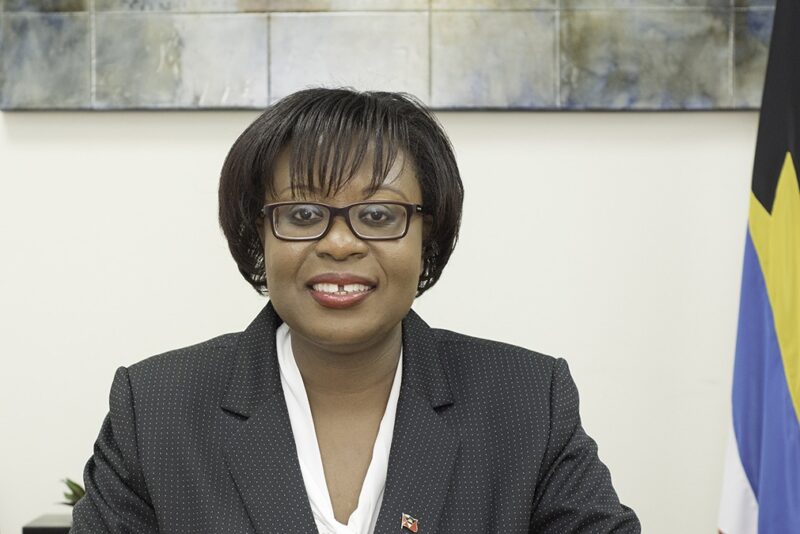
The 173rd General Assembly of the Bureau International des Expositions (BIE), the Intergovernmental Organisation responsible for overseeing all international exhibitions lasting over three weeks and of non-commercial nature, was held on 28th November 2023 at Paris, France.
The assembly saw the election of Her Excellency Ms. Karen-Mae Hill, High Commissioner for Antigua and Barbuda, as the President of the Administration and Budget Committee.
The committee comprises delegates from nine member states, including Andorra, Angola, Bangladesh, Cyprus, France, Gabon, Switzerland, and Turkmenistan, and is responsible for preparing the annual budget of the BIE and ensuring compliance with it. The President of each commission is elected for a term of two years from among the delegates of the member states, and he or she can be re-elected for a second term of two years without interruption.
The Presidents of the committees also serve as the Vice-Presidents of the General Assembly of the BIE. In addition, the assembly witnessed the participation of delegates from the 179 member states of the BIE. It included progress reports on upcoming Expos and presentations from candidates for World Expo 2030.
Finally, the assembly culminated in the election of Saudi Arabia as the host of World Expo 2030. The event is one of the four types of Expos organised under the BIE’s auspices, which include Specialised Expos, Horticultural Expos, and the Triennale di Milano.
Notably, High Commissioner Hill also completed one term on the Information and Communication Committee, which is one of the other three committees besides the Administration and Budget Committee.

This story was first published by Antigua News on : antigua.news/2023/11/30/high-commissioner-karen-mae-hill-elected-president-of-administration-and-budget-committee-at-173rd-bie-general-assembly-in-paris. © 2023 Antigua News. Republication without permission is not allowed.

About the author
The Editorial Staff refers to all reporters employed by Antigua.news. When an article is not an original creation of Antigua.news—such as when it is based on a press release, other media articles, letters to the editor, or court decisions—one of our staff members is responsible for overseeing its publication.
Read our editorial standards and corrections policy. Spotted an error? Contact the newsroom.
More from Top News
View section
$5,000 Prize for National Theatre Logo Competition
Prime minister doubles the previously advertised award, saying creative work deserves greater recognition.
By Shermain Bique-Charles

Alvaro Pulido Vargas Due in US Court Today in Money-Laundering Cases Linked to Antigua
One indictment alleges transfers of approximately US$3.13 million from accounts in Antigua and Barbuda to South Florida.
By Shermain Bique-Charles

Uroy Joseph Sentenced to 22 Years for Helping Cousin After Arthur James’s Murder
Liberta man convicted of being an accessory to murder after the fact; defence argued he acted under duress.
By Shermain Bique-Charles

Horse Thefts Prompt Appeal for Missing Mare and Foal
Horse owners are appealing for help to locate a mare and her three-month-old foal stolen from Bendals, while proposing a nationwide database to help identify missing animals.
By Shermain Bique-Charles
Comments
Be the first to comment.