
Health Minister Advocates for Vulnerable Small Island Developing Nations at COP28

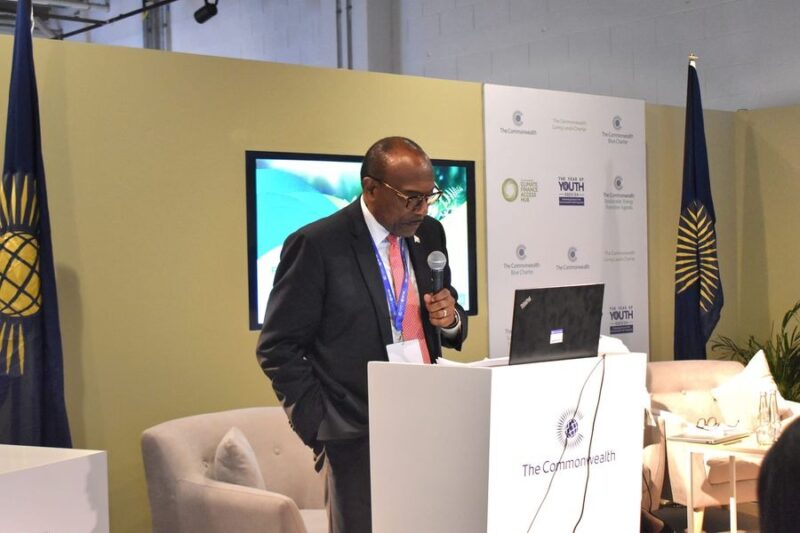
During the recent Organisation of African, Caribbean and Pacific states (OCPAS) meeting held at COP28 in Dubai, the Minister of Health, Wellness, Social Transformation, and the Environment, Sir Molwyn Joseph, delivered a noteworthy speech.
The Minister spoke about the impact of climate change on small island developing states, emphasizing the challenges faced by Antigua and Barbuda, which are particularly vulnerable to natural disasters.
In his speech, the Minister recounted the devastating effects of Hurricane Irma, a Category 5 hurricane that hit Antigua and Barbuda in 2017, and the country’s ongoing efforts to recover from the damage.
Despite being classified as a middle-income country, Antigua and Barbuda has limited access to grants or low-interest loans, which is a major hindrance to their rebuilding efforts.
The Minister used an analogy of a student’s graduation to highlight the unfairness of the situation, where countries are punished for achieving economic progress, and as a result, are excluded from accessing essential support mechanisms.
He called for global solidarity to address the dire consequences of climate change, stressing the need for recognition of the unique challenges faced by small island nations. The Minister’s passionate address resonated strongly, advocating for fairness and support for those most severely affected by a crisis they did not cause.
His speech highlighted the urgency of addressing the impact of climate change on small island developing states, which bear the brunt of the catastrophic effects, despite contributing minimally to global emissions.

This story was first published by Antigua News on : antigua.news/2023/12/02/health-minister-advocates-for-vulnerable-small-island-developing-nations-at-cop28. © 2023 Antigua News. Republication without permission is not allowed.

About the author
The Editorial Staff refers to all reporters employed by Antigua.news. When an article is not an original creation of Antigua.news—such as when it is based on a press release, other media articles, letters to the editor, or court decisions—one of our staff members is responsible for overseeing its publication.
Read our editorial standards and corrections policy. Spotted an error? Contact the newsroom.
More from Antigua and Barbuda
View section
Emergency Response Teams to Stage Mass Casualty Drill at Scotts Hill Ahead of CHOGM
Emergency personnel will simulate a serious vehicle crash to test hospital readiness, while a separate evacuation exercise is planned for the CHOGM opening ceremony venue.
By Cory Wayland

Karim Edwards’ Trial Over Fatal Friars Hill Road Crash Postponed Until December
More than four years after the collision that claimed the life of medical student Kenneth Mathew and left Priyanjana Das with life-altering injuries, the accused driver is still awaiting trial.
By Cory Wayland

Jury Rejects Self-Defence Claim And Finds Kareem Simon Guilty Of Dennis Edwards’ Murder
Jury rejects Simon’s self-defence claim after video footage reveals details of the fatal confrontation on Lower All Saints Road.
By Cory Wayland

Tourism Ministry and ABTA Working with Bert Kirchner on Proposed Louis Tomlinson Campaign
Minister Michael Freeland has held talks on the project, which aims to turn international exposure into visitor interest and bookings.
By Shermain Bique-Charles
Comments
Be the first to comment.