
ECCB Governor Highlights Economic Resilience and Positive Outlook for ECCU in 2023

By Aabigayle McIntosh
Antigua and Barbuda’s economy and that of other territories in the Eastern Caribbean Currency Union has remained resilient for the year 2023.
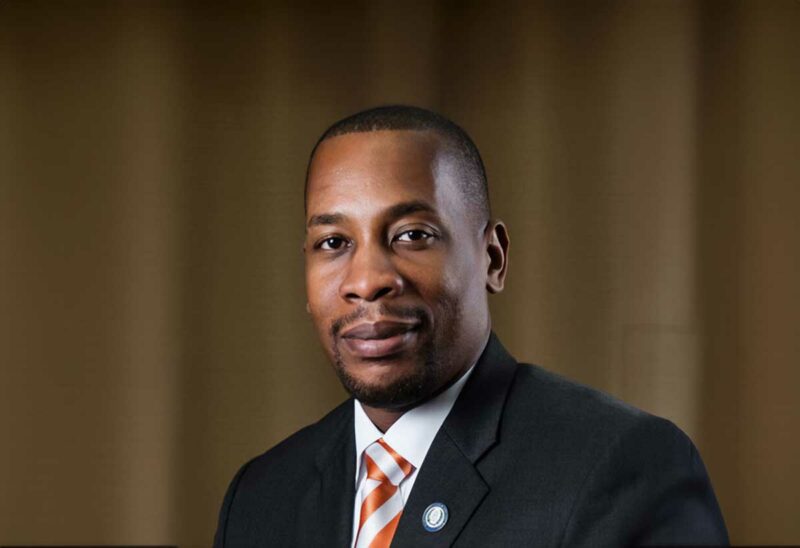
That’s according to ECCB Governor Timothy Antoine. During his Christmas Day message, he credited the union’s currency, growth, and slowing inflation.
“On the macroeconomic front, our EC dollar remains strong, the pace of economic activity has quickened and our region is estimated to have grown by around 6.7 percent this year. Furthermore, inflation is now falling, albeit not fast enough,” he said.
Antoine also noted that the bank is ever mindful of the danger posed by the climate crisis due to the region’s vulnerability.
“The climate crisis remains a clear and present danger for macroeconomic and financial stability, indeed the year 2023 is now the hottest year on record, and though adversely impacted by weather events we are grateful that our region was speared a climatic shock,” Antione continued.
Looking ahead to the new year, he is predicting a prosperous 2023 for the ECCU.

“As we set our sights on 2024, we are very mindful of the geopolitical landscape and the risks it presents. But, we currently project growth in the ECCU of around 5 percent. The ECCB will press ahead with our work on financial stability, payment and modernization, and financial inclusion and protection which includes the ease of opening bank accounts and fair treatment of customers by their financial institutions,” the governor said.
The Eastern Caribbean Currency Union (ECCU) is composed of Anguilla, Antigua & Barbuda, Dominica, Grenada, Montserrat, St. Kitts & Nevis, St. Lucia, and St. Vincent & the Grenadines.
This story was first published by Antigua News on : antigua.news/2023/12/27/eccb-governor-highlights-economic-resilience-and-positive-outlook-for-eccu-in-2023. © 2023 Antigua News. Republication without permission is not allowed.

About the author
The Editorial Staff refers to all reporters employed by Antigua.news. When an article is not an original creation of Antigua.news—such as when it is based on a press release, other media articles, letters to the editor, or court decisions—one of our staff members is responsible for overseeing its publication.
Read our editorial standards and corrections policy. Spotted an error? Contact the newsroom.
More from Caribbean
View section
VIDEO: Doctors at Dominica China Friendship Hospital Stage Protest Outside Medical Facility
Healthcare professionals at the Dominica China Friendship Hospital gather outside the medical facility in an apparent protest, raising concerns over issues yet to be officially confirmed.
By Cory Wayland

St. Kitts DPP Seeks Antigua’s Help in Outstanding Case Involving Former Resort Clerk
By Shermain Bique-Charles

Royal Caribbean in Talks to Buy Half of Sandals in Reported $3 Billion Deal
By Shermain Bique-Charles

Four Killed in Latest US Military Strike on Suspected Drug Vessel in Caribbean
By Shermain Bique-Charles
Comments
Be the first to comment.