
Incoming CARICOM Chairman says regional security a critical matter

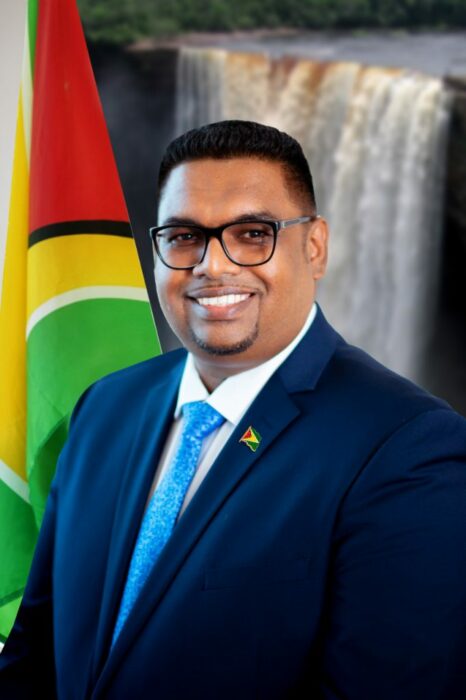
Guyana will lead the Conference of Heads of Government from January 1 to June 30, 2024, as President Dr Irfaan Ali prepares to take the helm as CARICOM Chairman.
In a statement as incoming Chairman of CARICOM, President Ali expresses his optimism for the New Year, which brings renewed possibilities to continue targeted programs that advance CARICOM’s strategic priorities.
His objective is to pursue the region’s development goals, striving for peace and prosperity across the Caribbean Community. President Ali notes that regional security is an increasingly critical matter, given the challenges to peace faced around the world.
He highlights the CARICOM’s robust role in assuring the rule of international peace and security in the Caribbean and Latin America during 2023, and expresses the region’s commitment to peacefully and legally resolving border controversies. CARICOM will continue to address crime and violence, including the illegal weapons trade, through its “War on Guns” campaign.
President Ali emphasizes that CARICOM will leave no stone unturned in efforts to return Haiti to peace and stability, as the region must remain a Zone of Peace. Regarding the region’s food and nutrition security, President Ali acknowledges the adverse challenges posed by climate change, but notes that CARICOM Member States have made steady progress towards achieving the ‘25% by 2025’ target to reduce the region’s food import bill.
He emphasizes the importance of supporting the agricultural sector and improving regional transportation, which will remain one of CARICOM’s top priorities. President Ali thanked outgoing Chairman, Dominica’s Prime Minister Roosevelt Skerrit, for his leadership over the last six months.
Guyana looks forward to welcoming all CARICOM Heads of State and Government to Georgetown in February 2024, where it will host the 46th Regular Meeting of the Conference and continue the Community’s activities to mark CARICOM’s 50th Anniversary.

This story was first published by Antigua News on : antigua.news/2023/12/30/incoming-caricom-chairman-says-regional-security-a-critical-matter. © 2023 Antigua News. Republication without permission is not allowed.

About the author
The Editorial Staff refers to all reporters employed by Antigua.news. When an article is not an original creation of Antigua.news—such as when it is based on a press release, other media articles, letters to the editor, or court decisions—one of our staff members is responsible for overseeing its publication.
Read our editorial standards and corrections policy. Spotted an error? Contact the newsroom.
More from Caribbean
View section
VIDEO: Doctors at Dominica China Friendship Hospital Stage Protest Outside Medical Facility
Healthcare professionals at the Dominica China Friendship Hospital gather outside the medical facility in an apparent protest, raising concerns over issues yet to be officially confirmed.
By Cory Wayland

St. Kitts DPP Seeks Antigua’s Help in Outstanding Case Involving Former Resort Clerk
By Shermain Bique-Charles

Royal Caribbean in Talks to Buy Half of Sandals in Reported $3 Billion Deal
By Shermain Bique-Charles

Four Killed in Latest US Military Strike on Suspected Drug Vessel in Caribbean
By Shermain Bique-Charles
Comments
Be the first to comment.