
Flow Forward: Operation Menstruation Empowers Young Girls.

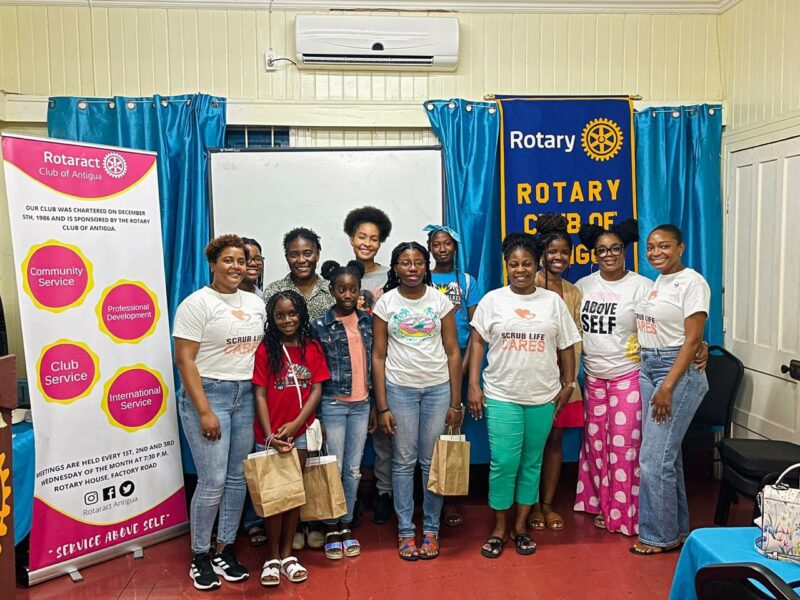
The Rotaract Club of Antigua, in collaboration with Scrub Life Cares and the Rotaract Club of East Nassau, recently organized an initiative called “Flow Forward: Operation Menstruation” aimed at creating awareness about menstrual hygiene and empowering preteen girls in the community.
The project was launched on October 8th in recognition of the International Day of the Girl Child and provided essential care items to assist preteen girls in managing their menstrual health.
To kick off the initiative, the organizing committees launched a social media campaign featuring a heartfelt video message emphasizing the fundamental human rights to which girls are entitled.
On December 16th, an informative session was held for preteen girls, where they were provided with valuable insights into menstrual hygiene, self-care practices, and the significance of embracing one’s own body.

The team from Scrub Life Cares led this interactive session, which included discussions on breaking societal taboos related to menstruation, informing them of the different parts of their reproductive system, fostering confidence, and promoting a healthy attitude towards this natural aspect of womanhood.
Each participating girl received a pouch containing essential items such as sanitary napkins, soap, hand sanitizer, lotion, wipes, and other self-care products.
Donations from various organizations, including local distributor Frank B Armstrong, Rotaract Club of East Nassau, and Scrub Life Cares, generously provided these pouches.
The Rotaract Club of Antigua expresses its gratitude to all sponsors, donors, and community members who contributed to the success of this project
This story was first published by Antigua News on : antigua.news/2024/01/09/flow-forward-operation-menstruation-empowers-young-girls. © 2024 Antigua News. Republication without permission is not allowed.

About the author
The Editorial Staff refers to all reporters employed by Antigua.news. When an article is not an original creation of Antigua.news—such as when it is based on a press release, other media articles, letters to the editor, or court decisions—one of our staff members is responsible for overseeing its publication.
Read our editorial standards and corrections policy. Spotted an error? Contact the newsroom.
More from Antigua and Barbuda
View section
Emergency Response Teams to Stage Mass Casualty Drill at Scotts Hill Ahead of CHOGM
Emergency personnel will simulate a serious vehicle crash to test hospital readiness, while a separate evacuation exercise is planned for the CHOGM opening ceremony venue.
By Cory Wayland

Karim Edwards’ Trial Over Fatal Friars Hill Road Crash Postponed Until December
More than four years after the collision that claimed the life of medical student Kenneth Mathew and left Priyanjana Das with life-altering injuries, the accused driver is still awaiting trial.
By Cory Wayland

Jury Rejects Self-Defence Claim And Finds Kareem Simon Guilty Of Dennis Edwards’ Murder
Jury rejects Simon’s self-defence claim after video footage reveals details of the fatal confrontation on Lower All Saints Road.
By Cory Wayland

Tourism Ministry and ABTA Working with Bert Kirchner on Proposed Louis Tomlinson Campaign
Minister Michael Freeland has held talks on the project, which aims to turn international exposure into visitor interest and bookings.
By Shermain Bique-Charles
Comments
Be the first to comment.