
Passport fraud trial: Officer says he unwittingly delivering envelope of passport bio pages for accused

By Zaya Williams
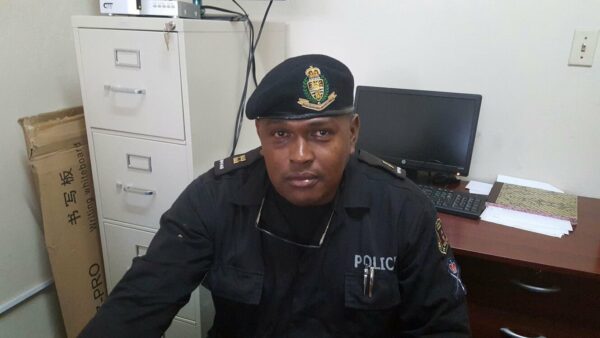
The long-awaited passport fraud trial, featuring suspended senior police officer Ray John, commenced yesterday in the High Court.
The suspended Superintendent of Police is charged alongside is ex-lover Shakeema Charles-who worked at the Antigua and Barbuda Passport Office- for conspiring with a Vincentian Lonzel James to forge passport bio pages.
John also charged for receiving 16 Multi Layered Infilling Sheets worth $1600 each.
The first witness was Superintendent of Police Lisborn Michael, who joined the force with John on the same day in April 1989.
The two were friends ever since and according to the witness, on April 3, 2018 John asked him to deliver some documents to a partner in St.Vincent since he was going there for a funeral days later.
The witness said he agreed thinking nothing of it and was given a brown envelope with the name Lonzel Jones and a number written on it, in the defendant’s hand writing.
When he arrived in St. Vincent on April 5, he met Lonzel at the airport and gave him the envelope.
He told the court that it wasn’t until about a day later that he found out what had transpired.
Michael says he was called in for questioning by Vincentian police officers.
The second witness, Vincentian police officer Sorenson Douglas, who gave evidence via video call, testified that on April 6, 2018 he received information that led him to an area near the Argyle International Airport.
He and other officers observed Lonzel Jones hand two envelopes to another man and when they approached that man and checked the envelopes, they found a number of bio pages to include some from Antigua and Barbuda.
The trial will continue on Monday with more evidence from Douglas.
Justice Tunde Bakre is presiding over the case.

This story was first published by Antigua News on : antigua.news/2024/01/18/passport-fraud-trial-officer-says-he-unwittingly-delivering-envelope-of-passport-bio-pages-for-accused. © 2024 Antigua News. Republication without permission is not allowed.

About the author
The Editorial Staff refers to all reporters employed by Antigua.news. When an article is not an original creation of Antigua.news—such as when it is based on a press release, other media articles, letters to the editor, or court decisions—one of our staff members is responsible for overseeing its publication.
Read our editorial standards and corrections policy. Spotted an error? Contact the newsroom.
More from Antigua and Barbuda
View section
Browne Places Youth and Women’s Opportunities at Centre of Commonwealth Agenda
Scholarships, research partnerships and digital access feature in the Prime Minister’s call for inclusive growth.
By Shermain Bique-Charles

Greenaway to Represent Antigua and Barbuda on UN Governance Panel in Baku
The Permanent Secretary will discuss partnerships to improve public service delivery at the UN Governance Innovation Summit.
By Shermain Bique-Charles

OPINION: From Commonwealth connections to economic opportunity: Expanding
Commonwealth, Afreximbank and ITC leaders call for stronger transport links, accessible finance and simpler payments to unlock Africa–Caribbean trade.
By Editorial Staff

Royal Visit Ends After Week of Independence Celebrations and Commonwealth Engagements
King Charles III and Queen Camilla departed Antigua and Barbuda this morning following national, community and diplomatic events.
By Shermain Bique-Charles
Comments
Be the first to comment.