
China Trip Positive Move for Young People-Michael Joseph

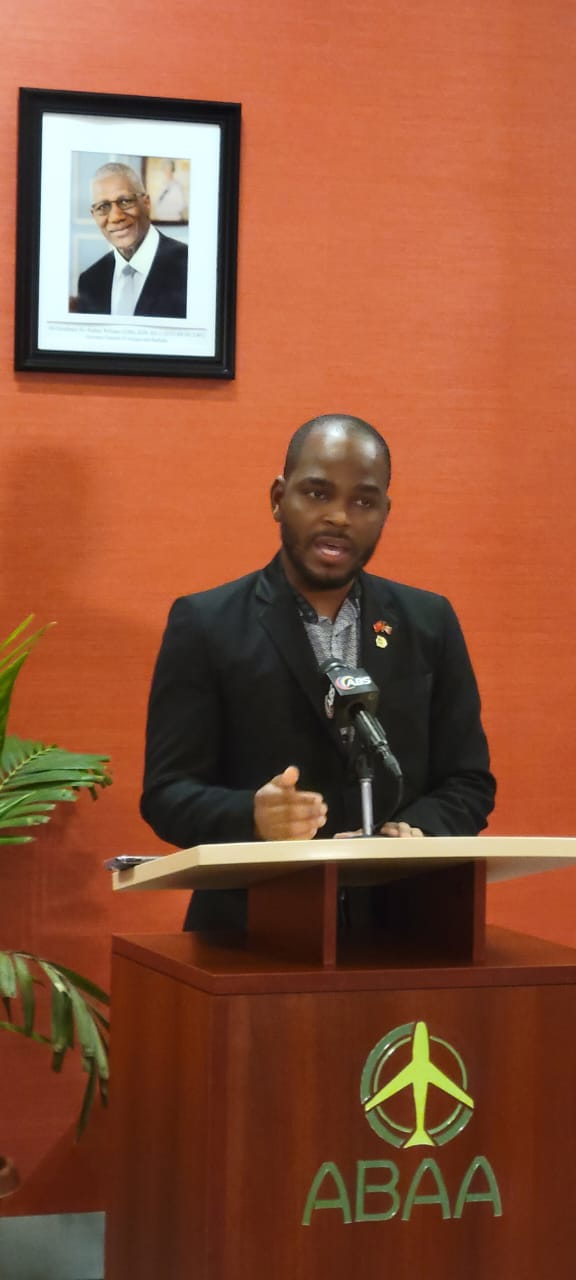
Michael Joseph, the chairman of the National Solid Waste Management Authority, recently joined the official delegation that visited the People’s Republic of China.
He sees this as a positive move for the young people of Antigua and Barbuda, as it gives him an opportunity to experience new diplomatic frontiers.
Joseph highly praised Prime Minister Gaston Browne’s visionary leadership for including a young person as part of the delegation, as it shows that the government is embracing young people and acknowledging them as equals on the diplomatic front.
In his opinion, young people are an essential part of the change that Antigua and Barbuda needs, and the country must learn from the lessons of Chinese President Xi Jinping, who understands that change in the future would involve everyone, including those who traditionally did not have a voice but should have one.

According to Joseph, the visit to China was a massive success, with the delegation signing as many as ten MOUs that will have lasting impacts on Antigua and Barbuda.
He revealed that during discussions with the Chinese company, Alibaba, which is equivalent to Amazon, the prime minister was insistent on ensuring that young people in Antigua and Barbuda benefit from the partnership.
The prime minister advocated for young people, and Joseph was excited about the prospects of the nation’s youth taking advantage of the opportunities that would arise from the partnership.
In particular, he was pleased that Alibaba had agreed to provide opportunities for young people to be merchants on the Alibaba site and be trained in e-commerce.
Joseph believes that this move is in line with the country’s youth moving more and more into the e-commerce space, hence enhancing their potential for growth and success.
This story was first published by Antigua News on : antigua.news/2024/01/31/china-trip-positive-move-for-young-people-michael-joseph. © 2024 Antigua News. Republication without permission is not allowed.

About the author
The Editorial Staff refers to all reporters employed by Antigua.news. When an article is not an original creation of Antigua.news—such as when it is based on a press release, other media articles, letters to the editor, or court decisions—one of our staff members is responsible for overseeing its publication.
Read our editorial standards and corrections policy. Spotted an error? Contact the newsroom.
More from Antigua and Barbuda
View section
Browne Criticises Land Banking as Tourism Plots Remain Undeveloped
Prime Minister urges landowners to turn investment properties into income-generating accommodation.
By Shermain Bique-Charles

PM Browne Says CIP Suspension Likely by November 12 to Preserve Schengen Access
Cabinet is leaning towards suspension as years of European scrutiny place increasing pressure on citizenship by investment programmes across the Eastern Caribbean.
By Shermain Bique-Charles

Fernandez Eyes Visitor Shows at New Performing Arts Centre
Charles Fernandez sees visitor performances at the National Performing Arts Centre as a way to showcase culture and support the venue’s upkeep.
By Shermain Bique-Charles

Antigua and Barbuda First in Eastern Caribbean to Sign UN Development Framework for 2027–2031
The agreement will guide cooperation on economic diversification, climate resilience, social protection and other development priorities.
By Shermain Bique-Charles
Comments (1)
Jezz January 31, 2024, 5:07 PM