
Motorists on Barbuda encourage to exercise caution on the roadways


By Aabigayle McIntosh
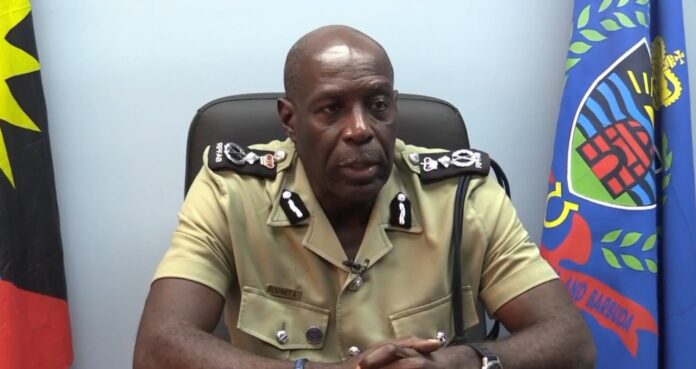
Police Commissioner Atley Rodney has raised concerns about the driving behavior observed in Barbuda.
He highlighted the increased construction activities associated with various development projects, leading to a higher volume of vehicles on the roadways. According to Rodney, the motoring public must be aware of this situation and comply with regulations.
Rodney emphasized the importance of adhering to specific regulations when driving in built-up areas.
He stated, “If you are driving in a build-up area, the law makes specific regulations as to how you drive in a community, so no one should be driving at 50 and 60 miles with heavy-duty equipment within the community; that is unacceptable. So, we want the drivers and the employers of drivers with heavy-duty equipment to speak to them to let them know that we will not tolerate that kind of driving.”
Additionally, Rodney advised all drivers to stay within the speed limit and be considerate of one another.
He also revealed plans for collaboration with the council and the Antigua and Barbuda Transport Board to install stop signs and traffic lights.

During the top cop’s visit to Barbuda, discussions were also held regarding the construction of a suitable building to accommodate police officers.
Rodney mentioned that the central government had made some improvements to the justice complex, and talks would be initiated with the Ministry of Works to complete the work on the facility.
He explained, “There is a need for it, there is a need for the courthouse; those types of facilities are needed. If the island is expanding in terms of business and more housing, we are going to need more police officers over time and the facilities as well.”
This story was first published by Antigua News on : antigua.news/2024/01/31/motorists-on-barbuda-encourage-to-exercise-caution-on-the-roadways. © 2024 Antigua News. Republication without permission is not allowed.

About the author
The Editorial Staff refers to all reporters employed by Antigua.news. When an article is not an original creation of Antigua.news—such as when it is based on a press release, other media articles, letters to the editor, or court decisions—one of our staff members is responsible for overseeing its publication.
Read our editorial standards and corrections policy. Spotted an error? Contact the newsroom.
More from Antigua and Barbuda
View section
Trade Winds Hotel Workers Meet With Union Representative
The visit was part of the Antigua and Barbuda Workers’ Union’s regular outreach to hotel employees.
By Cory Wayland

WISH to Host ‘Behind the Screen’ Workshop Addressing Digital Violence Against Women and Girls
WISH and regional partners will host a workshop in Antigua on December 5 to raise awareness of digital violence against women and girls and promote online safety.
By Editorial Staff

AIDS Secretariat Symposium Tackles HIV Stigma, Prevention and Sexual Health Awareness
Health professionals and community stakeholders gathered for an afternoon of discussions on HIV prevention, testing, treatment, sexual consent, mental health and healthy relationships ahead of World AIDS Day.
By Cory Wayland

Police Launch Operation Season Watch, Remove 12 Vehicles From Roads in Christmas Crackdown
Police stopped approximately 140 vehicles during coordinated patrols and checkpoints as Commissioner Everton Jeffers warns that intensified crime-fighting and traffic enforcement will continue into the new year.
By Cory Wayland
Comments
Be the first to comment.