
Legal battle over Alfa Nero ownership continues in court

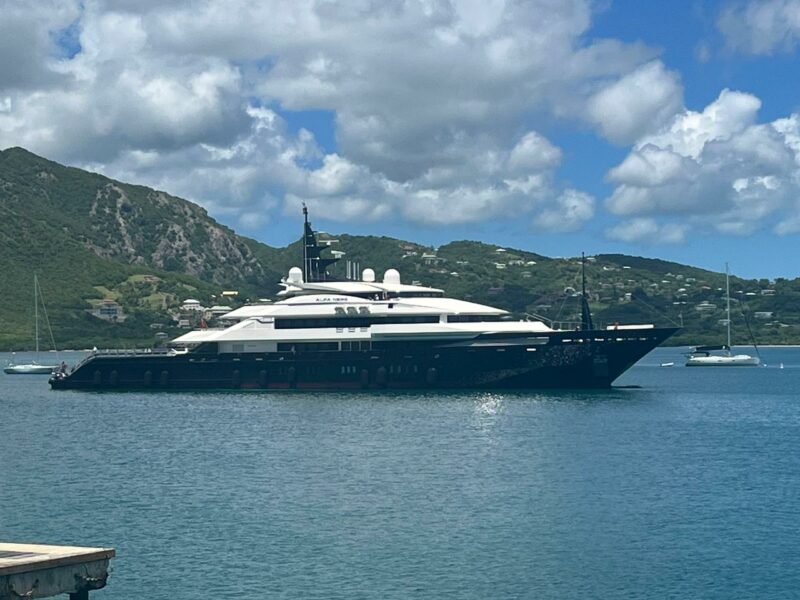
The legal battle over the ownership of the Alfa Nero superyacht continued for the fourth day this week with a series of arguments presented by both parties.
The court heard multiple submissions on the issue, and the hearing was marked by intense discussions and debates.
The yacht’s Russian owner, Yulia Guryeva-Motlokhov, was represented by Dr David Dorsett, who presented several applications before the court, including the dismissal of a government application to strike out the proceedings.
Dr Dorsett revealed that an application was filed by the rightful owners of the vessel, Flying Dutchman Limited, requesting specific disclosure.
They asked the government to disclose certain documents that would shed light on why they seized and sold the vessel.
These documents included the insurance status of the vessel and the expenditure report before the government’s seizure of the Alfa Nero.
Another application was heard on Tuesday, relating to an American lawyer who filed an affidavit on behalf of the government of Antigua.
The owners of the boat challenged whether the evidence presented by the lawyer was proper evidence.
The court was asked to strike out this expert evidence on American law and law dealing with sanctions.
The hearing also saw another application regarding the appointment of a yacht expert to assess the condition of the boat prior to seizure.
The Alfa Nero has been stranded in Falmouth Harbour for two years and is costing the government thousands of dollars in maintenance fees each week.
The vessel poses both environmental and security risks, according to the government.

The Alfa Nero first came to attention when Andrey Guryev, a known close associate of Russian President Vladimir Putin, appeared on international sanctions lists after the February 2022 invasion of Ukraine.
The vessel was auctioned in 2023, but legal cases were brought to delay the process, and the highest bidder, Eric Schmidt, withdrew his bid.
This story was first published by Antigua News on : antigua.news/2024/03/02/legal-battle-over-alfa-nero-ownership-continues-in-court. © 2024 Antigua News. Republication without permission is not allowed.

About the author
The Editorial Staff refers to all reporters employed by Antigua.news. When an article is not an original creation of Antigua.news—such as when it is based on a press release, other media articles, letters to the editor, or court decisions—one of our staff members is responsible for overseeing its publication.
Read our editorial standards and corrections policy. Spotted an error? Contact the newsroom.
More from Antigua and Barbuda
View section
Freeland Challenges Qualifier Schedule as College Commitments Complicate Team Selection
Basketball president says the timing of another qualifying round created difficulties for overseas players and added financial pressure
By Shermain Bique-Charles

School League Referee Calls for Investigation Into Alleged Verbal Abuse by Grammar School Coach
Devon Ollivere is seeking a public apology and safeguards for match officials following an alleged confrontation with Chesley Browne at Radio Range Football Field.
By Editorial Staff

Janica Adams Earns Special Recognition at Regional Tourism Youth Congress
Antigua and Barbuda’s Junior Minister of Tourism impressed with a creative destination pitch highlighting culture, adventure and bun and cheese ice cream.
By Shermain Bique-Charles

Dr Benjamin Calls for Community-Based Mental Health Care to Replace Clarevue Model
The consultant psychiatrist says meaningful reform must include housing, family support and direct involvement from people living with mental health conditions
By Shermain Bique-Charles
Comments
Be the first to comment.