
US Coast Guard offloads US$4.5 million in seized cocaine in Caribbean

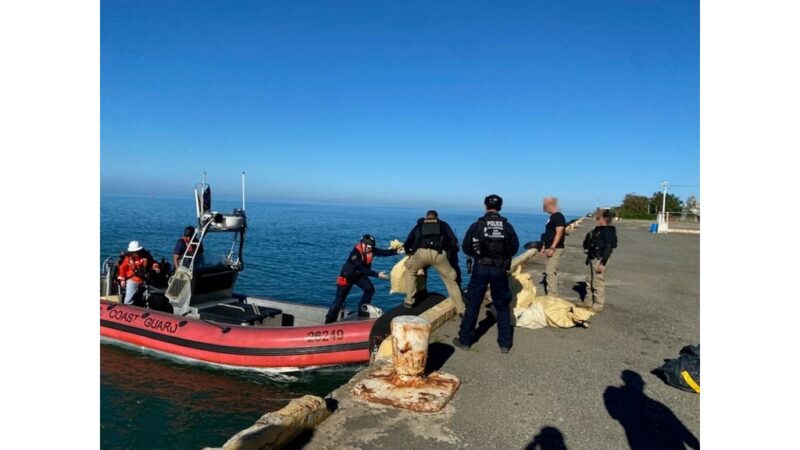
On Friday, the US Coast Guard announced that the British Royal Navy HMS Trent had successfully intercepted a go-fast vessel in the Caribbean Sea, off the southwest coast of Cabo Rojo, Puerto Rico, on March 3.
The operation resulted in the seizure of contraband and the apprehension of two smugglers from the Dominican Republic.
This interdiction was made possible through the collaborative efforts of various agencies, in line with the Coast Guard’s Western Hemisphere Strategy and Operation Unified Resolve.
Commander Gerard Wenk, Chief of Response at Coast Guard Sector San Juan, expressed gratitude for the cooperation and assistance provided by the British Royal Navy in combating drug smuggling activities in international waters.
He emphasized the importance of the ongoing partnership between federal, local, and regional entities in safeguarding the Caribbean region from this pervasive threat.
Denise Foster, Special Agent in Charge of DEA’s Caribbean Division, highlighted the significant risks posed by drug smuggling organizations to the safety and well-being of citizens.

She stressed the critical role played by maritime surveillance assets in achieving mission success.
Foster reaffirmed the commitment to collaborate with counterparts and allocate law enforcement resources to effectively combat drug trafficking in vulnerable areas.
The US Coast Guard underscored that its efforts under Operation Unified Resolve contribute to the daily achievements of Operation Caribbean Guard.
This coordinated initiative involves the US Coast Guard, the US Department of Homeland Security (DHS), and law enforcement partners from Puerto Rico and the US Virgin Islands.
Together, they diligently work to deter, detect, and disrupt illicit maritime trafficking to these regions.
This story was first published by Antigua News on : antigua.news/2024/03/09/us-coast-guard-offloads-us4-5-million-in-seized-cocaine-in-caribbean. © 2024 Antigua News. Republication without permission is not allowed.

About the author
The Editorial Staff refers to all reporters employed by Antigua.news. When an article is not an original creation of Antigua.news—such as when it is based on a press release, other media articles, letters to the editor, or court decisions—one of our staff members is responsible for overseeing its publication.
Read our editorial standards and corrections policy. Spotted an error? Contact the newsroom.
More from Caribbean
View section
BREAKING | Dominica Heads to the Polls on December 16
Nomination Day is November 30 as Prime Minister Roosevelt Skerrit seeks a fresh mandate for the Dominica Labour Party.
By Shermain Bique-Charles

DOMINICA: Relief as Three Missing Men Are Found Alive at Sea Near Aves Islands
Davel Baron, Ryan Royer and a third man were rescued by a cargo vessel after being found drifting at sea, bringing relief following days of uncertainty over their whereabouts.
By Cory Wayland

Two Men Vanish at Sea in Dominica, Sparking Growing Fears for Their Safety
Police issue missing-person alerts for Davel Baron and Ryan Royer as concerns grow over their whereabouts.
By Cory Wayland

Saint Lucia Makes Decision on Citizenship by Investment Programme Amid EU Pressure
Prime Minister Philip J. Pierre confirms his government has formally responded to the European Union but says the decision will remain confidential until Brussels acknowledges receipt of the correspondence.
By Cory Wayland
Comments
Be the first to comment.