
Water strategy outlined

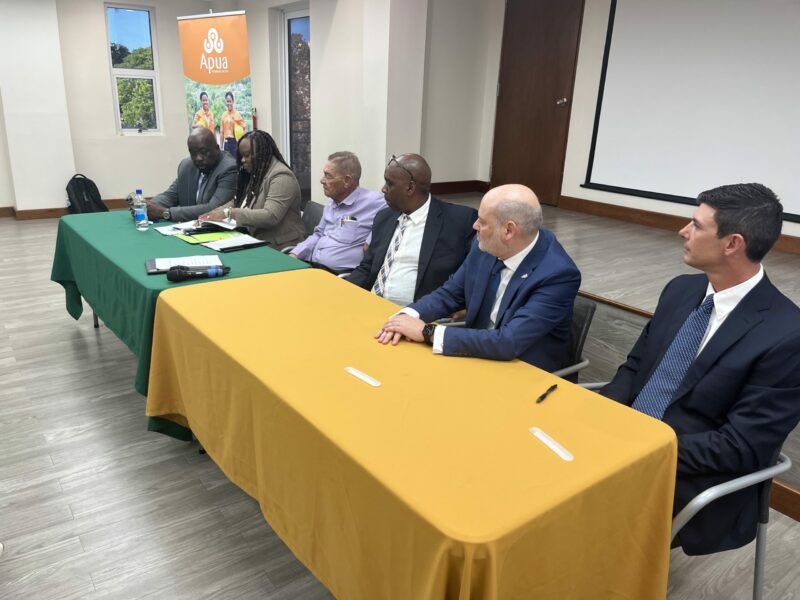
The Minister responsible for Utilities, Melford Nicholas, recently disclosed APUA’s Water Business Unit development plans for the short, medium, and long term.
In a signing ceremony with Seven Seas Water Group (SSWG), a US-based company, a 12-year agreement was formalized to produce approximately 3 million gallons of water per day.
The agreement includes the commissioning of two plants within six and 18 months, respectively, which will increase APUA’s water production capacity to about 12 million gallons daily.
Minister Nicholas explained that the production of water has been one of the primary challenges faced by the utilities company in meeting the growing demand. He highlighted the growing dependence on reverse osmosis for water production, which has been affected by the condition of the seas at specific times of the year, as a significant setback.
The demand for water has been growing exponentially due to several factors, including the rapid expansion in the number of homes, supplying cruise ships, and the expansion of the hotel industry.
APUA’s Water Business Unit aims to have a productive capacity of 12-14 million gallons of water per day by signing another agreement with another company and commissioning another plant of its own at Bethesda.
However, settling the production challenge will not entirely solve the water situation as the distribution of water is another pressing issue.
The aging distribution network, which is about 80 years old, needs replacement. During the Prime Minister’s recent visit to China, he secured a commitment from the Chinese government to provide assistance in this regard.
The next phase will focus on replacing the aging distribution network, and the essential systems and investments necessary to achieve this will remain a critical part of the equation.
The goal is to ensure that water is available to everyone, no matter where they live on Antigua.
This story was first published by Antigua News on March 13, 2024: antigua.news/2024/03/13/water-strategy-outlined. © 2024 Antigua News. Republication without permission is not allowed.

About the author
The Editorial Staff refers to all reporters employed by Antigua.news. When an article is not an original creation of Antigua.news—such as when it is based on a press release, other media articles, letters to the editor, or court decisions—one of our staff members is responsible for overseeing its publication.
Read our editorial standards and corrections policy. Spotted an error? Contact the newsroom.
More from Antigua and Barbuda
View section
‘They Can’t Dictate That’: Freeland Rejects Player Pressure Over National Coach
Freeland defends the coaching staff and says players should demonstrate their value through training and performance.
By Shermain Bique-Charles

Search Ends as All Four Juveniles Who Escaped Bolans Police Station Return to Police Custody
Police apprehended three of the juveniles during a search operation in Liberta on Thursday morning, less than a day after the fourth surrendered to authorities.
By Cory Wayland

Farmers Given 90 Days to Plant as Government Launches 102-Acre Land-Clearing Programme
Antigua launches a 102-acre agricultural land-clearing programme requiring beneficiaries to establish viable crops within 90 days of land preparation.
By Cory Wayland

Freeland Blames Poor Player Commitment for Antigua and Barbuda’s Basketball Withdrawal
Basketball president acknowledges unpaid stipends but says repeated low practice attendance drove the decision to withdraw.
By Shermain Bique-Charles
Comments
Be the first to comment.