
Customs revenues grow by $13 million for first two months of the year

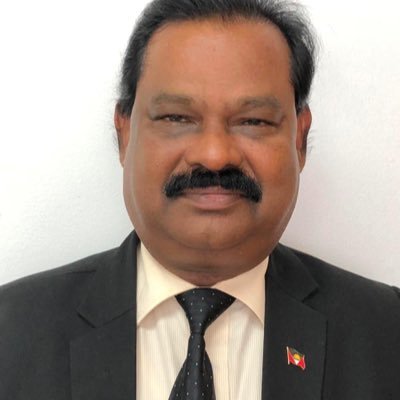
The Customs Division of Antigua and Barbuda experienced a significant increase in revenue for the first two months of 2024, indicating a positive growth trend in the national economy.
The Comptroller of Customs, Raju Boddu, recently disclosed that revenue for January and February 2024 increased by 21.7% compared to the same period last year, amounting to a total of $78.4 million. In 2023, the revenue for the same period was $64.3 million, indicating a difference of $13.6 million.
Mr. Boddu has stated that the rise in ABST (Antigua and Barbuda Sales Tax) has had a minimal impact on the collections so far, as the increase is reflected across the board.
This means that every category of division collections has increased, including import duty, revenue recovery charge (RRC), consumption tax, and ABST.
For instance, ABST collections rose from $22.09 million in 2023 to $25.98 million in 2024, a remarkable 18% increase.

The Customs Comptroller has attributed the increase in revenue collection to Antigua and Barbuda’s robust economy.
External agencies such as the International Monetary Fund (IMF) and the Eastern Caribbean Central Bank (ECCB) have confirmed the country’s growth.
He further stated that the prognosis for the remainder of the year looks quite positive, as the collections from March 1 to 14, 2024, have reflected approximately $4 million more than what was collected during the same period in March 2023.
It is noteworthy that the ABST rate increased from 15 to 17%, yet all other categories of collections have also increased.
The positive growth trend in the national economy and the commendable revenue collections by the Customs Division reflect the country’s stable economic conditions and the effective management of the Customs Division.
This story was first published by Antigua News on March 18, 2024: antigua.news/2024/03/18/customs-revenues-grow-by-13-million-for-first-two-months-of-the-year. © 2024 Antigua News. Republication without permission is not allowed.

About the author
The Editorial Staff refers to all reporters employed by Antigua.news. When an article is not an original creation of Antigua.news—such as when it is based on a press release, other media articles, letters to the editor, or court decisions—one of our staff members is responsible for overseeing its publication.
Read our editorial standards and corrections policy. Spotted an error? Contact the newsroom.
More from Antigua and Barbuda
View section
Freeland Challenges Qualifier Schedule as College Commitments Complicate Team Selection
Basketball president says the timing of another qualifying round created difficulties for overseas players and added financial pressure
By Shermain Bique-Charles

School League Referee Calls for Investigation Into Alleged Verbal Abuse by Grammar School Coach
Devon Ollivere is seeking a public apology and safeguards for match officials following an alleged confrontation with Chesley Browne at Radio Range Football Field.
By Editorial Staff

Janica Adams Earns Special Recognition at Regional Tourism Youth Congress
Antigua and Barbuda’s Junior Minister of Tourism impressed with a creative destination pitch highlighting culture, adventure and bun and cheese ice cream.
By Shermain Bique-Charles

Dr Benjamin Calls for Community-Based Mental Health Care to Replace Clarevue Model
The consultant psychiatrist says meaningful reform must include housing, family support and direct involvement from people living with mental health conditions
By Shermain Bique-Charles
Comments
Be the first to comment.