
Run-Off Decided: Newton and Regis to return to the battlefield

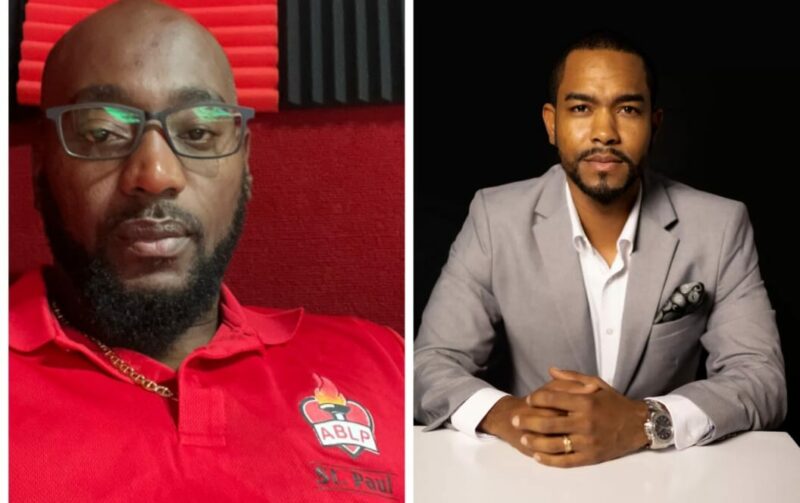
Recent developments in the All Saints West Primary election have made things even more intriguing. Multiple reliable sources confirm that Lamin Newton and Regis Burton, two of the most prominent candidates, are likely to enter into a run-off soon.
While Newton emerged as the winner, Burton has refused to accept the results.
Shortly after the winner’s announcement, Burton, wrote a letter to the party’s leadership, drawing their attention to the contract signed by each candidate before the elections.
The contract stipulated that if no candidate achieved 50% of the votes, the two candidates with the highest votes would compete in a runoff.
In the final tally, Lamin Newton secured 157 votes, followed by Regis Burton with 142 votes, while Arry Simon got only 60 votes. Party insiders revealed that Regis Burton has a strong case, and a run-off election would be held soon.
Burton’s letter also raised concerns about the integrity of the primary elections, citing several inaccuracies and procedural irregularities.
The issues he pointed out were related to the voters’ list, the total count of ballots, and the terms outlined in the contract signed by each candidate before the primary.
Burton noted in his letter that the initial voters’ list contained inaccuracies, and even after revisions, individuals who had paid their registration fees were still left out.
The count of ballots raised concerns as well, as the number of votes was less than the total number of persons claimed to have voted on that day, and there were no spoiled ballots.
It remains to be seen who will ultimately come out on top in what has become a closely watched and highly competitive race.

This story was first published by Antigua News on March 18, 2024: antigua.news/2024/03/18/run-off-decided-newton-and-regis-to-return-to-the-battlefield. © 2024 Antigua News. Republication without permission is not allowed.

About the author
The Editorial Staff refers to all reporters employed by Antigua.news. When an article is not an original creation of Antigua.news—such as when it is based on a press release, other media articles, letters to the editor, or court decisions—one of our staff members is responsible for overseeing its publication.
Read our editorial standards and corrections policy. Spotted an error? Contact the newsroom.
More from Antigua and Barbuda
View section
Freeland Challenges Qualifier Schedule as College Commitments Complicate Team Selection
Basketball president says the timing of another qualifying round created difficulties for overseas players and added financial pressure
By Shermain Bique-Charles

School League Referee Calls for Investigation Into Alleged Verbal Abuse by Grammar School Coach
Devon Ollivere is seeking a public apology and safeguards for match officials following an alleged confrontation with Chesley Browne at Radio Range Football Field.
By Editorial Staff

Janica Adams Earns Special Recognition at Regional Tourism Youth Congress
Antigua and Barbuda’s Junior Minister of Tourism impressed with a creative destination pitch highlighting culture, adventure and bun and cheese ice cream.
By Shermain Bique-Charles

Dr Benjamin Calls for Community-Based Mental Health Care to Replace Clarevue Model
The consultant psychiatrist says meaningful reform must include housing, family support and direct involvement from people living with mental health conditions
By Shermain Bique-Charles
Comments
Be the first to comment.