
WIOC donates lab equipment to three schools

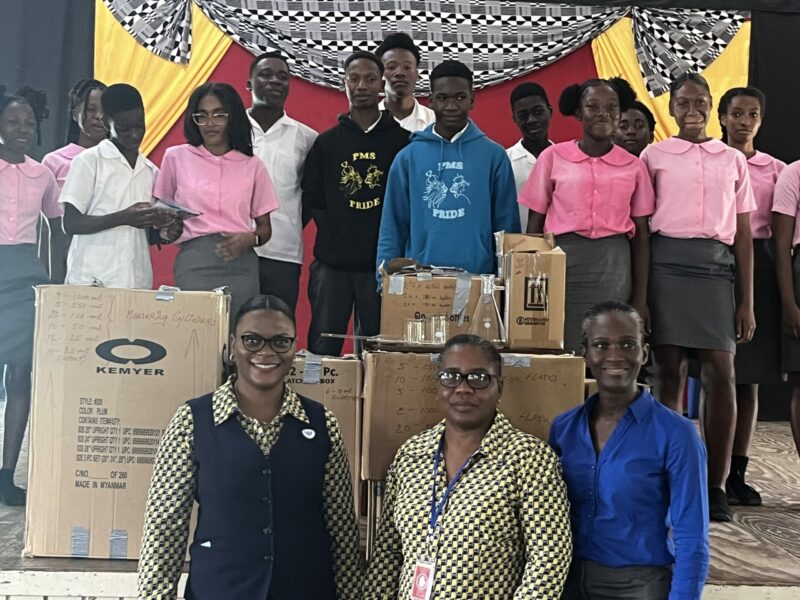
The West Indies Oil Company, a prominent corporate entity in Antigua and Barbuda, has displayed generosity by providing laboratory equipment worth $10,000 to three secondary schools in the St. John’s area.
The equipment consists of a wide range of items such as test tubes, funnels, beakers, and other essential science tools and will be distributed among three prominent schools, namely the Princess Margaret School, Antigua Grammar School, and the Antigua Girls High School.
On Monday, the first presentation of equipment was held during which a team of two representatives from WIOC presented the equipment to the head of the school’s science department, Kanter Rawlins-Charles, in the presence of school officials, Dr. Colin Greene and Sharon Kelsick, alongside some science students.
The presentation was made by Drucella Jno Baptiste, the Marketing and Business Development Officer, and Charma John, the Health and Safety Officer, on behalf of the company.

Jno Baptiste revealed that WIOC’s primary strategic objective this year is to give back to the community within the surrounding area, and this is the first of three donations that will be made to government secondary schools.
Apart from this, she also spoke to the students about the safety issues that surround the handling of LPG gas cylinders around the home.
She also briefly discussed career opportunities that may become available at WIOC and the necessary subjects that the students would need to explore a career in this field.
She emphasized that subjects such as chemistry, physics, and mathematics are some of the subjects they would need to explore a career at the company.
The WIOC will make similar presentations to the AGS and AGHS after the Easter holidays.
Earlier this month, WIOC contributed $10,000 to the Adele School for Special Education to help with its lunch program.
This story was first published by Antigua News on : antigua.news/2024/03/26/wioc-donates-lab-equipment-to-three-schools. © 2024 Antigua News. Republication without permission is not allowed.

About the author
The Editorial Staff refers to all reporters employed by Antigua.news. When an article is not an original creation of Antigua.news—such as when it is based on a press release, other media articles, letters to the editor, or court decisions—one of our staff members is responsible for overseeing its publication.
Read our editorial standards and corrections policy. Spotted an error? Contact the newsroom.
More from Antigua and Barbuda
View section
HIGH SCHOOL STUDENTS CONTINUE TO BENEFIT FROM SANDALS FOUNDATION’S CARE FOR KIDS SCHOLARSHIP PROGRAMME
Kyrah Edwards and Erwin Christopher receive third annual scholarship payments, supporting their education while encouraging community service.
By Shermain Bique-Charles

Chinese Embassy Welcomes Caribbean Youth Parliamentarians for Cultural Exchange
Ambassador Jiang Wei calls for greater understanding through dialogue, while House Speaker Osbert Frederick praises the young leaders.
By Shermain Bique-Charles

LETTER: A Safe Reunion Should Not End Questions About a Child’s Welfare
Delores Harris calls for greater accountability and child protection measures following the safe reunion of a young child found wandering alone.
By Editorial Staff

Browne Demands Climate Finance and Action to Protect Small Island States
Speaking in Australia, the Prime Minister urged major emitters and financial institutions to turn climate commitments into practical support for vulnerable nations.
By Shermain Bique-Charles
Comments
Be the first to comment.