
Antigua and Barbuda Hosts Regional Cybersecurity Exercise to Enhance Island Nations’ Cyber Readiness

By Aabigayle McIntosh
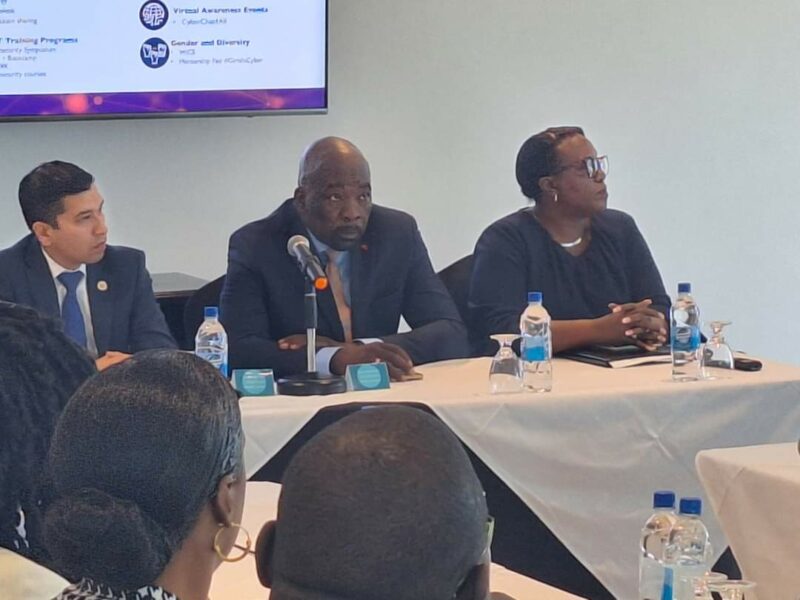
Antigua and Barbuda on Wednesday welcomed regional experts within the cyber security industry for a crucial exercise to improve the cyber readiness of several island nations.
The one-day Regional Cybersecurity Tabletop Exercise was spearheaded by the Cybersecurity Department within the Ministry of ICTs Utilities & Energy in collaboration with the Cybersecurity Program of the Secretariat of the Inter-American Committee against Terrorism (CICTE.
It drew sector stakeholders from Dominica, Grenada, St Lucia, St Vincent & the Grenadines and host country Antigua and Barbuda who were engaged in the use of fictional events, which sought to promote a coordinated response to a cyber-attack.
Information Minister Melford Nicholas was among the many dignitaries in attendance.
He expressed delight in welcoming all the industry experts.
“I’m happy that these three telecommunications companies are represented here and that other forms of based on the scenarios that I know you look at are the areas of agencies of the government are going to be here so that we can first start about the conversation as to where we are, create this awareness and above all begin the process of collaboration,”
Director of Cybersecurity at the Ministry of ICTs Gordina Hector-Murrell also stated the initiative is the first of its kind by the OAS with funding from the US Government to look at scenarios where everyone works together to investigate a cyber-incident or attack.

The OAS Cybersecurity Program Officer David Moreno and the OAS Cybersecurity Project Officer Manuel Alejandro Perez Panero also gave brief opening remarks.
Moreno said Cyber security is a shared responsibility by all stakeholders and all countries.
“It is very important to have exercises like this one where we are aiming to strengthen cooperation and collaboration within the countries, within the different agencies in a country and among also neighbor countries”.
The one-day event was held at the Azure Conference Room at the Trade Winds Hotel.
This story was first published by Antigua News on April 3, 2024: antigua.news/2024/04/03/antigua-and-barbuda-hosts-regional-cybersecurity-exercise-to-enhance-island-nations-cyber-readiness. © 2024 Antigua News. Republication without permission is not allowed.

About the author
The Editorial Staff refers to all reporters employed by Antigua.news. When an article is not an original creation of Antigua.news—such as when it is based on a press release, other media articles, letters to the editor, or court decisions—one of our staff members is responsible for overseeing its publication.
Read our editorial standards and corrections policy. Spotted an error? Contact the newsroom.
More from Antigua and Barbuda
View section
‘They Can’t Dictate That’: Freeland Rejects Player Pressure Over National Coach
Freeland defends the coaching staff and says players should demonstrate their value through training and performance.
By Shermain Bique-Charles

Search Ends as All Four Juveniles Who Escaped Bolans Police Station Return to Police Custody
Police apprehended three of the juveniles during a search operation in Liberta on Thursday morning, less than a day after the fourth surrendered to authorities.
By Cory Wayland

Farmers Given 90 Days to Plant as Government Launches 102-Acre Land-Clearing Programme
Antigua launches a 102-acre agricultural land-clearing programme requiring beneficiaries to establish viable crops within 90 days of land preparation.
By Cory Wayland

Freeland Blames Poor Player Commitment for Antigua and Barbuda’s Basketball Withdrawal
Basketball president acknowledges unpaid stipends but says repeated low practice attendance drove the decision to withdraw.
By Shermain Bique-Charles
Comments
Be the first to comment.