
MP Lewis files FOI requests on three ministries and WIOC regarding Gaston Browne III rental.

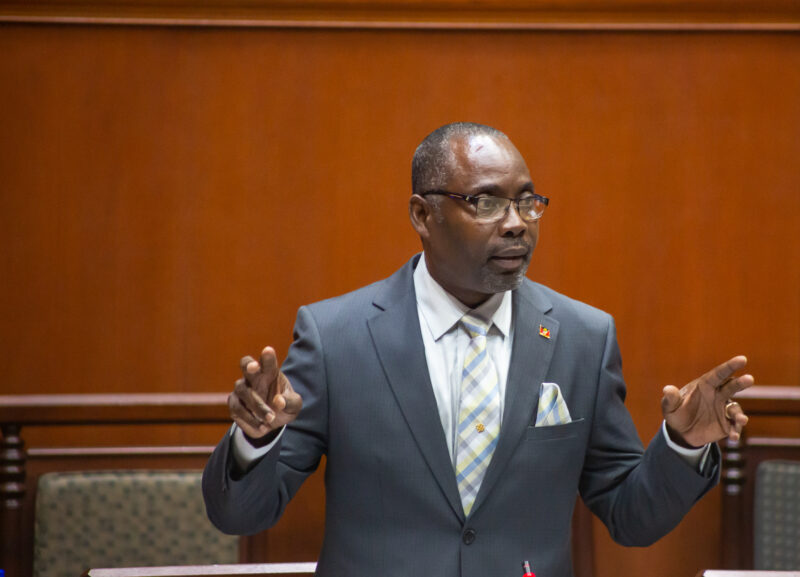
UPP MP Richard Lewis is accusing Prime Minister Gaston Browne, of evading responsibility and avoiding transparency regarding the government’s rental of his son’s property on Friars Hill Road.
The public has raised legitimate questions about the matter, but the Prime Minister has refused to provide satisfactory answers, leaving a cloud of suspicion hanging over the government’s actions.
Lewis, has taken action by submitting four letters under the Freedom of Information Act. These letters formally request information and documentation from the Ministry of Finance, the Ministry of Housing, Lands and Urban Renewal, the Ministry of Works, and the West Indies Oil Company.
The requested information includes details about the sale of the property, payments made for rent, expenses incurred for property repairs and upgrades, lease terms, and correspondence between relevant parties.
On April 2, 2024, the letters were delivered and copies were also sent to the Information Commissioner, whose job is to ensure compliance with the Act. The Act requires a timely response from public authorities within twenty working days of receiving a request.

Lewis expects a quick response from the government, given the Prime Minister’s previous statements about transparency. He also stresses that the public has a right to know how their tax dollars are being spent, especially during times of economic hardships
He plans to continue making freedom of information requests whenever necessary to maintain government accountability and transparency, in accordance with the principles of good governance.
This story was first published by Antigua News on April 3, 2024: antigua.news/2024/04/03/mp-lewis-files-foi-requests-on-three-ministries-and-wioc-regarding-gaston-browne-iii-rental. © 2024 Antigua News. Republication without permission is not allowed.

About the author
The Editorial Staff refers to all reporters employed by Antigua.news. When an article is not an original creation of Antigua.news—such as when it is based on a press release, other media articles, letters to the editor, or court decisions—one of our staff members is responsible for overseeing its publication.
Read our editorial standards and corrections policy. Spotted an error? Contact the newsroom.
More from Antigua and Barbuda
View section
Hundreds Caught In Miles-Long Gas Lines As Dealers Protest Increased Margins
Motorists are scrambling for fuel as leading service stations shut their pumps for the second time in weeks, while WIOC’s Friars Hill station reportedly remains the only WIOC location still dispensing gasoline.
By Cory Wayland

Four-Country CARICOM Free Movement Scheme Reports 939 Processed as Antigua Maintains Separate Conditions for TCN Transfers
Antigua and Barbuda remains outside the four-country scheme, while proposing strict limits and safeguards for temporary transfers of third-country nationals from the US.
By Shermain Bique-Charles

Elderly Man Found Dead Inside Ovals Home
Police are investigating after an elderly man was discovered unresponsive at his home in Ovals on Wednesday morning, with no indication of foul play at this stage.
By Cory Wayland

WATCH: Taxi Operators Call for Proper Policing as Minister Freeland Reviews Concerns in St. John’s
Taxi association representatives say vehicles occupying designated spaces and soliciting cruise passengers are affecting operations around Heritage Quay.
By Shermain Bique-Charles
Comments
Be the first to comment.