
PM Gaston Browne is 9th on Caribbean Leader’s top 10 list

The Caribbean Global Awards recently announced the top 10 leaders from across the Caribbean who have made remarkable contributions to their nations and the wider Caribbean region.
A record-breaking 609 valid votes were cast by the public, and after a meticulous analysis, Guyana’s President Dr. Mohamed Irfaan Ali was named the Caribbean Global Leader in the People’s Choice category for 2024.
This recognition was given to President Ali due to his exemplary leadership in development and the advancement of the Caribbean Community (CARICOM).
The list of top 10 leaders includes Barbados Prime Minister, Mia Mottley, who copped the second spot.
Prime Minister of Grenada, Dickon Mitchell, ranked third, followed by Prime Minister of Jamaica, Andrew Holness, in fourth place.
Prime Minister of St Kitts and Nevis, Terrance Michael Drew, was ranked fifth, while sixth place went to Prime Minister of St Vincent and the Grenadines, Ralph Gonsalves.

Prime Minister of Bahamas, Philip Davis, ranked seventh, and Prime Minister of Trinidad and Tobago, Keith Rowley, ranked eighth.
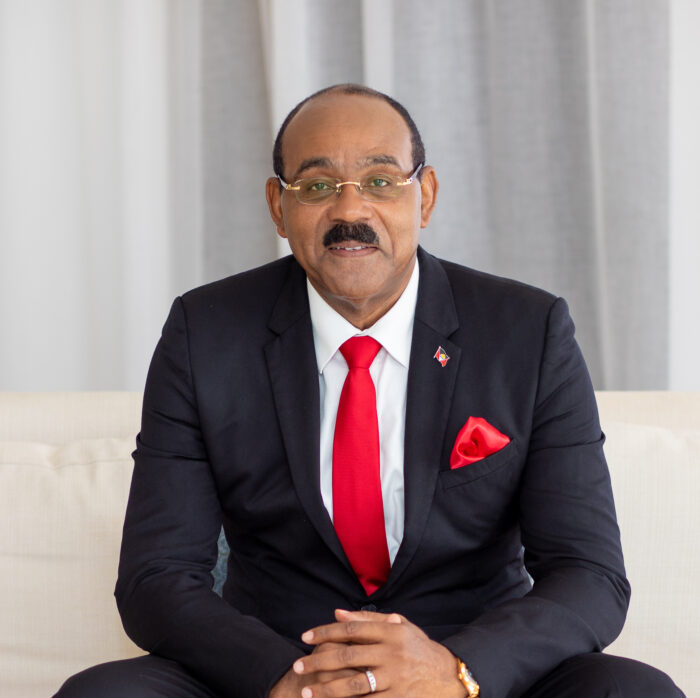
Antigua and Barbuda’s Prime Minister Gaston Browne took the ninth spot, while Sylvanie Burton, Dominica’s President, rounded out the top 10 list. Each of these leaders demonstrated “remarkable” dedication to their nations and the wider Caribbean, as per the Caribbean Global Leader.
Their vision, commitment, and tireless efforts have significantly contributed to the region’s progress and prosperity.
The Caribbean Global Awards aims to celebrate excellence and leadership in the Caribbean region.
The award recognises individuals and organisations making significant contributions to the advancement and development of the Caribbean Community.
If you have any thoughts about this list, feel free to share them by adding a comment below.
This story was first published by Antigua News on : antigua.news/2024/04/05/pm-gaston-browne-is-9th-on-caribbean-leaders-top-10-list. © 2024 Antigua News. Republication without permission is not allowed.

About the author
The Editorial Staff refers to all reporters employed by Antigua.news. When an article is not an original creation of Antigua.news—such as when it is based on a press release, other media articles, letters to the editor, or court decisions—one of our staff members is responsible for overseeing its publication.
Read our editorial standards and corrections policy. Spotted an error? Contact the newsroom.
More from Caribbean
View section
VIDEO: Doctors at Dominica China Friendship Hospital Stage Protest Outside Medical Facility
Healthcare professionals at the Dominica China Friendship Hospital gather outside the medical facility in an apparent protest, raising concerns over issues yet to be officially confirmed.
By Cory Wayland

St. Kitts DPP Seeks Antigua’s Help in Outstanding Case Involving Former Resort Clerk
By Shermain Bique-Charles

Royal Caribbean in Talks to Buy Half of Sandals in Reported $3 Billion Deal
By Shermain Bique-Charles

Four Killed in Latest US Military Strike on Suspected Drug Vessel in Caribbean
By Shermain Bique-Charles
Comments
Be the first to comment.