
MP Charles Fernandez Teams Up with TSG Water Resources (AB) in Community Support Drive

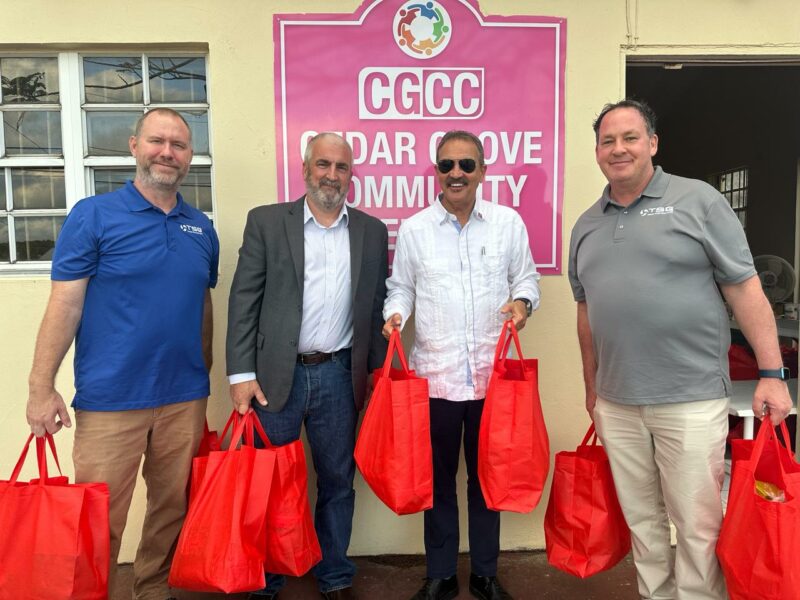
Parliamentary Representative for St. John’s Rural North, Charles ‘Max’ Fernandez, collaborated with TSG Water Resources (AB) to launch a food package distribution initiative aimed at providing support to vulnerable individuals in his community.
Over 200 essential food packages were personally delivered by Fernandez and his team to elderly and vulnerable residents in the areas of Yorks and Cedar Grove, reflecting their commitment to community welfare.
Corporate social responsibility plays a pivotal role in nurturing community spirit and fostering support networks, and initiatives like this serve as a poignant reminder of this. According to Fernandez, it’s imperative to extend a helping hand to those facing hardship, especially as global food prices surge.
The government’s active voucher program remains steadfast, but Fernandez and his team remain committed to supplementing these efforts by providing additional support to those in dire need.
Such initiatives have a profound impact on community solidarity and inspire others to actively engage in supporting those facing adversity.
The distributed packages were meticulously assembled with essential dry goods, canned items, and toiletries and were distributed over the course of Friday and Saturday last week to ensure timely relief to those in need.
TSG Water Resources (AB) recognized the importance of giving back to the community and was honored to have partnered with the community team led by Fernandez in this noble cause.
Fernandez plans to continue his impactful events and initiatives throughout the year, including a comprehensive bus tour, support for upcoming sports camps, a health fair, back-to-school distributions, and ongoing community outreach efforts throughout St. John’s Rural North.
The collaboration between Fernandez and TSG Water Resources (AB) exemplifies the power of collective action in addressing societal challenges and underscores the impact of dedicated leadership and corporate social responsibility in uplifting communities and fostering resilience.

This story was first published by Antigua News on : antigua.news/2024/04/07/mp-charles-fernandez-teams-up-with-tsg-water-resources-ab-in-community-support-drive. © 2024 Antigua News. Republication without permission is not allowed.

About the author
The Editorial Staff refers to all reporters employed by Antigua.news. When an article is not an original creation of Antigua.news—such as when it is based on a press release, other media articles, letters to the editor, or court decisions—one of our staff members is responsible for overseeing its publication.
Read our editorial standards and corrections policy. Spotted an error? Contact the newsroom.
More from Antigua and Barbuda
View section
More Than 12,000 Registered for CHOGM as Overseas Participation Nears 5,000
Organisers say the accreditation total includes local workers and participants preparing to support the Commonwealth gathering.
By Shermain Bique-Charles

VIDEO: Sherese ‘Washington’ Bramble Arrested During Live CHOGM Town Hall Broadcast
Sources say police were seeking Bramble in connection with a separate matter unrelated to the meeting.
By Editorial Staff

Emergency Response Teams to Stage Mass Casualty Drill at Scotts Hill Ahead of CHOGM
Emergency personnel will simulate a serious vehicle crash to test hospital readiness, while a separate evacuation exercise is planned for the CHOGM opening ceremony venue.
By Cory Wayland

Karim Edwards’ Trial Over Fatal Friars Hill Road Crash Postponed Until December
More than four years after the collision that claimed the life of medical student Kenneth Mathew and left Priyanjana Das with life-altering injuries, the accused driver is still awaiting trial.
By Cory Wayland
Comments (1)
Anonymous April 7, 2024, 7:40 PM