
Friday is election day for ABPSA

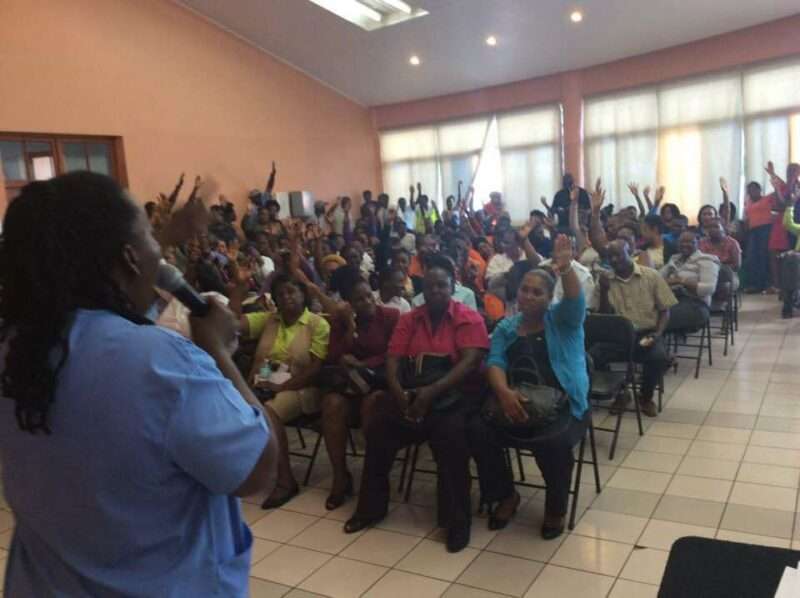
The Antigua & Barbuda Public Service Association (ABPSA) is gearing up for its 2024 Annual General Conference, which is set to take place on Friday, April 12th at the Villa Community Centre.
The conference will be the highest decision-making body within the organisation, and will feature a range of events and activities designed to promote unity, financial stability, and an open reflection on the past term.
The ABPSA is a professional association that represents public servants across Antigua and Barbuda, including both civil service workers and non-established employees.
With a membership that spans local, regional, and international bodies, the ABPSA is well-positioned to fulfill its mandate and advocate for the interests of public servants across the region.

During the conference, biennial elections will be held for eight executive positions, with current president Joan Peters announcing her intention to run for at least one more term.
Peters explains that the ABPSA is structured in a way that allows for democratic decision-making and effective leadership, with the conference serving as a critical platform for advancing the organization’s goals and objectives.
The conference will kick off on Thursday, April 11th under the theme “Stand Up and Stand Out in Unity.”
This theme reflects the ABPSA’s commitment to promoting unity and collaboration among its members, while also recognizing the unique contributions that each individual brings to the table.
The first day of the conference will focus on financial stability, reflecting on the past term, and setting a clear path forward. These discussions will then lead into day two, which will feature the highly-anticipated executive elections.
Overall, the ABPSA is poised to continue making a meaningful impact on the lives of public servants across Antigua and Barbuda, and the 2024 Annual General Conference is an important milestone in this ongoing journey..
This story was first published by Antigua News on : antigua.news/2024/04/11/friday-is-election-day-for-abpsa. © 2024 Antigua News. Republication without permission is not allowed.

About the author
The Editorial Staff refers to all reporters employed by Antigua.news. When an article is not an original creation of Antigua.news—such as when it is based on a press release, other media articles, letters to the editor, or court decisions—one of our staff members is responsible for overseeing its publication.
Read our editorial standards and corrections policy. Spotted an error? Contact the newsroom.
More from Antigua and Barbuda
View section
Missing Man Ackly Roberts, 92, Found Dead by Police
Roberts had been reported missing after he was last seen on November 2.
By Shermain Bique-Charles

Commonwealth Plans Trade and Investment Conference to Advance US$2 Trillion Goal
Botchwey says ministers and business leaders will meet next year to tackle barriers and support investment.
By Shermain Bique-Charles

Gaston Browne Takes Commonwealth Chair as Samoa Hands Over Leadership
A ceremonial presentation marks the transfer of the Chair-in-Office role to Antigua and Barbuda.
By Shermain Bique-Charles

King Charles Expresses Profound Sorrow Over Transatlantic Slavery
Commonwealth head calls for partnerships that address historic wrongs through education, jobs and resilience.
By Shermain Bique-Charles
Comments
Be the first to comment.