
A high surf advisory in effect for Antigua and Barbuda

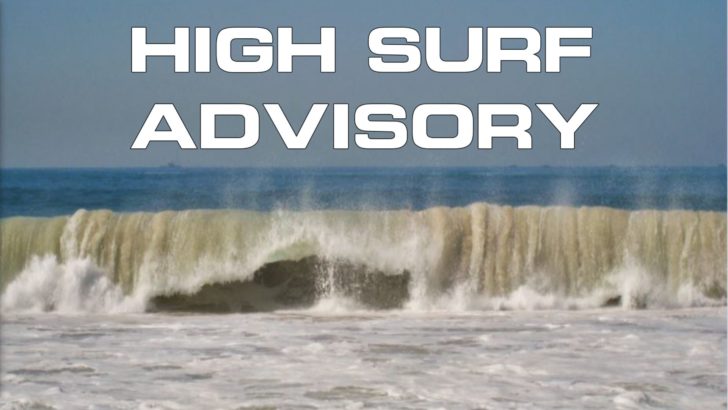
A high surf advisory is in effect for Antigua and Barbuda, Anguilla and the British Virgin Islands.
Climatologist Dale Destin says the advisory will affect reefs and exposed northeastern and northeast-facing coastlines with relatively shallow, gently to moderately sloping, nearshore areas.
This Destin says will last from this afternoon until tomorrow afternoon.
Moderate long-period swells are expected to reach the area and cause hazardous conditions along mainly northeast and northeast-facing coastlines.
The threat level to the life, livelihood, property and infrastructure of those using the affected coastlines is moderate, with the potential for significant impacts according to Destin
These swells could cause life-threatening surfs and rip currents on affected coastlines. A high surf advisory means that dangerous surfs of 2 to 3 metres or 6 to 10 feet will affect some coastlines in the advisory area, producing hazardous conditions.
Seas (significant wave heights) will be 1.5 to 2.1 metres (5 to 7 feet), occasionally or locally reaching 2.7 metres (9 feet).

Swell period will be 9 to 13 seconds. Swells will be northeast at 1.5 to 1.8 metres (5 to 6 feet) and occasionally higher.
Surfs (breaking swells) will be over 2 metres (over 6 feet). These conditions are conducive to dangerous rip currents. Please note that surfs could be as much as twice the height of swells, depending on the bathymetry of the nearshore areas.
Coastal flooding is also a possibility with high tides combined with onshore wind and swell actions that could result in localised coastal flooding and beach erosion.
Potential impacts include loss of life, injuries to beachgoers, beach erosion, sea water splashing onto low-lying coastal roads, beach closures, localised disruptions to marine recreation and businesses, financial losses, damage to coral reefs, saltwater intrusion, and disruptions to potable water from desalination.
High surfs can knock spectators off exposed rocks and jetties.
Precautionary measures must be taken by beachgoers, especially those on the mainly affected coastlines.
They should be extremely cautious and bathe only where lifeguards are present or on the sheltered, less affected beaches, mainly to the south. Extreme caution is also required by those using the affected non-beach or rocky coastlines.
Rip currents are powerful channels of water flowing quickly away from shore, which occur most often at low spots or breaks in the sandbar and near structures such as groins, jetties and piers.
If caught in a rip current, relax and float. Don’t swim against the current. If able, swim in a direction following the shoreline.
If unable to escape, face the shore and call or wave for help. Please continue to monitor these hazardous and life-threatening marine conditions.
This story was first published by Antigua News on April 17, 2024: antigua.news/2024/04/17/a-high-surf-advisory-in-effect-for-antigua-and-barbuda. © 2024 Antigua News. Republication without permission is not allowed.

About the author
The Editorial Staff refers to all reporters employed by Antigua.news. When an article is not an original creation of Antigua.news—such as when it is based on a press release, other media articles, letters to the editor, or court decisions—one of our staff members is responsible for overseeing its publication.
Read our editorial standards and corrections policy. Spotted an error? Contact the newsroom.
More from Antigua and Barbuda
View section
‘They Can’t Dictate That’: Freeland Rejects Player Pressure Over National Coach
Freeland defends the coaching staff and says players should demonstrate their value through training and performance.
By Shermain Bique-Charles

Search Ends as All Four Juveniles Who Escaped Bolans Police Station Return to Police Custody
Police apprehended three of the juveniles during a search operation in Liberta on Thursday morning, less than a day after the fourth surrendered to authorities.
By Cory Wayland

Farmers Given 90 Days to Plant as Government Launches 102-Acre Land-Clearing Programme
Antigua launches a 102-acre agricultural land-clearing programme requiring beneficiaries to establish viable crops within 90 days of land preparation.
By Cory Wayland

Freeland Blames Poor Player Commitment for Antigua and Barbuda’s Basketball Withdrawal
Basketball president acknowledges unpaid stipends but says repeated low practice attendance drove the decision to withdraw.
By Shermain Bique-Charles
Comments
Be the first to comment.