
Barbuda Comes Alive Today for Caribana Festivities

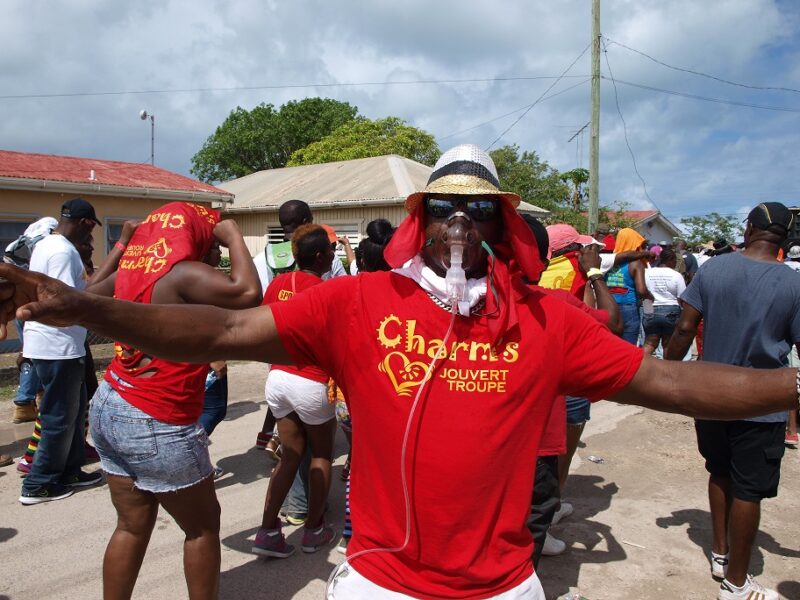
The annual Caribana festivities on Barbuda begin today with an opening parade and ceremony to celebrate the 40th anniversary of the Whit weekend event.
The parade starts at 1:00 pm from the Fisheries Complex in Codrington and will make its way to Caribana City on the River Road.
Participants in the parade include teenage pageant contestants, Caribana Swimwear delegates, and competitors in the Calypso Monarch competition.
The opening ceremony will feature addresses from a representative of the Ministry of Creative Industries, the head of tourism and culture for the Barbuda Council, and the head of the Caribana Planning Committee, Matthew John.

The Teenage Pageant competition will take place in the evening, and the contestants are Alaine Ambris, Janaecia Butler, Eden Beazer, Jeniah Simon, Alaina Ambris, Alrique Barker, and Jarell Dyer.
The Teenage Pageant competition will be judged in five categories: introduction, creative wear, performing talent, research, and interview.
On Friday night, the Caribana Cultural Swimwear competition will take place, featuring three delegates: Kalisha Brown, Kenya Alexander, and Saniqua Jeffrey.
The competition includes segments such as identical swimwear, Caribana pride, creative swimwear, and an interview.
On Saturday at River Dock, there will be all-day and night festivities including a fishing tournament, beach events, and an all-star show featuring the Burning Flames Band, Small Axe Band, and local soca artists.
The 2024 Calypso Monarch will take place on Sunday night, with seven artists performing two songs each: one soca/party song and one social commentary.
This story was first published by Antigua News on : antigua.news/2024/05/16/barbuda-comes-alive-today-for-caribana-festivities. © 2024 Antigua News. Republication without permission is not allowed.

About the author
The Editorial Staff refers to all reporters employed by Antigua.news. When an article is not an original creation of Antigua.news—such as when it is based on a press release, other media articles, letters to the editor, or court decisions—one of our staff members is responsible for overseeing its publication.
Read our editorial standards and corrections policy. Spotted an error? Contact the newsroom.
More from Business and Finance
View section
Monaco exits FATF grey list in boost to €190bn wealth hub
The decision ends 28 months of FATF monitoring, but Monaco remains on the EU’s separate list of high-risk third countries.
By Dario Item

Liechtenstein register hack exposes the privacy risks of financial transparency
Data concerning 31,000 legal entities were stolen from the principality’s beneficial ownership register. As access moves to an identity-checked service in Vaduz, the unresolved question is whether stronger entry controls can protect the people behind the records.
By Dario Item

How much is Hormuz really adding to Caribbean fuel prices?
The disruption is raising the cost of gasoline and diesel far beyond the Gulf. But refinery shortages, shipping costs and changes to subsidies must be separated to establish what motorists are paying for.
By Dario Item

From Potters to Dallas: Antiguan and Barbudan Ryancia Henry Rises to Top Luxury Hotel Management Role
By Shermain Bique-Charles
Comments
Be the first to comment.