
Public Advised to Use Bypass Road During 4th Small Island Developing States (SIDS) Conference”

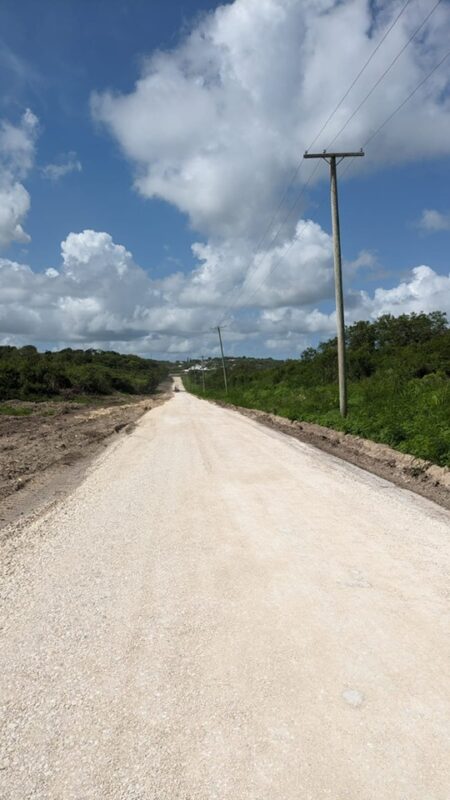
The 4th Small Island Developing States (SIDS) Conference will be held from May 27th to May 31st, 2024.
This significant event will gather representatives and delegates from various nations to discuss critical issues affecting small islands globally.
To ensure the smooth flow of traffic and minimize inconvenience to the general public, the Ministry of Works in conjunction with the Royal Police Force of Antigua and Barbuda advises all residents and visitors to use the designated bypass road during the conference period.
The primary conference venue and surrounding areas are expected to experience increased traffic congestion due to the high number of attendees and security measures in place.

Traffic Advisory Details:
Event Dates: May 27th – May 31st, 2024.
Affected Areas:
No access by the public on Jabberwock Road from South to North (near Casanova Restaurant / Jabberwock Apartments) and vice versa leading to the Main conference venue.
Recommended Bypass Route:
Travelling West (vicinity of Coolidge), at the South end of Jabberwock Road, continue towards New Winthorpes, then North, then West towards Royal Gardens to the junction at Hodges Bay Road (Cedar Grove Clinic).
Travelling from the East (vicinity of Cedar Grove Clinic), continue East at the detour past Royal Gardens, then South towards New Winthorpes, then East to the junction at Jabberwock Road.
Benefits of Using the Bypass Road:
- Reduced travel time.
- Avoidance of conference-related traffic delays.
- Enhanced safety for all road users.
This story was first published by Antigua News on : antigua.news/2024/05/22/public-advised-to-use-bypass-road-during-4th-small-island-developing-states-sids-conference. © 2024 Antigua News. Republication without permission is not allowed.

About the author
The Editorial Staff refers to all reporters employed by Antigua.news. When an article is not an original creation of Antigua.news—such as when it is based on a press release, other media articles, letters to the editor, or court decisions—one of our staff members is responsible for overseeing its publication.
Read our editorial standards and corrections policy. Spotted an error? Contact the newsroom.
More from Antigua and Barbuda
View section
Karim Edwards’ Trial Over Fatal Friars Hill Road Crash Postponed Until December
More than four years after the collision that claimed the life of medical student Kenneth Mathew and left Priyanjana Das with life-altering injuries, the accused driver is still awaiting trial.
By Cory Wayland

Jury Rejects Self-Defence Claim And Finds Kareem Simon Guilty Of Dennis Edwards’ Murder
Jury rejects Simon’s self-defence claim after video footage reveals details of the fatal confrontation on Lower All Saints Road.
By Cory Wayland

Tourism Ministry and ABTA Working with Bert Kirchner on Proposed Louis Tomlinson Campaign
Minister Michael Freeland has held talks on the project, which aims to turn international exposure into visitor interest and bookings.
By Shermain Bique-Charles

Your Child Is Safe at Home, But Are They Safe Online?
Games, chats and social media are where our children play and make friends. Here is what every parent and guardian needs to know to keep them safe there.
By Editorial Staff
Comments
Be the first to comment.