
Antigua & Barbuda signs declaration to join CAF Development Bank

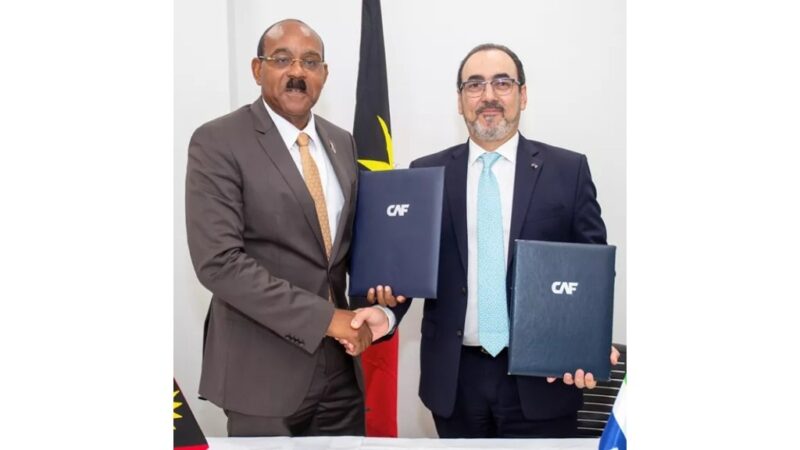
Antigua and Barbuda have expressed its intention to join the Development Bank of Latin America and the Caribbean (CAF).
This decision was formalized when Prime Minister Gaston Brown signed a declaration of intent on the sidelines of the Fourth International Conference on Small Island Developing States (SIDS4), taking place in Antigua and Barbuda.
Prime Minister Brown stated, “We are very pleased to announce Antigua and Barbuda’s intention to join CAF.
We are fully aligned and prepared to collaborate on the opportunities that CAF can offer to small Caribbean islands like Antigua and Barbuda, in order to enhance the well-being of their residents.”

In response, CAF issued a statement noting that Antigua and Barbuda’s decision to join CAF would provide the country with expanded options for development financing, leveraging CAF’s technical expertise, financial resources, and knowledge services.
This move also signifies CAF’s growing presence in the Caribbean.
Sergio Díaz-Granados, the Executive President of CAF, emphasized that the increasing partnership between Antigua and Barbuda and CAF highlights the commitment to providing Caribbean Small Island Developing States (SIDS) with new development financing options.
This, in turn, aims to address development issues affecting their communities.
The growing confidence of Caribbean countries in CAF underscores the organization’s ability to provide swift and innovative financing solutions for the benefit of their citizens.
It’s worth noting that CAF currently has twenty-one member countries, including Barbados, Trinidad and Tobago, Jamaica, and the Dominican Republic.
This story was first published by Antigua News on : antigua.news/2024/05/29/antigua-barbuda-signs-declaration-to-join-caf-development-bank. © 2024 Antigua News. Republication without permission is not allowed.

About the author
The Editorial Staff refers to all reporters employed by Antigua.news. When an article is not an original creation of Antigua.news—such as when it is based on a press release, other media articles, letters to the editor, or court decisions—one of our staff members is responsible for overseeing its publication.
Read our editorial standards and corrections policy. Spotted an error? Contact the newsroom.
More from Business and Finance
View section
Liechtenstein register hack exposes the privacy risks of financial transparency
Data concerning 31,000 legal entities were stolen from the principality’s beneficial ownership register. As access moves to an identity-checked service in Vaduz, the unresolved question is whether stronger entry controls can protect the people behind the records.
By Dario Item

How much is Hormuz really adding to Caribbean fuel prices?
The disruption is raising the cost of gasoline and diesel far beyond the Gulf. But refinery shortages, shipping costs and changes to subsidies must be separated to establish what motorists are paying for.
By Dario Item

From Potters to Dallas: Antiguan and Barbudan Ryancia Henry Rises to Top Luxury Hotel Management Role
By Shermain Bique-Charles

Twenty-Three Days to Close a EUR2bn Case Built on Hundreds of Pages: The Novo Banco Judgment That Should Shock Europe’s Bond Market
By Dario Item
Comments
Be the first to comment.