
SIDS civil society launch 10-year Action Plan and Roadmap at the SIDS4 conference

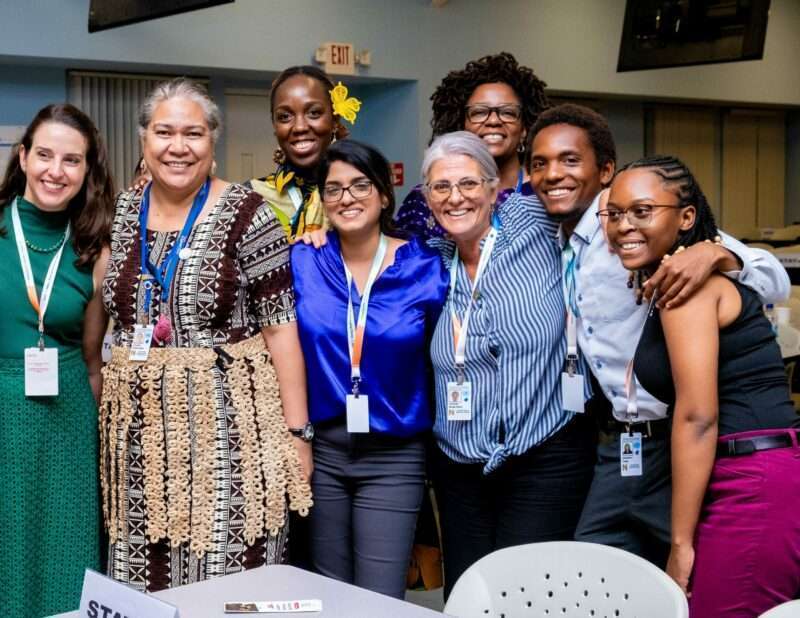
Civil society representatives from across the world have joined forces in developing a joint SIDS Civil Society Action Plan and Roadmap (2024-2034) which outlines key sustainable development priorities that civil society will address in the new 10-year sustainable development agenda for SIDS, called the Antigua and Barbuda Agenda for SIDS (ABAS).
This Action Plan and Roadmap was launched at the Civil Society Forum held on May 29 as a special event at the Fourth International Conference on SIDS (SIDS4) held May 27-30 in Antigua and Barbuda.
Civil society from across the three SIDS regions – Atlantic, Indian Ocean and South China Sea (AIS), Caribbean and Pacific – collaborated to develop the Action Plan and Roadmap, which highlights the diverse roles which civil society plays in delivering sustainable development, including in research, policy development, awareness raising, capacity building, advocating for and amplifying the voices of vulnerable or marginalised people, and developing and delivering innovative practical solutions on the ground.

CANARI’s Executive Director, Nicole Leotaud, emphasised that, “New and deeper partnerships between governments and development partners with civil society can be a game changer for sustainable development in SIDS. This will leverage the expertise that civil society brings to the table, transforming our approach to addressing climate change, achieving inclusive and environmentally sustainable economic development, and delivering a human-rights approach to development.”
The SIDS Civil Society Action Plan and Roadmap provides a framework and concrete recommendations for action by civil society in SIDS, as well as action by SIDS governments and development partners to better enable and support civil society and deliver a participatory, multisectoral and whole of society approach to sustainable development in SIDS.
In addition to launching the Action Plan and Roadmap, civil society had a strong presence at the SIDS4 conference, engaging with national governments, regional agencies and development partners and calling for real transformation towards inclusive, resilient and sustainable development in SIDS.
This story was first published by Antigua News on : antigua.news/2024/06/08/sids-civil-society-launch-10-year-action-plan-and-roadmap-at-the-sids4-conference. © 2024 Antigua News. Republication without permission is not allowed.

About the author
The Editorial Staff refers to all reporters employed by Antigua.news. When an article is not an original creation of Antigua.news—such as when it is based on a press release, other media articles, letters to the editor, or court decisions—one of our staff members is responsible for overseeing its publication.
Read our editorial standards and corrections policy. Spotted an error? Contact the newsroom.
More from Antigua and Barbuda
View section
HIGH SCHOOL STUDENTS CONTINUE TO BENEFIT FROM SANDALS FOUNDATION’S CARE FOR KIDS SCHOLARSHIP PROGRAMME
Kyrah Edwards and Erwin Christopher receive third annual scholarship payments, supporting their education while encouraging community service.
By Shermain Bique-Charles

Chinese Embassy Welcomes Caribbean Youth Parliamentarians for Cultural Exchange
Ambassador Jiang Wei calls for greater understanding through dialogue, while House Speaker Osbert Frederick praises the young leaders.
By Shermain Bique-Charles

LETTER: A Safe Reunion Should Not End Questions About a Child’s Welfare
Delores Harris calls for greater accountability and child protection measures following the safe reunion of a young child found wandering alone.
By Editorial Staff

Browne Demands Climate Finance and Action to Protect Small Island States
Speaking in Australia, the Prime Minister urged major emitters and financial institutions to turn climate commitments into practical support for vulnerable nations.
By Shermain Bique-Charles
Comments
Be the first to comment.