
Police Commissioner welcomes the pending boost in human capacity with the latest batch of recruits.


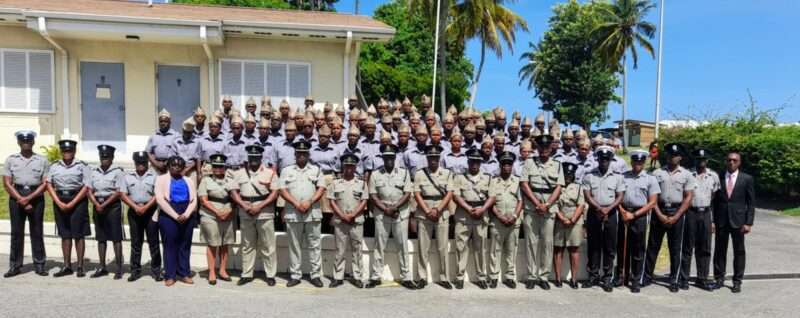
The latest batch of recruits (Photo courtesy Stratcom)
By Aabgayle McIntosh
Police Commissioner Altee Rodney is optimistic about the latest recruitment drive, indicating that the Royal Police Force of Antigua and Barbuda is nearing its goal of attracting new and fresh minds.
He said, “Presently, we have approximately 815 personnel comprising police and fire officers. About 200 are attached to the police and fire departments, and the remainder are regular police officers.”
Rodney explained that having a force with the appropriate ratio to the country’s population is important.
“I think the number 1,000 would give us adequate numbers to deal with all the matters that we have to address. We are stretched. Yes, we have been doing well with the limited resources we have, but in an ideal world, I think if we have at least 1,000 officers to serve a population of 100,000, that would be quite adequate. You need a police force that is in proportion with the population it serves,” Rodney said.

Rodney is also pleased with the assistance the department has received from the Antigua and Barbuda Social Security Scheme.
“It’s a good arrangement. We did some of the renovations and installed some of the equipment we needed, and they have stepped forward and assisted us greatly. We are thankful for the management of social security,” Rodney added.
He said the statutory corporation can be assured that the facilities are in good hands.
“We are here taking good care of it. We normally take good care of the facilities we are using. The recruits are trained on how to maintain their surroundings.”
This story was first published by Antigua News on : antigua.news/2024/06/12/police-commissioner-welcomes-the-pending-boost-in-human-capacity-with-the-latest-batch-of-recruits. © 2024 Antigua News. Republication without permission is not allowed.

About the author
The Editorial Staff refers to all reporters employed by Antigua.news. When an article is not an original creation of Antigua.news—such as when it is based on a press release, other media articles, letters to the editor, or court decisions—one of our staff members is responsible for overseeing its publication.
Read our editorial standards and corrections policy. Spotted an error? Contact the newsroom.
More from Antigua and Barbuda
View section
Antigua and Barbuda Named Focal Point for Proposed Louis Tomlinson Tourism Campaign
Michael Freeland will serve as organisers’ point of contact as discussions continue on the proposed promotional programme.
By Shermain Bique-Charles

Teen Charged Over Tindale Road Burglary
Police say cash and property valued at EC$9,171.50 were stolen from a home on October 15.
By Shermain Bique-Charles

Browne Pursues Renewable Energy Partnerships and Long-Term EV Programme in Australia
Talks in Perth centre on a proposed OECS energy initiative, investment opportunities and plans to extend electric vehicle use beyond CHOGM.
By Shermain Bique-Charles

Sir Ronald Sanders Receives Ukraine’s Order of Merit for Defence of Sovereignty
Antigua and Barbuda’s ambassador honoured for diplomatic leadership at the OAS and support for Ukraine’s territorial integrity.
By Shermain Bique-Charles
Comments
Be the first to comment.