
CIBC and CIBC Caribbean to donate towards restoration efforts in islands affected by Hurricane Beryl

CIBC Caribbean has joined its parent company, CIBC, in making an initial donation of US $100,000 through CIBC Caribbean’s ComTrust Foundation to support hurricane relief efforts in Caribbean islands impacted by Hurricane Beryl.
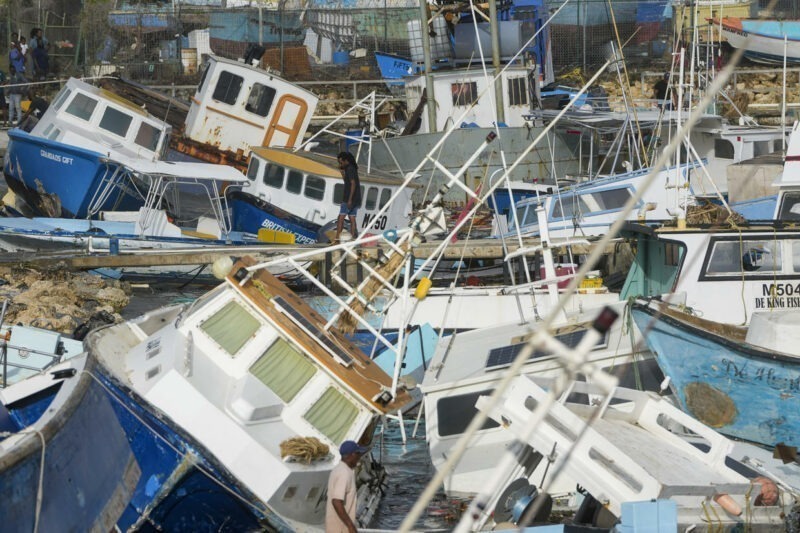
The funds will go towards restoration efforts in St. Vincent, Grenada and the Grenadines, and Jamaica and to assist affected fishermen in Barbados.
“The devastation caused by Hurricane Beryl has seen near complete destruction of some communities and thousands of people across the region are in urgent need of assistance,” said Mark St. Hill, Chief Executive Officer, CIBC Caribbean and Chairman of the ComTrust Foundation.

“We stand with our team members and affected communities in the Caribbean as they navigate these difficult circumstances and join our clients in supporting immediate recovery efforts.” Mr. St. Hill added: “Not so long ago, Grenada and St. Vincent were members of our network; we employed several dozen people there and in fact we still have some Vincentians and Grenadians on our team, so we feel their loss keenly; though we have moved away, we are still family.”
With that in mind, we will be making a donation to the recovery efforts in the Grenadines through our ComTrust Foundation and the Barbados Red Cross, which has been in contact with the Red Cross offices in St. Vincent and Grenada.”
The bank will also donate funds to the restoration effort in Jamaica through the Salvation Army and Food for the Poor, an international relief agency. Additionally, CIBC Caribbean will donate to the relief fund set up in Barbados for the fisherfolk who lost their boats during Beryl.
The ComTrust Foundation is the bank’s charitable arm, which commits a minimum of US$1M to charitable causes across the Caribbean annually.
This story was first published by Antigua News on : antigua.news/2024/07/09/cibc-and-cibc-caribbean-to-donate-towards-restoration-efforts-in-islands-affected-by-hurricane-beryl. © 2024 Antigua News. Republication without permission is not allowed.

About the author
The Editorial Staff refers to all reporters employed by Antigua.news. When an article is not an original creation of Antigua.news—such as when it is based on a press release, other media articles, letters to the editor, or court decisions—one of our staff members is responsible for overseeing its publication.
Read our editorial standards and corrections policy. Spotted an error? Contact the newsroom.
More from Antigua and Barbuda
View section
Karim Edwards’ Trial Over Fatal Friars Hill Road Crash Postponed Until December
More than four years after the collision that claimed the life of medical student Kenneth Mathew and left Priyanjana Das with life-altering injuries, the accused driver is still awaiting trial.
By Cory Wayland

Jury Rejects Self-Defence Claim And Finds Kareem Simon Guilty Of Dennis Edwards’ Murder
Jury rejects Simon’s self-defence claim after video footage reveals details of the fatal confrontation on Lower All Saints Road.
By Cory Wayland

Tourism Ministry and ABTA Working with Bert Kirchner on Proposed Louis Tomlinson Campaign
Minister Michael Freeland has held talks on the project, which aims to turn international exposure into visitor interest and bookings.
By Shermain Bique-Charles

Your Child Is Safe at Home, But Are They Safe Online?
Games, chats and social media are where our children play and make friends. Here is what every parent and guardian needs to know to keep them safe there.
By Editorial Staff
Comments
Be the first to comment.