
UWIFIC: Advancing Knowledge, Fostering Innovation, and Contributing to Regional Development

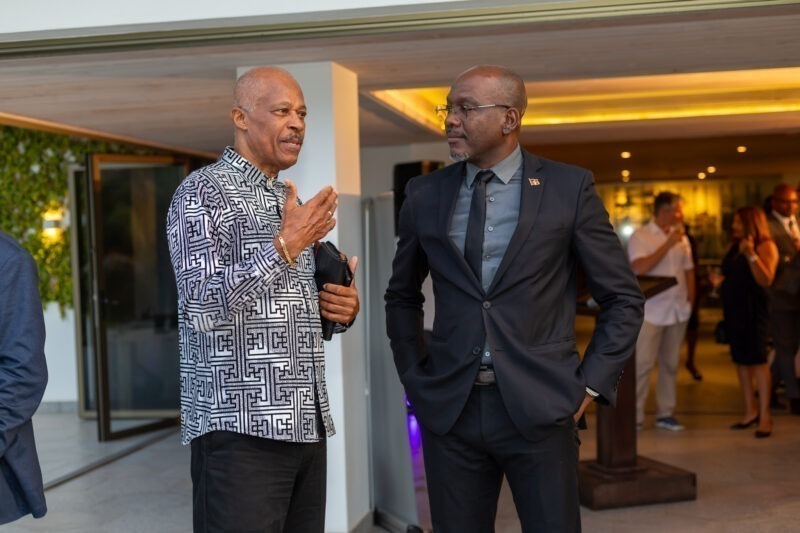
Education Minister Daryll Matthew says the University of the West Indies (UWI) has always been at the forefront of education, research, and innovation in the Caribbean
He made these remarks this week, during the first-annual Conference on the 5IR and Generative Artificial Intelligence at the UWI FIC.
“Hosting this conference is a reflection of our commitment to these goals. The Five Islands Campus, as the newest addition to the UWI family, is proud to be the venue for this historic event,” he said
The education minister at says that in the Caribbean, it’s not just about using new technology, but also about encouraging a culture of innovation, inclusivity, and sustainability.
He thinks it’s important that everyone has the skills and knowledge they need for the digital age. He wants to make sure that AI and the 5th Industrial Revolution benefits everyone.
The minister believes that Generative AI is very exciting and promising for the Caribbean’s future. He thinks AI can help create new content like text, images, music, and designs, and open up many creative and innovative possibilities.
He suggests that people in the Caribbean should use generative AI to preserve and promote their culture, grow their creative industries, and build the economy.
He imagines a future where artists and musicians work with AI to create new art and music, blending tradition with innovation. He also sees AI being used to make personalized learning experiences for students and come up with sustainable solutions for environmental challenges.

This story was first published by Antigua News on : antigua.news/2024/07/09/uwific-advancing-knowledge-fostering-innovation-and-contributing-to-regional-development. © 2024 Antigua News. Republication without permission is not allowed.

About the author
The Editorial Staff refers to all reporters employed by Antigua.news. When an article is not an original creation of Antigua.news—such as when it is based on a press release, other media articles, letters to the editor, or court decisions—one of our staff members is responsible for overseeing its publication.
Read our editorial standards and corrections policy. Spotted an error? Contact the newsroom.
More from Antigua and Barbuda
View section
Man and Woman Killed in Creekside Shooting
Victims taken to hospital in a private vehicle following gunfire shortly after 4 p.m. Tuesday.
By Shermain Bique-Charles

Emergency Teams Prepare For CHOGM With Simulated Crash And Evacuation Drills
A mass casualty exercise at Scotts Hill and an evacuation drill at the Performing Arts Centre will test emergency readiness ahead of the summit.
By Cory Wayland

Teen Charged Over Tindale Road Burglary
Police say cash and property valued at EC$9,171.50 were stolen from a home on October 15.
By Shermain Bique-Charles

Browne Pursues Renewable Energy Partnerships and Long-Term EV Programme in Australia
Talks in Perth centre on a proposed OECS energy initiative, investment opportunities and plans to extend electric vehicle use beyond CHOGM.
By Shermain Bique-Charles
Comments
Be the first to comment.