
Minister Anthony Smith attends First Cabinet Meeting of the Gaston Browne Administration

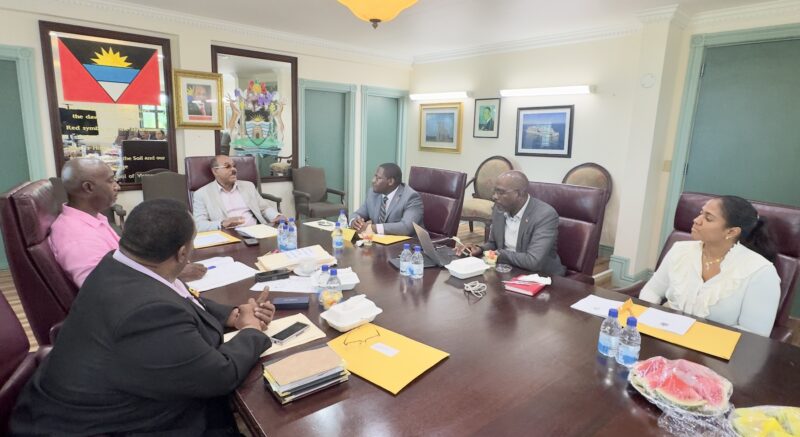
Independent Member of the Parliament of Antigua and Barbuda, the Hon. Anthony Smith Jr., on Wednesday attended his first cabinet meeting under the leadership of Prime Minister Gaston Browne following his appointment as Minister of Agriculture, Land, Fisheries and the Blue Economy.
Prime Minister Browne welcomed Minister Smith to the Cabinet and noted that every member of the Cabinet participated in the decision to make him a Cabinet Member following his resignation from the Opposition United Progressive Party benches in parliament on Monday.
Prime Minister Browne noted that the new minister is among experienced members of the government and he can be assured of their full support.
“Everyone is committed to providing you with the type of mentoring that you will require. You came into the Cabinet with the full consensus of everyone here. We are happy to have you onboard and look forward to a productive relationship,” pointed out Prime Minister Browne.
Minister Smith thanked the Hon. Prime Minister and the members of the Cabinet for their confidence and outlined that he is grateful for the opportunity given to him.
“I want every member of this team to know that I am committed to the team and country. I come from a private sector background where I have worked all my life and it’s my first time working in government, so I know I have a lot to learn. I am here to listen and learn from all of you.”
Minister Anthony Smith will make his first appearance in the House of Representatives on Thursday as an Independent Member. On Friday he will commence meetings with Heads of Department of the Ministry.
This story was first published by Antigua News on July 17, 2024: antigua.news/2024/07/17/minister-anthony-smith-attends-first-cabinet-meeting-of-the-gaston-browne-administration. © 2024 Antigua News. Republication without permission is not allowed.

About the author
The Editorial Staff refers to all reporters employed by Antigua.news. When an article is not an original creation of Antigua.news—such as when it is based on a press release, other media articles, letters to the editor, or court decisions—one of our staff members is responsible for overseeing its publication.
Read our editorial standards and corrections policy. Spotted an error? Contact the newsroom.
More from Antigua and Barbuda
View section
Four-Country CARICOM Free Movement Scheme Reports 939 Processed as Antigua Maintains Separate Conditions for TCN Transfers
Antigua and Barbuda remains outside the four-country scheme, while proposing strict limits and safeguards for temporary transfers of third-country nationals from the US.
By Shermain Bique-Charles

Elderly Man Found Dead Inside Ovals Home
Police are investigating after an elderly man was discovered unresponsive at his home in Ovals on Wednesday morning, with no indication of foul play at this stage.
By Cory Wayland

WATCH: Taxi Operators Call for Proper Policing as Minister Freeland Reviews Concerns in St. John’s
Taxi association representatives say vehicles occupying designated spaces and soliciting cruise passengers are affecting operations around Heritage Quay.
By Shermain Bique-Charles

OPINION: The World Must Rise Up With A Single Voice Against All Forms Of Terrorism
Cuban Ambassador Sergio Martinez Gonzalez calls for a united global stand against terrorism as CARICOM and Cuba commemorate the victims of the 1976 Cubana Airlines bombing and reaffirm their opposition to terrorism in all its forms.
By Editorial Staff
Comments
Be the first to comment.