
Millions to be made available to fight crime

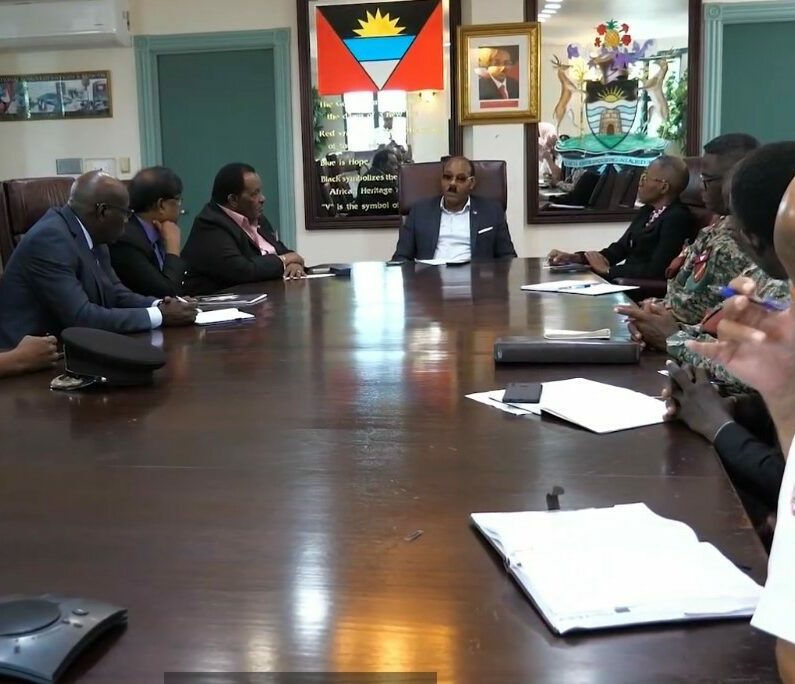
The government of Antigua and Barbuda has committed to investing millions of dollars to acquire more equipment to combat crime in the country.
Prime Minister Gaston Browne recently chaired a meeting with the National Security Council to discuss this matter.
During the meeting, several important measures were taken, including a more coordinated approach among various agencies to enhance law enforcement.
“Several million dollars will be made available immediately to acquire additional assets, including two vessels to improve maritime surveillance of our porous maritime borders, that is proliferated with bays and quays, facilitating the smuggling of contraband including arms and ammunitions,” he said during an address to the nation tonight
Ten additional surveillance drones will enhance law enforcement’s crime-fighting capabilities. To improve surveillance, additional cameras with superior technology will be installed on the streets. These upgrades are expected to be implemented soon.
Furthermore, PM Browne shared this information: More vehicles are being acquired and equipped with radios to facilitate rapid responses to incidents of crime and violence, especially robberies.

“We have taken further measures to enhance law enforcement, including the hiring of 140 additional officers and the acquisition of more gun-sniffing dogs, to identify guns and ammunitions that may be entering through our air and sea ports”, he said
The Prime Minister stated that the acquisition of crime-fighting assets will be supported by training and the use of digital technologies, including artificial intelligence.
Additionally, joint police and military patrols have been increased, and Browne mentioned that the government will remain a critical part of our strategy.
This story was first published by Antigua News on August 20, 2024: antigua.news/2024/08/20/millions-to-be-made-available-to-fight-crime. © 2024 Antigua News. Republication without permission is not allowed.

About the author
The Editorial Staff refers to all reporters employed by Antigua.news. When an article is not an original creation of Antigua.news—such as when it is based on a press release, other media articles, letters to the editor, or court decisions—one of our staff members is responsible for overseeing its publication.
Read our editorial standards and corrections policy. Spotted an error? Contact the newsroom.
More from Antigua and Barbuda
View section
Browne Says ABLP Is Debt-Free and Holds Financial Reserves
Prime Minister cites party finances while defending temporary accommodation for university law students.
By Shermain Bique-Charles

Dam Works Aim to Boost Water Capacity for Farmers
Farmers Browne and Thwaites are among the latest beneficiaries of agricultural infrastructure improvements in Antigua and Barbuda.
By Shermain Bique-Charles

Honorary Consul of Antigua and Barbuda Marco Garavaglia Meets President Sergio Mattarella
By Editorial Staff

Antigua and Barbuda Ranked Seventh in Condé Nast Traveler’s Regional Island Awards
Readers place the twin-island destination among their favourites in the Caribbean and Atlantic in the 2026 Readers’ Choice Awards.
By Shermain Bique-Charles
Comments (3)
Yannick August 20, 2024, 8:33 PM
oneal August 20, 2024, 8:35 PM
esra August 20, 2024, 8:37 PM