
Sandals Foundation supports ‘A Day with the Girls’ – A Boss Ladies Connect Initiative

ANTIGUA, August 26, 2024 –
On Sunday, the Sandals Foundation partnered with local community organization Boss Ladies Connect for their annual Day with the Girls project, which provides a much-needed respite of relaxation and fun for girls aged 3-15 from the local communities across Antigua.
This initiative is particularly timely as it takes place just before the start of the academic school year, ensuring that these young girls can enjoy a unique day of engaging activities that foster camaraderie and personal development.
The partnership exemplifies the Foundation’s commitment to empowering the next generation, making a meaningful impact in the lives of young girls within the community.
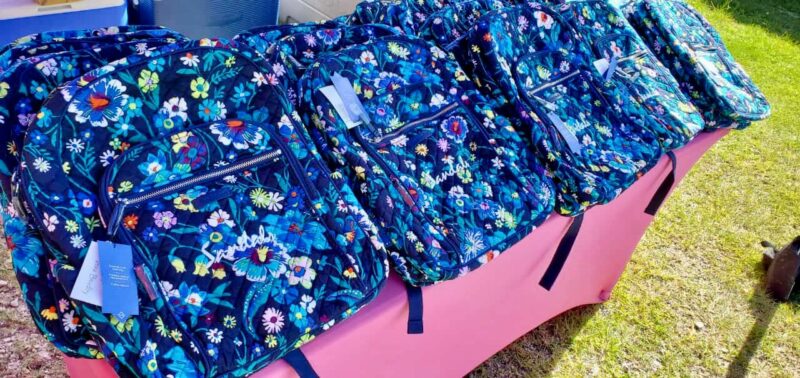
As part of the initiative, the Sandals Foundation gifted several custom-made, high-quality Sandals-branded school bags to this year’s participants.
Boss Ladies Connect Founder, Tamorla Millette who was elated about the partnership and contribution said, “This thoughtful gesture not only provides essential school supplies but also serves as a reminder of the importance of education and the support available to local families.”
Sandals Public Relations Manager Leon Norville, who presented the items, emphasized the Foundation’s unwavering dedication to investing in the youth of the island, highlighting their continuous efforts to find innovative ways to support educational awareness programs, activities, and outreach initiatives.
This event follows the recent announcement of the Sandals Foundation’s Care for Kids five-year scholarship program, which will benefit two local Antiguan students, further underscoring the organization’s commitment to educational empowerment.
Additionally, the Foundation is preparing for its annual back-to-school distribution drive set to take place later this week at Sandals Grande Antigua Resort, reinforcing their ongoing commitment to supporting the educational needs of young people in the community.
Through these initiatives, the Sandals Foundation is not only enhancing the academic readiness of local students but also nurturing a generation of confident, empowered young women.

This story was first published by Antigua News on : antigua.news/2024/08/27/sandals-foundation-supports-a-day-with-the-girls-a-boss-ladies-connect-initiative. © 2024 Antigua News. Republication without permission is not allowed.

About the author
The Editorial Staff refers to all reporters employed by Antigua.news. When an article is not an original creation of Antigua.news—such as when it is based on a press release, other media articles, letters to the editor, or court decisions—one of our staff members is responsible for overseeing its publication.
Read our editorial standards and corrections policy. Spotted an error? Contact the newsroom.
More from Antigua and Barbuda
View section
Emergency Response Teams to Stage Mass Casualty Drill at Scotts Hill Ahead of CHOGM
Emergency personnel will simulate a serious vehicle crash to test hospital readiness, while a separate evacuation exercise is planned for the CHOGM opening ceremony venue.
By Cory Wayland

Karim Edwards’ Trial Over Fatal Friars Hill Road Crash Postponed Until December
More than four years after the collision that claimed the life of medical student Kenneth Mathew and left Priyanjana Das with life-altering injuries, the accused driver is still awaiting trial.
By Cory Wayland

Jury Rejects Self-Defence Claim And Finds Kareem Simon Guilty Of Dennis Edwards’ Murder
Jury rejects Simon’s self-defence claim after video footage reveals details of the fatal confrontation on Lower All Saints Road.
By Cory Wayland

Tourism Ministry and ABTA Working with Bert Kirchner on Proposed Louis Tomlinson Campaign
Minister Michael Freeland has held talks on the project, which aims to turn international exposure into visitor interest and bookings.
By Shermain Bique-Charles
Comments (1)
Lily August 28, 2024, 9:39 AM