
Prime Minister Browne expresses condolences on the death of Sir Shridath Ramphal

Friday 30th August 2024
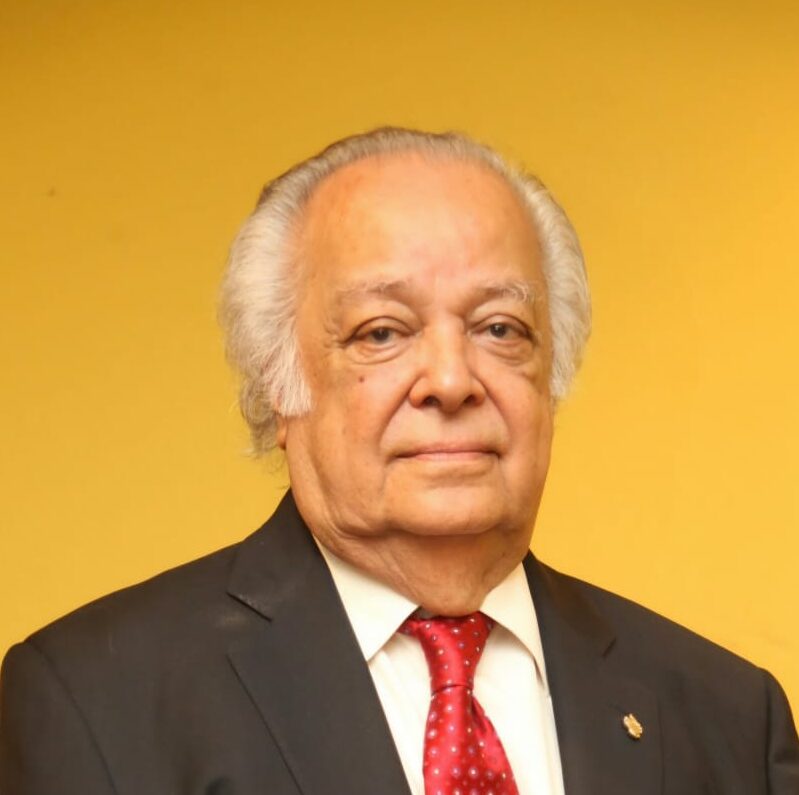
On behalf of the people and Government of Antigua and Barbuda, I express deepest condolences to the family, friends and colleagues of Sir Shridath Ramphal upon his passing earlier today. Our country lost a dear friend; our region has lost an intellectual giant; and the global community lost a champion of peace, development, and justice.
Sir Shridath served our University of the West Indies as Chancellor; was selected to serve as the Assistant Attorney General of the West Indies Federation; was elected to serve as Secretary General of the Commonwealth of Nations for 15 consecutive years. This outstanding Caribbean son was busy throughout his life serving the people.
Sir Shridath was often called upon to perform difficult tasks; those requests were the result of his track record of success. He was an instrumental player in defeating apartheid and promoting peace in Southern Africa.
When the time was ripe to bring the region even closer, he was selected by the CARICOM leaders to chair a think-tank to construct a new arrangement. “Time For Action” remains a guidepost for current and future Caribbean leaders.
Sir Shridath served his country and his family extremely well. He remained married to Lady Lois Ramphal for 67 years. He was the father of an outstanding daughter, Suzanne, who continued to be faithful to this great man; she was married to Sir Ronald Sanders, the diplomat from Antigua and Barbuda who has followed his father-in-law in providing outstanding leadership, serving the region and the hemisphere.
Sir Shridath was an exemplar par excellence. His record will remain as a beacon for many from all across the globe. May his soul rest in eternal peace and rise in Paradise.
Honourable Gaston Browne M.P.
Prime Minister

This story was first published by Antigua News on : antigua.news/2024/09/02/prime-minister-browne-expresses-condolences-on-the-death-of-sir-shridath-ramphal. © 2024 Antigua News. Republication without permission is not allowed.

About the author
The Editorial Staff refers to all reporters employed by Antigua.news. When an article is not an original creation of Antigua.news—such as when it is based on a press release, other media articles, letters to the editor, or court decisions—one of our staff members is responsible for overseeing its publication.
Read our editorial standards and corrections policy. Spotted an error? Contact the newsroom.
More from Antigua and Barbuda
View section
King Charles Expresses Profound Sorrow Over Transatlantic Slavery
Commonwealth head calls for partnerships that address historic wrongs through education, jobs and resilience.
By Shermain Bique-Charles

Browne Announces More Than $1.5 Billion in Commonwealth Funding Commitments
Prime Minister says nature and health initiatives demonstrate CHOGM’s potential to deliver tangible benefits.
By Shermain Bique-Charles

Family Appeals for Public Help to Locate Missing 90-Year-Old Ackly Roberts
Roberts was last seen at his residence in Willikies on November 2, after a family member reportedly dropped off his breakfast at approximately 7:30 a.m.
By Cory Wayland

Minister Joseph Calls for Stronger Health Sector Response to Gender-Based Violence
Health Minister highlights police training, compassionate medical care and counselling as priorities for improving support for survivors.
By Shermain Bique-Charles
Comments
Be the first to comment.