
Joseph outlines key areas he will tackle with new appointment

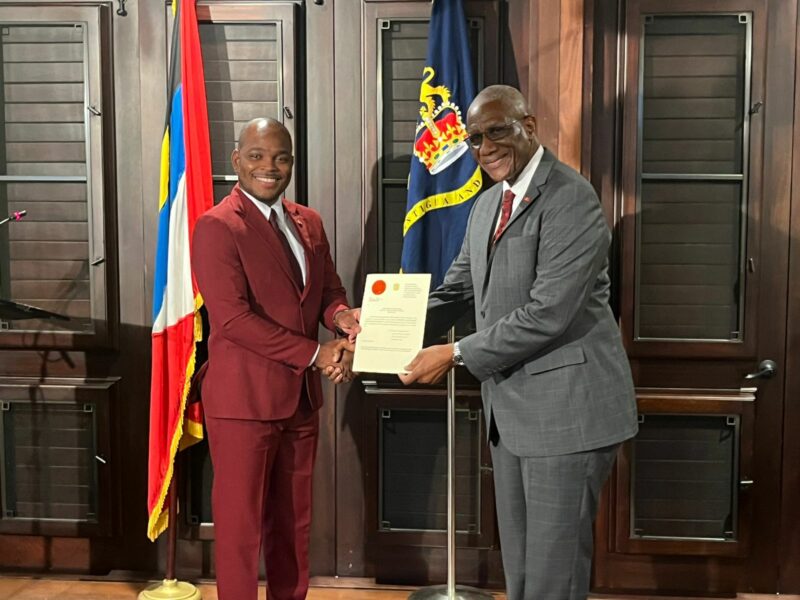
Expanding social safety nets, tackling climate change and improving health services within the communities were just a few of the areas the newly appointed Senator Michael Joseph outlined as areas he plans to address with his new portfolio as the Minister of State in the Ministry of Health, Wellness, Social Transformation and the Environment.
Joseph was speaking just moments after he was sworn in at the Government House before a gathering of senior government officials, other members of the Upper House, family and friends.
“For sure in the area of climate change, I think there’s a lot more we can do. We can capitalize on a lot more resources and opportunities that exist. In the social transformation avenue, the youth, I want to at the social safety nets and how we can expand them and make them better and I want to look at more safety programs for individuals on the lower end of our social plant.
“In particular, in my community, many persons need to support and its just about looking at how we can help,” Joseph explained.
It was just a few days ago that Joseph received the call from Prime Minister Gaston Browne that he would be appointed. News he says is still such shock.
Prime Minister Gaston Browne suggested the appointment last year, where he described Joseph as “a natural in connecting with others” and a winner with his “work ethic” “intellectual competence” and ability.
He is however eager to get to work and just an hour after his ceremony met with Sir Molwyn Joseph, the senior minister.
Today, he will meet with the permanent secretaries and heads of departments in the social transformation division and chair the first planning meeting for the Official Funeral for former member of parliament the Hon. Asot Michael.
Hailing from the Grays Green community, the 31-year-old has never been shy about sharing his roots and giving back to the area.
He is hoping that new appointment will continue to inspire the people of Rural West that nothing is out of reach for them just because of where they live.
“I want them to understand that there’s no capacity, there’s no limit on what they can achieve. I want them to understand very clearly that if they believe that they can do it, then nothing can stop them but themselves. That’s a message that I drive to them, and I stand as a testament that if you work hard you can achieve anything.
“Nothing was ever given to me free, I worked hard for it,” Joseph said.

This story was first published by Antigua News on : antigua.news/2024/11/12/joseph-outlines-key-areas-he-will-tackle-with-new-appointment. © 2024 Antigua News. Republication without permission is not allowed.

About the author
The Editorial Staff refers to all reporters employed by Antigua.news. When an article is not an original creation of Antigua.news—such as when it is based on a press release, other media articles, letters to the editor, or court decisions—one of our staff members is responsible for overseeing its publication.
Read our editorial standards and corrections policy. Spotted an error? Contact the newsroom.
More from Antigua and Barbuda
View section
Browne Places Youth and Women’s Opportunities at Centre of Commonwealth Agenda
Scholarships, research partnerships and digital access feature in the Prime Minister’s call for inclusive growth.
By Shermain Bique-Charles

Greenaway to Represent Antigua and Barbuda on UN Governance Panel in Baku
The Permanent Secretary will discuss partnerships to improve public service delivery at the UN Governance Innovation Summit.
By Shermain Bique-Charles

OPINION: From Commonwealth connections to economic opportunity: Expanding
Commonwealth, Afreximbank and ITC leaders call for stronger transport links, accessible finance and simpler payments to unlock Africa–Caribbean trade.
By Editorial Staff

Royal Visit Ends After Week of Independence Celebrations and Commonwealth Engagements
King Charles III and Queen Camilla departed Antigua and Barbuda this morning following national, community and diplomatic events.
By Shermain Bique-Charles
Comments
Be the first to comment.