
Irene B Williams Secondary School to Represent A&B in Eastern Caribbean Securities Exchange Competition

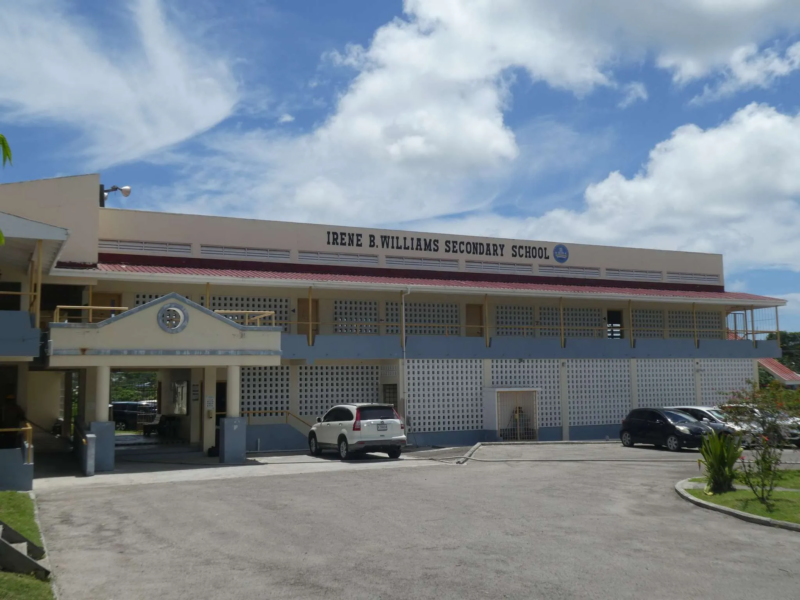
The Green Magnates Ent team from Irene B Williams Secondary School will defend Antigua and Barbuda at the Eastern Caribbean Securities Exchange (ESCE) Regional Schools Investment Competition, following their second consecutive victory in the national rounds.
The talented quartet of Javorn Simon, Leonid Julian, Raffael Davis, and Ronny Cain, under the guidance of Principles of Business teacher Antonia Sampson, secured their spot in the regional championships scheduled for November 11th to 20th, 2024.
Their victory in the intra-country competition, held from October 21 to November 1, positions them among eight elite teams from across the Eastern Caribbean Currency Union.
The competition aims to cultivate financial literacy and investment knowledge among young people, encouraging early participation in the regional stock market.
This year’s competition introduces a new format, challenging participants to manage a portfolio of pre-allocated shares while maintaining a cash balance under $10,000.
Teams must demonstrate strategic thinking in their buying and selling decisions, with an added video presentation component testing their communication skills.
The regional championship lineup includes opponents from across the Eastern Caribbean: Adelphi Enterprise (St Vincent and the Grenadines), Market Masters (Dominica), Boys on the Hill Investment (Grenada), CHSS Emerging Investors (Saint Lucia), Innovative Traders (St Kitts and Nevis), Rainbow City Investors (Anguilla), and Alliougana Hub (Montserrat).

This story was first published by Antigua News on : antigua.news/2024/11/13/irene-b-williams-secondary-school-to-represent-ab-in-eastern-caribbean-securities-exchange-competition. © 2024 Antigua News. Republication without permission is not allowed.

About the author
The Editorial Staff refers to all reporters employed by Antigua.news. When an article is not an original creation of Antigua.news—such as when it is based on a press release, other media articles, letters to the editor, or court decisions—one of our staff members is responsible for overseeing its publication.
Read our editorial standards and corrections policy. Spotted an error? Contact the newsroom.
More from Antigua and Barbuda
View section
More Than 12,000 Registered for CHOGM as Overseas Participation Nears 5,000
Organisers say the accreditation total includes local workers and participants preparing to support the Commonwealth gathering.
By Shermain Bique-Charles

VIDEO: Sherese ‘Washington’ Bramble Arrested During Live CHOGM Town Hall Broadcast
Sources say police were seeking Bramble in connection with a separate matter unrelated to the meeting.
By Editorial Staff

Emergency Response Teams to Stage Mass Casualty Drill at Scotts Hill Ahead of CHOGM
Emergency personnel will simulate a serious vehicle crash to test hospital readiness, while a separate evacuation exercise is planned for the CHOGM opening ceremony venue.
By Cory Wayland

Karim Edwards’ Trial Over Fatal Friars Hill Road Crash Postponed Until December
More than four years after the collision that claimed the life of medical student Kenneth Mathew and left Priyanjana Das with life-altering injuries, the accused driver is still awaiting trial.
By Cory Wayland
Comments
Be the first to comment.