
Govt to sign agreement over subsea cable next week

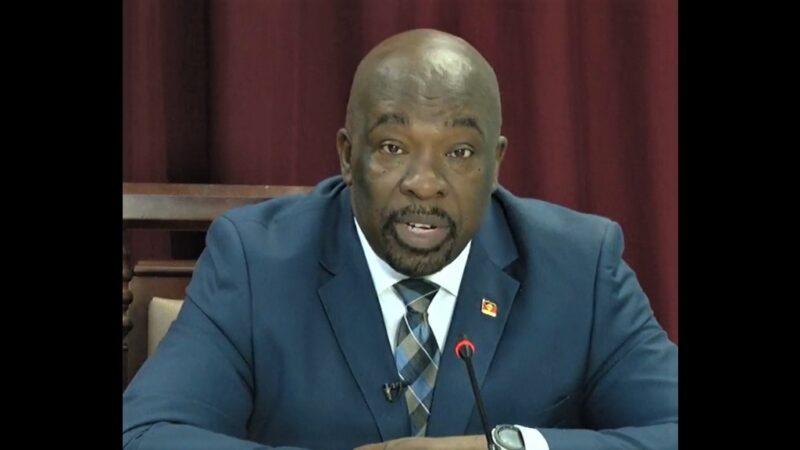
Better and faster internet is on the horizon for Antigua and Barbuda as the Telecommunications Department will be signing an agreement next week to secure the sub sea cable.
Technology Minister Melford Nicholas made the revelation during the Post Cabinet Press Briefing on Thursday morning.
He explained a team from his department will travel to Aruba to sign the agreement.
News he was happy to share.
“After many years, as one of my colleagues at APUA would say, of deliberations and negotiations we have finally come to that position where APUA can ink a deal with respect to its own subsea fibre facilities and I believe had it not been for Parliament on Monday, I would travel to Aruba on Sunday where the final agreement will be inked on Tuesday of next week.
“There will be two directors including the Deputy Chair who will be traveling with the APUA General Manager to ensure that happens,” Nicholas revealed.
With this latest development, Nicholas said other major developments within the Telecommunications sector can now go forward as well.
“APUA will have at its disposal a more cost-effective upstream provider that will allow it to expand its services and make it a bit more cost effective for the population,” he added.
Back in 2019, Prime Minister Gaston Browne during his New Years Day address shared that the Antigua Public Utilities Authority (APUA) would be allocating EC $80 million towards the purchase and installation of its own sub-sea cable.
In July of this year, it was confirmed that the capital was allocated to procure the sub sea cable.

This story was first published by Antigua News on : antigua.news/2024/11/14/govt-to-sign-agreement-over-subsea-cable-next-week. © 2024 Antigua News. Republication without permission is not allowed.

About the author
The Editorial Staff refers to all reporters employed by Antigua.news. When an article is not an original creation of Antigua.news—such as when it is based on a press release, other media articles, letters to the editor, or court decisions—one of our staff members is responsible for overseeing its publication.
Read our editorial standards and corrections policy. Spotted an error? Contact the newsroom.
More from Antigua and Barbuda
View section
Tourism Ministry and ABTA Working with Bert Kirchner on Proposed Louis Tomlinson Campaign
Minister Michael Freeland has held talks on the project, which aims to turn international exposure into visitor interest and bookings.
By Shermain Bique-Charles

Your Child Is Safe at Home, But Are They Safe Online?
Games, chats and social media are where our children play and make friends. Here is what every parent and guardian needs to know to keep them safe there.
By Editorial Staff

HIGH SCHOOL STUDENTS CONTINUE TO BENEFIT FROM SANDALS FOUNDATION’S CARE FOR KIDS SCHOLARSHIP PROGRAMME
Kyrah Edwards and Erwin Christopher receive third annual scholarship payments, supporting their education while encouraging community service.
By Shermain Bique-Charles

Chinese Embassy Welcomes Caribbean Youth Parliamentarians for Cultural Exchange
Ambassador Jiang Wei calls for greater understanding through dialogue, while House Speaker Osbert Frederick praises the young leaders.
By Shermain Bique-Charles
Comments
Be the first to comment.