
Sir Steadroy will contest elections one more time

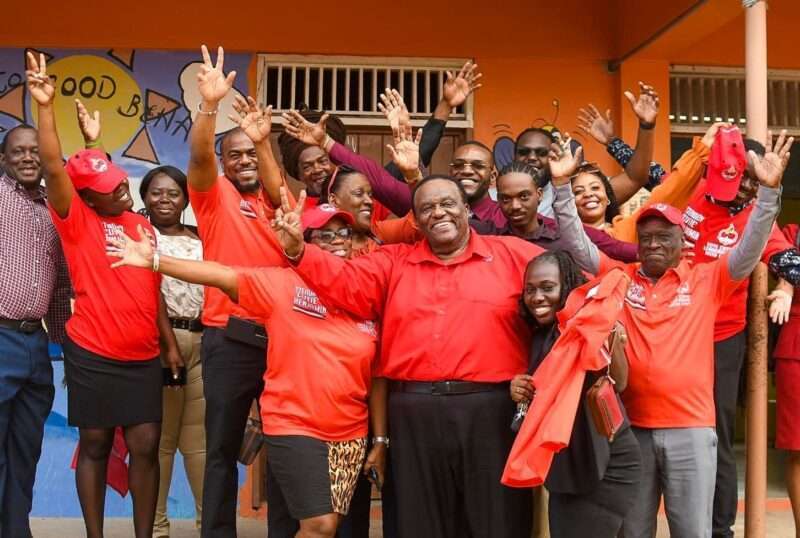
The Parliamentary Representative for St John’s City South, Sir Steadroy Benjamin, announced that the upcoming general elections in Antigua and Barbuda will mark the conclusion of his political career.
In an interview with State Media ABS, conducted on the sidelines of Senator Govia’s official swearing-in ceremony, he reflected on his decision with resolve.
“Every individual has a moment to step back and leave the stage,” Sir Steadroy stated thoughtfully.
He reminisced about the previous general elections, which he had initially intended to make his last.
However, he was swayed by heartfelt pleas from his constituents, prompting him to extend his tenure for another term. “Now, I firmly believe the time is right for me to run for office one final time, which I am prepared to do,” he asserted.
Sir Steadroy expressed optimism about the future, noting that several individuals have already shown interest in stepping into leadership roles within the constituency.
“This is a positive indication that there are capable individuals eager to be molded and trained to take over,” he remarked.
Concluding the interview, Sir Steadroy emphasized his unwavering loyalty to the Antigua and Barbuda Labour Party, assuring that St John’s City South will always remain a steadfast stronghold for the party.
Sir Steadroy was appointed to the Senate in 1981, later elected to the House of Representatives in 1994, and served as the Member of Parliament for St John’s City South.
He held various ministerial roles, including Minister of Planning and Minister of Labour, where he introduced significant legislation like the Sir George Walter Pension Act.
After the 2004 general election, he became the Leader of the Opposition and was later appointed Shadow Minister for justice and other legal affairs.
Recently, he received the Most Distinguished Order of the Nation on November 1, 2023.

This story was first published by Antigua News on : antigua.news/2024/11/15/sir-steadroy-will-contest-elections-one-more-time. © 2024 Antigua News. Republication without permission is not allowed.

About the author
The Editorial Staff refers to all reporters employed by Antigua.news. When an article is not an original creation of Antigua.news—such as when it is based on a press release, other media articles, letters to the editor, or court decisions—one of our staff members is responsible for overseeing its publication.
Read our editorial standards and corrections policy. Spotted an error? Contact the newsroom.
More from Antigua and Barbuda
View section
Emergency Response Teams to Stage Mass Casualty Drill at Scotts Hill Ahead of CHOGM
Emergency personnel will simulate a serious vehicle crash to test hospital readiness, while a separate evacuation exercise is planned for the CHOGM opening ceremony venue.
By Cory Wayland

Karim Edwards’ Trial Over Fatal Friars Hill Road Crash Postponed Until December
More than four years after the collision that claimed the life of medical student Kenneth Mathew and left Priyanjana Das with life-altering injuries, the accused driver is still awaiting trial.
By Cory Wayland

Jury Rejects Self-Defence Claim And Finds Kareem Simon Guilty Of Dennis Edwards’ Murder
Jury rejects Simon’s self-defence claim after video footage reveals details of the fatal confrontation on Lower All Saints Road.
By Cory Wayland

Tourism Ministry and ABTA Working with Bert Kirchner on Proposed Louis Tomlinson Campaign
Minister Michael Freeland has held talks on the project, which aims to turn international exposure into visitor interest and bookings.
By Shermain Bique-Charles
Comments
Be the first to comment.