
Russia expels UK diplomat over spying allegations

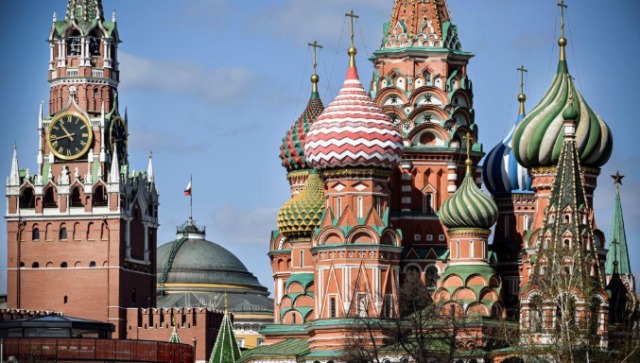
by Mick the Ram
A British diplomat has been given a two-week deadline to leave his embassy in Moscow, following accusations of “reconnaissance and subversive activities” amid rising tension between the two nations.
The decision to expel comes in the wake of the UK permitting Ukraine to use their weapons to strike deeper into Russia.
The Foreign Ministry alleges that the Brit intentionally provided false information to enter the country as a cover for espionage work, thereby violating Russian law.
Russia also barred 30 British citizens from entering the country, in response to “the incessant aggressive anti-Russian rhetoric of the UK authorities.”
A British Foreign Office spokesperson said in a statement: “This is not the first time that Russia has made malicious and baseless accusations against our staff; we will respond in due course.”
Strained relations now at breaking point
In the near three years since Russia’s full-scale invasion of Ukraine, they and the UK have periodically engaged in various expulsions, flexing their muscles as relations become increasingly strained, with diplomats often in the firing line.
In the spring the Russian defence attaché was expelled from London for alleged espionage as an “undeclared military intelligence officer”. Just days later British diplomat Capt Adrian Goghill was given a week to leave Moscow, in a tit-for-tat move.
Then in August of this year, the Russians revoked the accreditation of six British diplomats, once again implying espionage was behind the move.
Russia names diplomat
Now Russia has repeated their accusation, this time against a man who was a replacement for one of the initial six kicked out several months earlier.
“During counter-intelligence work, the Russian Federal Security Service has discovered an undeclared British intelligence presence under the cover of the national embassy in Moscow,” it said.
They went on to actually name him Edward Wilkes and said he was a second secretary, which is a relatively junior diplomatic rank.
Repeatedly Britain has scoffed at such suggestions, describing them as “completely baseless”.
Deputy PM on banned list
To rattle the British still further, Russia then barred 30 British citizens from entering the country, in response to “the incessant aggressive anti-Russian rhetoric of the UK authorities,” according to the Russian Foreign Ministry.
Their line was: “As a response to the hostile actions of the British side, a decision was made to include a number of representatives of the political establishment, the military bloc, high-tech enterprises, and the British journalistic corps who have demonstrated themselves in the anti-Russian field, to the Russian stop list”.
The list named several UK government ministers, including Deputy Prime Minister Angela Raynerand Home Secretary Yvette Cooper, together with journalists from leading British newspapers, including The Times and The Daily Mail.
Putin in “reckless” accusation
The UK and US officials warned the Russians that the deployment of more than 10,000 North Korean troops on the Ukrainian border, was a significant escalation of the conflict.
As soon as Britain gave the go-ahead for their long-range Storm Shadow missiles to be used, Kyiv wasted no time in firing them at the Russian command headquarters in the Kursk region.
Once again in a retaliatory move, President Vladimir Putin intensified the situation by launching an experimental ballistic missile at a military target in the Ukrainian city of Dnipro.
He justified his action by saying it was in response to the “reckless decisions” of Western countries in supplying weapons to Kyiv.
UK biding their time in response
Downing Street has consistently denied all the allegations, some almost laughable, and reiterated that UK government “is unapologetic about protecting our national interests and will now respond in due course, and our embassy in Moscow will continue its important work in Russia to support UK interests.”

This story was first published by Antigua News on : antigua.news/2024/11/28/russia-expels-uk-diplomat-over-spying-allegations. © 2024 Antigua News. Republication without permission is not allowed.

About the author
The Editorial Staff refers to all reporters employed by Antigua.news. When an article is not an original creation of Antigua.news—such as when it is based on a press release, other media articles, letters to the editor, or court decisions—one of our staff members is responsible for overseeing its publication.
Read our editorial standards and corrections policy. Spotted an error? Contact the newsroom.
More from World
View section
Spain Votes After an Eviction Shook Its Government
An elderly tenant’s eviction helped trigger the November 29 snap election. Pedro Sánchez is recovering in some polls, but the right still has the clearer route to a governing majority.
By Dario Item

Dozens of KFC Restaurants Closing Across 10 U.S. States as Major Franchise Operator Files for Bankruptcy
Financial troubles, falling sales and millions in unpaid franchise fees have forced a major KFC operator into bankruptcy, with 72 restaurant locations affected and more closures possible.
By Cory Wayland

Robert Pattinson is the new James Bond
The Twilight and The Batman star succeeds Daniel Craig as 007 in the next James Bond film, directed by Denis Villeneuve and written by Steven Knight.
By Mick the Ram

Microsoft Outage cripples millions globally
Outlook, Teams and Copilot users reported disruptions across 74 countries as Microsoft cited increased load on its infrastructure.
By Mick the Ram
Comments
Be the first to comment.