
Leon Chaku Symister Sworn in as Member of Boundaries Commission

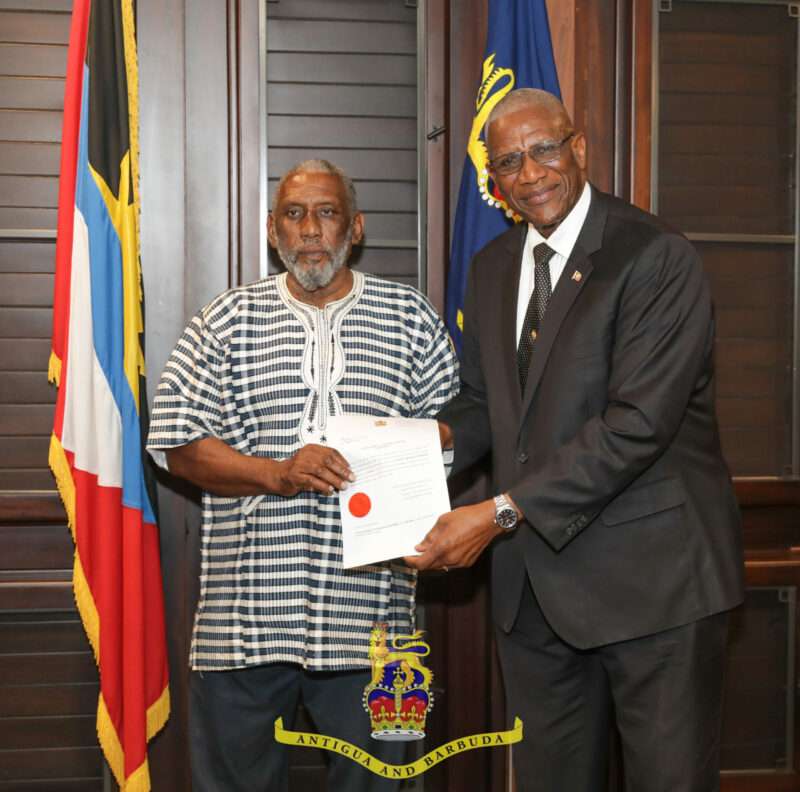
Antigua and Barbuda welcomed the final member to its Boundaries Commission as Leon Chaku Symister was officially sworn in. The ceremony, attended by officials and stakeholders, marked an important milestone in the completion of the Commission’s composition, allowing it to commence its essential duties at full capacity.
Governor General Sir Rodney Williams presided over the swearing-in and emphasized the significance of the Commission’s work, stating, “The Boundaries Commission plays an indispensable role in ensuring the equitable representation of the people of Antigua and Barbuda within our parliamentary system.”
Established by the Constitution and guided by the Constituencies Boundaries Commission Guidance Act of 2012, the Commission is entrusted with reviewing the number and boundaries of constituencies.
The ultimate goal is to ensure that these boundaries accurately reflect the demographics and geographical characteristics of the nation.
Sir Rodney further highlighted the importance of bipartisan collaboration within the Commission, noting that its members consist of appointees from both the government and opposition. This composition facilitates a more inclusive and balanced approach to decision-making.

With the addition of Mr. Symister, who is recognized as an experienced attorney, former educator, and knowledgeable political figure, the Commission now stands ready to tackle the crucial work ahead.
Sir Rodney remarked, “Today, with the appointment of Mr. Symister, the Commission’s team is complete and ready to undertake the critical work ahead.”
As the Boundaries Commission prepares to begin its vital tasks, the focus will be on ensuring that the electoral process fairly represents the voices of all citizens in Antigua and Barbuda.
This story was first published by Antigua News on January 24, 2025: antigua.news/2025/01/24/leon-chaku-symister-sworn-in-as-member-of-boundaries-commission. © 2025 Antigua News. Republication without permission is not allowed.

About the author
The Editorial Staff refers to all reporters employed by Antigua.news. When an article is not an original creation of Antigua.news—such as when it is based on a press release, other media articles, letters to the editor, or court decisions—one of our staff members is responsible for overseeing its publication.
Read our editorial standards and corrections policy. Spotted an error? Contact the newsroom.
More from Antigua and Barbuda
View section
‘They Can’t Dictate That’: Freeland Rejects Player Pressure Over National Coach
Freeland defends the coaching staff and says players should demonstrate their value through training and performance.
By Shermain Bique-Charles

Search Ends as All Four Juveniles Who Escaped Bolans Police Station Return to Police Custody
Police apprehended three of the juveniles during a search operation in Liberta on Thursday morning, less than a day after the fourth surrendered to authorities.
By Cory Wayland

Farmers Given 90 Days to Plant as Government Launches 102-Acre Land-Clearing Programme
Antigua launches a 102-acre agricultural land-clearing programme requiring beneficiaries to establish viable crops within 90 days of land preparation.
By Cory Wayland

Freeland Blames Poor Player Commitment for Antigua and Barbuda’s Basketball Withdrawal
Basketball president acknowledges unpaid stipends but says repeated low practice attendance drove the decision to withdraw.
By Shermain Bique-Charles
Comments (1)
Island Girl January 24, 2025, 4:15 PM