
PM Browne says Disinformation Poses a Grave Danger to the CBI Program

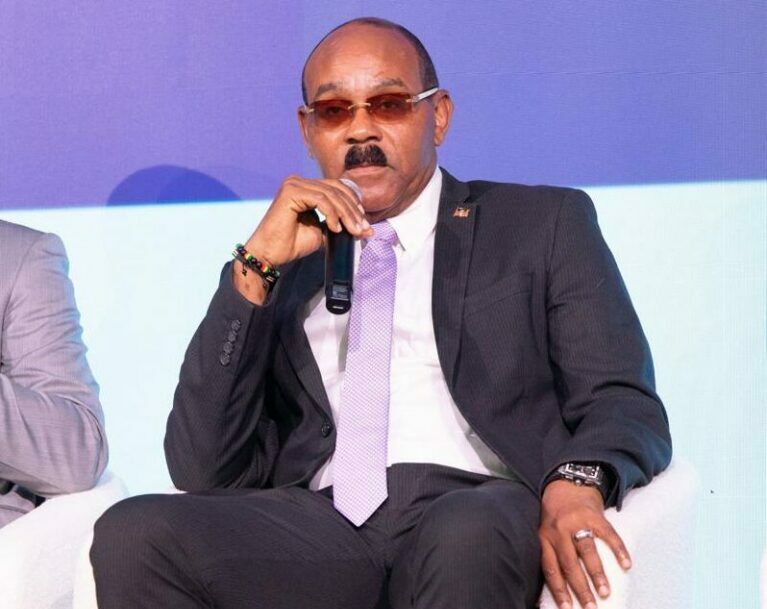

Prime Minister Gaston Browne has strongly called for a united national effort to enhance our nation’s development through the Citizenship By Investment (CBI) programme. He emphasizes that the spread of disinformation and misinformation poses a significant risk to the CBI programme and the nation as a whole.
“Our biggest challenges come from misinformation spread by political operatives aiming to undermine our initiatives for their political gain,” Browne said when he addressed the ongoing Caribbean Investment Summit at the AUA on Thursday.
There, the prime minister highlighted the importance of investment migration as a pathway to economic resilience and sustainable prosperity. He stated that when properly managed, these programmes are beneficial and do not threaten national integrity.
The Prime Minister urged political opponents to refrain from using unjustifiable propaganda that threatens the integrity of the CBI programme. He warned that such actions generate unnecessary anxiety among regional and international partners, leading to ridicule that is damaging to the nation’s reputation.

Prime Minister Browne reiterated that the sub-regional Citizenship By Investment programmes are crucial for nation-building and should not become pawns in partisan political battles.
He encouraged agents and industry practitioners to engage in public awareness advocacy to elevate the CBI programmes above partisan tactics.
Responsibility in opposition, he suggested, prepares parties for governance, reinforcing the importance of constructive political discourse.
This story was first published by Antigua News on : antigua.news/2025/04/25/pm-browne-says-disinformation-poses-a-grave-danger-to-the-cbi-program. © 2025 Antigua News. Republication without permission is not allowed.

About the author
The Editorial Staff refers to all reporters employed by Antigua.news. When an article is not an original creation of Antigua.news—such as when it is based on a press release, other media articles, letters to the editor, or court decisions—one of our staff members is responsible for overseeing its publication.
Read our editorial standards and corrections policy. Spotted an error? Contact the newsroom.
More from Antigua and Barbuda
View section
HIGH SCHOOL STUDENTS CONTINUE TO BENEFIT FROM SANDALS FOUNDATION’S CARE FOR KIDS SCHOLARSHIP PROGRAMME
Kyrah Edwards and Erwin Christopher receive third annual scholarship payments, supporting their education while encouraging community service.
By Shermain Bique-Charles

Chinese Embassy Welcomes Caribbean Youth Parliamentarians for Cultural Exchange
Ambassador Jiang Wei calls for greater understanding through dialogue, while House Speaker Osbert Frederick praises the young leaders.
By Shermain Bique-Charles

LETTER: A Safe Reunion Should Not End Questions About a Child’s Welfare
Delores Harris calls for greater accountability and child protection measures following the safe reunion of a young child found wandering alone.
By Editorial Staff

Browne Demands Climate Finance and Action to Protect Small Island States
Speaking in Australia, the Prime Minister urged major emitters and financial institutions to turn climate commitments into practical support for vulnerable nations.
By Shermain Bique-Charles
Comments (3)
Linda April 25, 2025, 9:36 PM
THE BOY keba April 25, 2025, 10:39 PM
Unruly One April 26, 2025, 9:12 PM